Reference vs AIB Graphics Cards: Which Is Right For You
When choosing a graphics card for your PC, understanding the difference between reference and AIB models is key. A reference card is designed by the GPU manufacturer (like NVIDIA or AMD) itself. AIB cards, made by partners like ASUS or MSI, offer custom designs and often better cooling. For most users, AIB cards provide more options for performance and quiet operation.
Think of it like this: reference models are the baseline blueprint. They ensure the core technology works as intended. AIB (Add-in-Board) partners take that blueprint and add their own flair. This usually means beefier heatsinks, extra fans, and sometimes even factory overclocks for a performance boost. They cater to a wider range of needs, from silent builders to overclocking enthusiasts.
- Reference cards are made by the GPU maker (NVIDIA/AMD).
- AIB cards are made by partners with custom designs.
- AIB cards often have better cooling and performance.
- Choose AIB for more options and potential advantages.
We’ve found that diving into the specifics of each can seem a bit daunting, but it doesn’t have to be. Let’s break down what makes each type tick and help you decide which is the right fit for your rig.
Understanding Graphics Card Models: Reference vs. AIB
When you’re looking to buy a new graphics card, you’ll notice different versions of the same GPU model. It can be confusing. You might see a card listed as a “reference” model, and then you’ll see many others from companies like ASUS, MSI, Gigabyte, and EVGA. These are known as AIB (Add-in-Board) partners. We’ve found that understanding the difference between these two types is the first step. It helps you make a smarter purchase for your gaming PC or workstation.
What Exactly is a Reference Graphics Card?
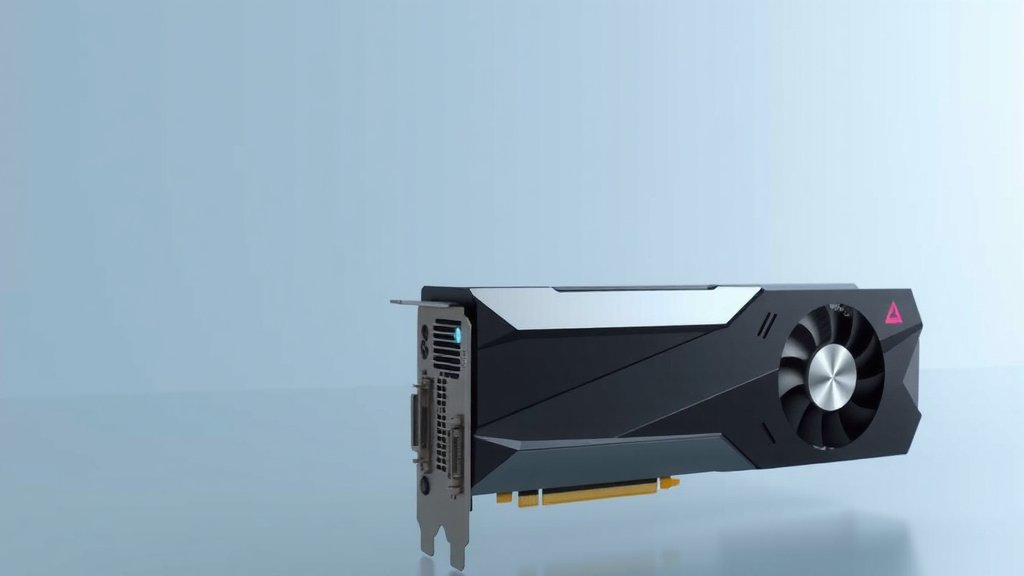
Think of a reference card as the “vanilla” version. NVIDIA or AMD designs the core graphics chip and the basic card layout. Then, they produce a small batch themselves. These cards are built to specific standards. They show off the raw performance of the GPU. Reference cards usually have a simple, often black or silver, shroud. They typically use a single, basic fan. Their main goal is to show the reference design. They ensure the GPU performs as the manufacturer intended.
The Design Philosophy of Reference Cards
The idea behind a reference card is straightforward. It’s meant to be a stable benchmark. GPU makers want to ensure their new chips work correctly. They also want to get them into the hands of reviewers quickly. These cards often have a blower-style cooler. This type of cooler exhausts hot air directly out of your PC case. This can be good for small builds. However, it’s often louder than other designs (TechRadar).
Performance and Features of Reference Cards
You’ll get the standard performance of the GPU with a reference card. It runs at the clock speeds set by NVIDIA or AMD. There are usually no factory overclocks. This means it won’t boost higher than advertised out of the box. The cooling solution is adequate for keeping the card running. But it might not offer the best thermal performance. You also won’t find fancy RGB lighting or multiple BIOS profiles. It’s a no-frills, functional design.
What Are AIB Graphics Cards?
AIB stands for Add-in-Board. These are the graphics cards made by companies other than NVIDIA or AMD. Think of brands like ASUS, MSI, Gigabyte, Zotac, EVGA, and XFX. They buy the GPU chips from NVIDIA or AMD. Then, they design their own custom cards around those chips. This is where you see a lot of variety and innovation. AIB partners aim to offer something more.
The Customization Power of AIB Partners
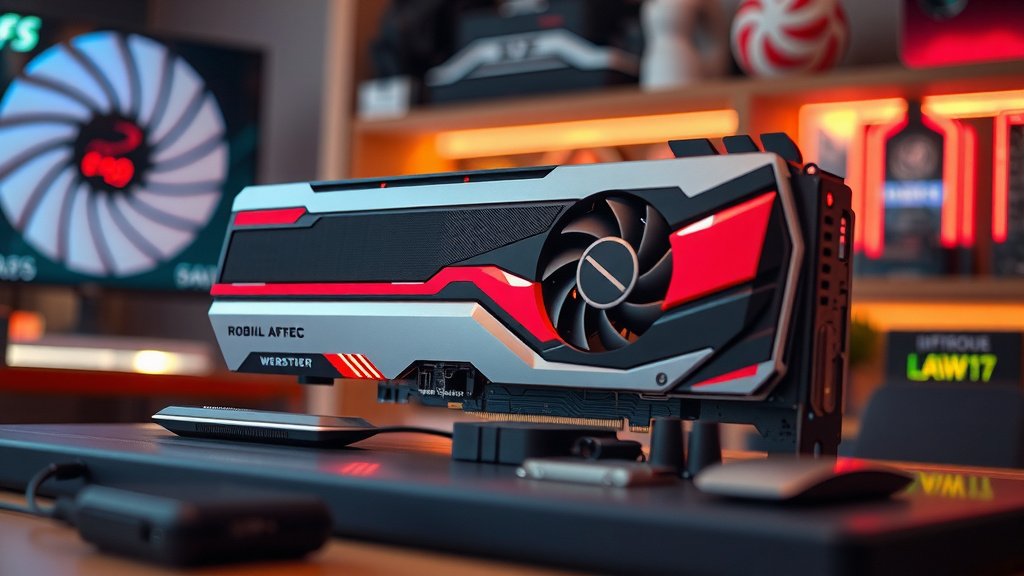
AIB partners take the reference design and make it better. They often install beefier heatsinks. These are the metal fin stacks that dissipate heat. They add more fans, sometimes two or even three. This allows for better cooling. Better cooling means the GPU can run faster for longer. Many AIB cards also come with factory overclocks. This gives you extra performance right out of the box (Tom’s Hardware).
Cooling Solutions: More Fans, Better Temps
One of the biggest differences is cooling. AIB cards usually feature advanced cooling systems. These can include large heatsinks with many heat pipes. They also use multiple fans, often larger and quieter than the reference blower style. Some AIB cards even use liquid cooling. This allows for lower temperatures and less noise. This is a huge advantage for gamers who want smooth, high-frame-rate gameplay.
Factory Overclocks and Performance Boosts
Many AIB cards are designed for enhanced performance. They ship with higher clock speeds than reference models. This means more frames per second in games. These “overclocked” or “OC” models are very popular. They offer a performance edge without you needing to do any manual tweaking. You get more power for your money.
AIB Card Aesthetics and Features
AIB partners also focus on aesthetics. You’ll find cards with eye-catching designs. Many feature RGB lighting that you can customize. Some have backplates for added rigidity and style. You might also see different power connectors or enhanced VRMs (Voltage Regulator Modules). These power delivery components can be important for overclocking. Many AIB cards offer dual BIOS switches. This lets you choose between a performance BIOS and a quieter, more conservative BIOS.
Reference vs. AIB: A Quick Comparison
Let’s break down the key differences in a simple table. It helps to see them side-by-side.
| Feature | Reference Card | AIB Card |
|---|---|---|
| Manufacturer | NVIDIA / AMD | ASUS, MSI, Gigabyte, etc. |
| Cooling | Basic, often blower-style | Custom, often multi-fan, better heatsinks |
| Performance | Standard clock speeds | Often factory overclocked, higher performance |
| Noise Levels | Can be louder | Generally quieter due to better cooling |
| Aesthetics | Simple, basic design | Custom designs, RGB lighting, backplates |
| Price | Usually lower | Often higher due to custom features |
When Might You Choose a Reference Card?
Reference cards are not always the “worse” option. They have their place. If you’re building in a very small PC case, a blower-style cooler can be beneficial. It exhausts heat directly outside the case. This helps prevent heat buildup. Also, reference cards are often less expensive. If you’re on a tight budget, they can be a good way to get the core GPU performance. Some enthusiasts also prefer reference designs. They like the clean, minimalist look. Or they plan to do their own custom cooling solution, like a water block.
Why Most Users Prefer AIB Cards
For the average PC builder, AIB cards offer more. The enhanced cooling means quieter operation and better sustained performance. The factory overclocks give you a performance boost without extra effort. The improved aesthetics can make your PC look much better. Many research studies and user reviews indicate that AIB cards provide a superior overall experience for gaming and demanding tasks (Gamers Nexus). You get more options to match your specific needs and preferences.
Making Your Final Decision: What to Look For
When you’re ready to buy, consider these points. What is your budget? Do you need the absolute best cooling? How important is the noise level to you? Do you care about the look of your PC? Think about how you’ll use the card. Will it be for gaming, video editing, or something else? Answering these questions will guide you.
- Consider your PC case size and airflow.
- Check reviews for specific AIB models.
- Compare noise levels and temperatures.
- Factor in the price difference.
- Decide if factory overclocks are important.
Conclusion
So, you’ve learned that reference cards are the baseline designs from NVIDIA or AMD, while AIB cards are custom-built by partners like ASUS and MSI. For most of you, AIB cards will offer a better experience with superior cooling, quieter operation, and often a performance edge right out of the box. While reference cards have their niche, especially for small builds or tight budgets, AIB models usually provide more bang for your buck. When making your choice, consider your budget, cooling needs, and desired aesthetics. We recommend checking out reviews for specific AIB models to find the perfect fit for your setup.
Frequently Asked Questions
Are reference cards always cheaper than AIB cards?
Typically, reference cards are priced lower because they lack the custom cooling and extra features of AIB models. However, you might find some AIB cards that are very close in price to reference models, especially during sales. It’s always worth comparing prices across different brands and models.
Can I upgrade the cooler on a reference card?
Yes, you absolutely can! Many enthusiasts choose reference cards specifically because they plan to install a custom water-cooling block or a third-party air cooler. This allows for extreme customization and potentially better cooling than even the best AIB solutions.
Which type of card is better for overclocking?
Generally, AIB cards are better for overclocking. They often come with beefier power delivery components (VRMs) and more robust cooling solutions. This combination allows the GPU to handle higher clock speeds more stably and for longer periods.
Do blower-style coolers on reference cards ever have an advantage?
Yes, blower-style coolers can be beneficial in small form factor PCs or systems with very poor case airflow. They exhaust hot air directly out of the back of the case, preventing heat from lingering inside. In larger builds with good airflow, they are usually louder and less effective than AIB solutions.
Are AIB cards always better in terms of noise?
While AIB cards generally offer quieter operation due to better cooling, it’s not a universal guarantee. Some high-performance AIB models might prioritize maximum cooling for extreme overclocks, which can sometimes lead to more fan noise. Always check reviews for specific noise level benchmarks.

![10 Best Budget Nvidia Gpu [2026]](https://spsolutionscare.com/wp-content/uploads/2026/09/10-best-budget-nvidia-gpu-2026-featured-768x432.jpg)