What is a GPU Shroud? Your Essential Guide
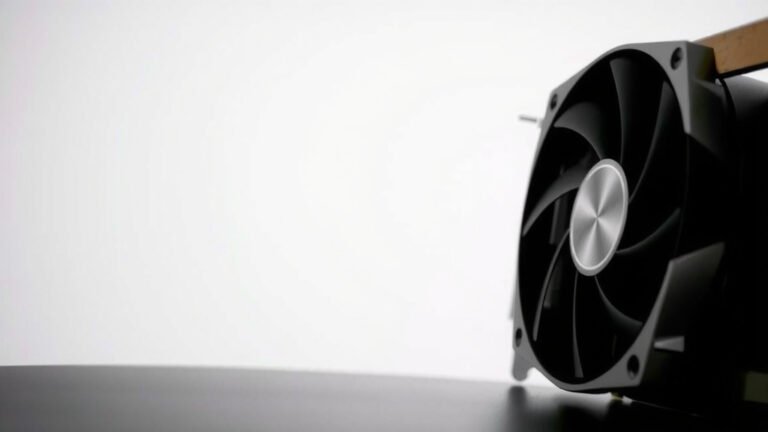
A GPU shroud is the protective plastic or metal casing that covers your graphics card’s internal components. It’s mainly there to direct airflow from the fans for better cooling. Think of it as the outer shell that keeps dust out and helps your GPU stay chill during intense gaming sessions.
You’ll often see them in different designs and colors, letting gamers personalize their PC builds. While it protects the sensitive parts, its primary job is to work with the fans to ensure your graphics card doesn’t overheat. A good shroud can make a big difference in keeping your GPU performance stable.
- What is a GPU shroud? It’s the outer shell of your graphics card.
- Its main job is directing air for cooling.
- It also protects internal parts from dust.
- Many shrouds are designed for looks too.
- It helps keep your GPU running smoothly.
Now that you know the basics, let’s dive a little deeper into what makes a GPU shroud tick and why it matters for your rig.
Understanding Your Graphics Card’s Outer Shell
So, you’ve heard the term GPU shroud, but what exactly does this component do for your graphics card? Think of it as the stylish jacket for your GPU. It’s the external casing you see when you look at your graphics card installed in your PC. While it looks good, its real purpose is functional, focusing on keeping your card cool and protected. We found that its design plays a big role in how well your GPU performs under pressure.
The Core Function: Airflow Management
The most important job of a GPU shroud is to guide the airflow. Graphics cards generate a lot of heat, especially when you’re gaming or working on demanding tasks. The fans on your GPU are designed to push air across the heatsink and other components. The shroud works with these fans to make sure that air goes exactly where it’s needed. A good GPU shroud is essential to guide the airflow for efficient cooling, as explained in our guide to improving GPU cooling.
Without a proper shroud, air could just dissipate randomly. This would make cooling much less efficient. The shroud channels this cool air, forcing it over the heat-generating parts like the GPU die and memory modules. Many experts say this directed airflow is key to preventing thermal throttling, which is when your card slows down to avoid overheating.
How the Shroud Directs Air
You’ll notice most GPU shrouds have openings designed to capture air. This air is then forced through the heatsink fins. Some designs even feature specific channels or ducting to optimize this process. It’s a bit like a vacuum cleaner hose; it needs to direct the suction to a specific spot to be effective. We found that this focused airflow can dramatically improve heat dissipation.
The shroud also helps to contain the heat generated by the GPU. Instead of letting it spread out inside your case, it helps push the hot air out through the rear of your PC or towards your case fans. This is a critical part of your PC’s overall thermal management.
Protection and Durability
Beyond cooling, the GPU shroud acts as a protective layer. It shields the delicate internal components from physical damage. Imagine dropping a tool on your graphics card; the shroud would likely absorb the impact, preventing scratches or breaks. We found that this physical barrier is essential for the longevity of your GPU.
It also keeps dust and debris from settling directly onto the sensitive parts. Dust build-up can hinder cooling and even cause short circuits over time. While you’ll still need to clean your PC regularly, the shroud offers a good first line of defense. Many hardware enthusiasts will tell you that keeping dust out is a constant battle.
Shielding from Electrostatic Discharge (ESD)
Some shrouds are made with materials that offer a degree of electrostatic discharge (ESD) protection. While not their primary function, the casing can help prevent static electricity from reaching the internal circuitry. ESD can be a silent killer of computer components. We found that even minor static shocks can cause permanent damage.
This is especially important when you’re handling your graphics card, like during an upgrade or cleaning. While the shroud isn’t a substitute for proper anti-static precautions, it adds an extra layer of safety. It’s a good reminder to always ground yourself before touching internal PC parts.
The Aesthetics of GPU Shrouds
It’s not all about function; aesthetics play a huge role too! The GPU shroud is often the most visually prominent part of your graphics card. Manufacturers and custom builders use it as a canvas for design. This allows you to truly personalize your PC build.
Design Variations and Styles
You’ll find GPU shrouds in a wide array of designs. Some are sleek and minimalist, while others are aggressive and futuristic. Colors vary from the standard black and gray to vibrant reds, blues, and whites. Some even feature intricate patterns or embossed logos. We found that the sheer variety lets builders match their GPU to their motherboard or other components.
Many modern shrouds also incorporate RGB lighting. These customizable LEDs can be controlled through software to sync with your other lighting or create unique effects. This feature is a big draw for gamers who want their PC to look as good as it performs. A well-lit PC build can be quite a showstopper.
Aftermarket and Custom Shrouds
For those who want something truly unique, there are aftermarket and custom shroud options. You can purchase replacement shrouds or even 3D-print your own. This allows for ultimate customization, letting you create a look that’s entirely your own. Some companies specialize in creating custom shroud designs for popular GPU models. It’s a way to make your rig stand out from the crowd.
Impact on GPU Performance and Longevity
While it might seem like just a plastic cover, the GPU shroud has a real impact on your card’s performance and how long it lasts. Good cooling means your GPU can run at higher clock speeds for longer without overheating. We found that many users underestimate the importance of efficient airflow.
Maintaining Optimal Temperatures
As we discussed, the shroud is key to effective cooling. By directing air over the heatsink, it helps dissipate heat more efficiently. This means your GPU is less likely to hit its thermal limits. When a GPU runs cooler, it can maintain its boost clocks, leading to smoother gameplay and faster rendering times. Many hardware reviews focus on thermal performance, and the shroud is a key factor in that.
Think about it: would you rather have a car engine that’s constantly running too hot, or one that stays at a comfortable operating temperature? The same principle applies to your GPU. Keeping it cool ensures it performs at its best. We found that consistent temperatures lead to a more stable computing experience.
Preventing Performance Throttling
When a GPU gets too hot, it will automatically reduce its performance to prevent damage. This is called thermal throttling. You’ll notice your frame rates drop significantly during demanding tasks. A well-designed shroud helps prevent this by ensuring efficient cooling. This means your GPU can keep performing at its peak for longer periods. Many users experience this issue without realizing the shroud is part of the solution.
Considerations for Upgrading or Replacing
If you’re considering upgrading your GPU or its cooling solution, the shroud is an important factor. Sometimes, aftermarket coolers might not come with a shroud, or they might have a different design. It’s essential to ensure that any new cooling solution effectively manages airflow. We found that compatibility is key when choosing new parts.
For those looking to replace a damaged shroud, finding an exact match can sometimes be tricky. However, many manufacturers offer replacement parts, or you might find compatible aftermarket options. Keeping your GPU’s shroud in good condition protects your investment. It’s a small part, but it plays a big role in your GPU’s overall health.
Quick Shroud Checklist:
- Does it look good with your build’s theme?
- Does it seem to direct air towards the heatsink?
- Are there any visible damages or obstructions?
- Does it fit securely onto the GPU?
- Are the fan openings clear and unobstructed?
Conclusion
Your GPU shroud is more than just a cover; it’s a key player in your graphics card’s performance and health. We’ve seen how it masterfully manages airflow to keep your GPU cool, protects vital components from dust and static, and even adds to your PC’s aesthetic appeal. Understanding its role helps you appreciate your hardware better. Next time you look at your PC, take a moment to check your shroud’s condition. Ensure it’s clean and securely in place to keep your gaming smooth and your components safe.
Frequently Asked Questions
Can I remove my GPU shroud?
While you technically can remove a GPU shroud, we generally advise against it. The shroud plays an essential role in directing airflow for cooling and protecting internal parts. Removing it can lead to overheating, dust accumulation, and potential physical damage to your graphics card. It’s best left on unless you’re installing an aftermarket cooler that specifically requires its removal.
Will a different GPU shroud improve my cooling?
Yes, a different GPU shroud can potentially improve your cooling. Some aftermarket shrouds are designed with optimized airflow paths or better fan mounting options. We found that a shroud with a more efficient design can help direct air more effectively over your heatsink. However, always research reviews and compatibility before making a purchase.
How do I clean my GPU shroud?
Cleaning your GPU shroud is straightforward. First, ensure your PC is powered off and unplugged. You can gently wipe down the exterior with a microfiber cloth. For any dust caught in fan openings or crevices, a can of compressed air works wonders. We recommend doing this as part of your regular PC cleaning routine to maintain optimal airflow.
Are all GPU shrouds made of plastic?
No, not all GPU shrouds are made of plastic. While plastic is common due to its cost-effectiveness and ease of molding, some higher-end or custom graphics cards feature shrouds made from metal, such as aluminum. Metal shrouds can sometimes offer better durability and heat dissipation. We found that the material choice often correlates with the GPU’s price point and target market.
Does the GPU shroud affect noise levels?
Yes, the GPU shroud can influence your graphics card’s noise levels. A well-designed shroud can help direct airflow more efficiently, allowing the fans to spin at lower, quieter speeds while still providing adequate cooling. Conversely, a poorly designed shroud might force fans to work harder, leading to increased noise. We’ve seen that the shroud’s shape and how it integrates with the fans are key factors in noise reduction.



![10 Best Gpu For Gaming And Rendering [2026]](https://spsolutionscare.com/wp-content/uploads/2026/09/10-best-gpu-for-gaming-and-rendering-2026-featured-768x432.jpg)