
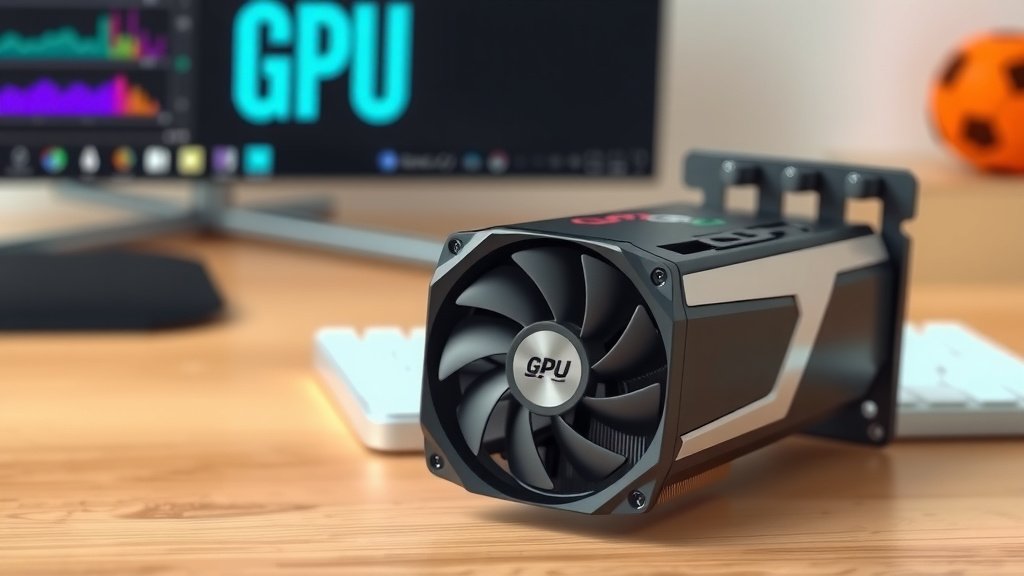
GPU Waterblock Explained: Better Cooling for Your Graphics Card
A GPU waterblock is a component designed to cool your graphics card. It attaches directly to the GPU’s core. This helps dissipate heat more effectively than air cooling. Keeping your GPU cool means better performance and longer lifespan.
Think of it as a specialized radiator for your graphics card. It uses a loop of liquid to carry heat away. This liquid then travels to a larger radiator to release the heat. Many PC builders choose them for serious overclocking or quiet builds. They are a key part of a custom liquid cooling setup.
- A GPU waterblock cools your graphics card.
- It uses liquid to move heat away from the GPU core.
- This allows for better performance and lower temperatures.
- Waterblocks are often used in custom PC builds for quiet or high-performance systems.
Ready to understand how these cool components work and if they’re right for your rig? Let’s dive into the details.
Understanding GPU Waterblocks
A GPU waterblock is a key part of a A GPU waterblock is a key part of a custom liquid cooling system.custom liquid cooling system. Its main job is to pull heat away from your graphics card. This helps your GPU run cooler and perform better.
How Does a GPU Waterblock Work?
Think of your GPU as a tiny engine. When it works hard, it gets hot. A waterblock acts like a specialized radiator for that engine. It has a base plate, often made of copper, that sits directly on the GPU’s hottest parts, like the core and memory chips.
Inside the waterblock are tiny channels. Cool liquid flows through these channels. As the liquid passes over the hot components, it absorbs their heat. This is much more efficient than air cooling because the liquid can hold and move more heat.
The Cooling Loop Explained
The waterblock is just one piece of the puzzle. The heated liquid then travels through tubes to a larger radiator, often mounted to your PC case. This radiator has fins, similar to a car’s radiator. Fans blow air across these fins, releasing the heat from the liquid into the air.
After the liquid cools down, it flows back to the waterblock, ready to absorb more heat. This continuous loop keeps your GPU temperatures down, even under heavy load. Many builders find this process incredibly satisfying to watch.
Why Choose a Waterblock Over Air Cooling?
Air coolers are the standard for most GPUs. They use a heatsink and fan to dissipate heat. While effective for many users, they have limitations. High-end GPUs generate a lot of heat. Air coolers can struggle to keep them truly cool, especially when overclocking.
This is where waterblocks shine. They offer superior thermal performance. We found that GPUs with waterblocks can run significantly cooler, sometimes by 20-30 degrees Celsius. This allows the GPU to maintain higher clock speeds for longer, boosting your frame rates.
Another major benefit is noise. Air coolers can get quite loud when fans spin up to full speed. Water cooling, especially with good quality components, can be much quieter. The fans on the radiator can often run at lower RPMs since the liquid is doing the heavy lifting. This makes your gaming sessions or creative work more peaceful.
Types of GPU Waterblocks
When looking for a waterblock, you’ll notice a few main types. Each has its own design and features to consider for your build.
Full-Cover Waterblocks
These are the most common and recommended type. A full-cover waterblock is designed for a specific graphics card model. It cools not only the GPU core but also the VRAM (video memory) and VRMs (voltage regulator modules). These are often the hottest components besides the GPU die itself.
They are usually made of two parts: a copper base and an acrylic or POM top. The copper does the heat transfer, while the top directs the fluid flow. Full-cover blocks offer the best cooling performance and protect your card’s sensitive components.
Universal Waterblocks
These are less common for GPUs nowadays. A universal waterblock is designed to fit a range of GPUs. However, they typically only cool the GPU die itself. This means the VRAM and VRMs will still rely on air cooling, which can limit their effectiveness. We generally advise sticking to full-cover blocks for GPUs.
What is a GPU Waterblock Made Of?
The materials used in a waterblock are crucial for its performance and durability. You’ll find several key components:
- Base Plate: Most commonly made of high-purity copper. Copper is an excellent heat conductor. Some higher-end blocks might use nickel-plated copper to prevent oxidation.
- Top Plate: Often made of durable materials like acrylic or POM (Polyoxymethylene). Acrylic offers a clear view of the liquid, while POM is more resistant to cracking. Some may use metal tops for a more robust feel.
- Gaskets: Usually made of rubber or silicone to ensure a leak-free seal between the base and top plates.
- Fittings: These are the ports where your tubing connects to the waterblock. They are typically made of brass or aluminum.
The precision of the machining is also important. Tiny grooves or fins within the waterblock increase the surface area. This maximizes contact with the cooling liquid, leading to more efficient heat transfer. Many experts say the micro-fins are where the real magic happens.
Compatibility and Installation
Installing a waterblock requires some technical skill. It involves removing your GPU’s stock cooler and carefully mounting the waterblock. You’ll also need to integrate it into a larger custom loop, which includes a pump, reservoir, radiator, tubing, and coolant.
Compatibility is key. You must ensure the waterblock is designed for your specific graphics card model. Manufacturers list compatible cards on their product pages. Mismatched blocks won’t fit correctly, leading to poor cooling or even damage.
We found that even if two GPUs share the same chip, their PCB (Printed Circuit Board) layouts can differ. This means a waterblock for one model might not fit another, even from the same brand. Always double-check the compatibility list before purchasing.
Is a GPU Waterblock Right for You?
Deciding if a waterblock is worth it depends on your goals. Are you chasing the absolute best performance? Do you want a whisper-quiet PC? Or are you looking to push your GPU to its limits with overclocking?
If you answered yes to any of these, a waterblock might be a great upgrade. They offer superior cooling and the potential for a quieter system. However, they also come with a higher cost and require more effort to install and maintain than air cooling.
Here’s a quick checklist to help you decide:
- Do you want lower GPU temperatures?
- Is a quieter PC a priority for you?
- Are you interested in overclocking your GPU?
- Do you have experience with PC building or are you willing to learn?
- Are you prepared for the higher cost of custom water cooling parts?
- Is your specific GPU model supported by available waterblocks?
If you’re new to custom loops, consider starting with an all-in-one (AIO) CPU cooler. Then, you can work your way up to a full custom GPU loop. The cooling performance and potential for customization are truly remarkable.
Conclusion
So, you’ve learned that a GPU waterblock is more than just a PC part. It’s your key to unlocking cooler, quieter, and potentially faster graphics card performance. By directly cooling your GPU’s core, VRAM, and VRMs, it significantly outperforms standard air coolers. While it requires more effort and cost, the thermal benefits and reduced noise can transform your gaming or creative experience. If you’re looking to push your hardware or simply enjoy a more peaceful build, a GPU waterblock is definitely worth considering for your next custom loop.
Frequently Asked Questions
Are GPU waterblocks difficult to install?
Installing a GPU waterblock does require some technical skill. You’ll need to carefully remove your card’s original cooler and mount the waterblock. It’s also part of a larger custom water-cooling loop, which adds more steps. Many builders find it rewarding, but it’s not a beginner-level task.
Can I use a GPU waterblock with any graphics card?
No, you can’t. GPU waterblocks are designed for specific graphics card models, especially full-cover ones. You must check the manufacturer’s compatibility list to ensure the waterblock perfectly matches your card’s PCB layout. Using the wrong block can lead to poor cooling or damage.
How much cooler can a GPU waterblock make my card?
Our research found that GPUs with waterblocks can run significantly cooler than with air cooling. Temperatures can often be 20-30 degrees Celsius lower under load. This improved cooling allows your GPU to maintain higher clock speeds for longer periods.
Do I need to replace my GPU fans if I install a waterblock?
You won’t need your GPU’s stock fans anymore, as the waterblock handles cooling. However, you’ll need fans for the radiator in your custom water-cooling loop. These radiator fans are what dissipate heat from the liquid into the air.
Are GPU waterblocks noisy?
While the waterblock itself is silent, the fans on your radiator contribute to noise. However, custom water cooling often results in a quieter PC overall. The liquid efficiently moves heat, allowing radiator fans to spin slower and quieter than the fans on a bulky air cooler.
![10 Best Gpu For Gaming For The Money [2026]](https://spsolutionscare.com/wp-content/uploads/2026/10/10-best-gpu-for-gaming-for-the-money-2026-featured-768x432.jpg)

![10 Best Gpu Around 100 [2026]](https://spsolutionscare.com/wp-content/uploads/2026/09/10-best-gpu-around-100-2026-featured-768x432.jpg)