

What Is a Professional Graphics Card: A Deep Dive
A professional graphics card, also known as a workstation GPU, is a high-performance graphics processing unit designed for demanding tasks like 3D rendering, video editing, and complex simulations. Unlike consumer gaming cards, these GPUs prioritize accuracy and reliability for professional applications. They are built with specialized drivers and hardware for stability and certified compatibility with professional software.
Think of it this way: if a gaming card is like a sports car built for speed, a professional graphics card is like a powerful truck designed for heavy-duty work. It offers greater precision and handles massive datasets with ease. Many professionals choose these cards for their dependable performance under intense workloads, avoiding crashes and ensuring accurate visual output.
- Professional graphics cards (workstation GPUs) are for demanding creative and scientific tasks.
- They prioritize accuracy and stability over raw gaming speed.
- They use specialized drivers for professional software compatibility.
- Workstation GPUs are built for reliability in professional workflows.
Let’s dive deeper into what makes these specialized cards tick and how they can boost your productivity.
Understanding the Core of Professional Graphics Cards
So, what exactly sets a professional graphics card apart from the ones you might find in a typical home computer? At their heart, these are specialized tools built for serious work. Think of them as the high-powered engines for demanding creative and scientific applications.
Beyond Gaming: What Makes Them Different?
While gaming cards focus on rendering visually stunning worlds quickly, professional GPUs (often called workstation graphics cards) prioritize different qualities. They are engineered for precision, stability, and accuracy. This means they excel at handling large, complex datasets without errors. They ensure that what you see on your screen is exactly what your software is calculating.
Accuracy and Precision for Detail-Oriented Work
In fields like CAD (Computer-Aided Design), architectural modeling, or medical imaging, even a tiny error can have major consequences. Professional graphics cards are designed to minimize these risks. They employ advanced algorithms and hardware optimizations to deliver highly accurate visual representations. This is crucial for making sound decisions based on your work.
Stability and Reliability Under Pressure
Imagine you’re deep into a complex 3D render or a long video edit, and your computer crashes. Frustrating, right? Professional graphics cards are built for rock-solid stability. They undergo rigorous testing and are optimized to run for extended periods under heavy loads. This reliability prevents costly interruptions and ensures your productivity stays high.
The Role of Specialized Drivers
One of the most significant differentiators lies in the software drivers. Gaming card drivers are optimized for a wide range of games. Professional graphics card drivers, however, are fine-tuned for specific professional applications like Adobe Premiere Pro, AutoCAD, SolidWorks, or Blender. These specialized drivers ensure peak performance and compatibility with your software.
Certified Software Compatibility
Many software developers certify their applications to work with specific professional graphics cards. This certification means the hardware and software have been tested together extensively. You can be confident that your workstation GPU will function flawlessly with your professional tools. This eliminates many potential compatibility headaches.
Key Hardware and Performance Differences
Beyond the drivers, the hardware itself in professional graphics cards is often different. While they might look similar, their internal components are geared towards different tasks. You’ll often find these cards have more video memory (VRAM) and features optimized for calculation and data handling.
Memory Matters: VRAM and Bandwidth
Professional applications, especially those dealing with 3D models, high-resolution textures, or complex simulations, require substantial amounts of video memory (VRAM). Professional graphics cards often come with larger VRAM capacities compared to their consumer counterparts. More VRAM means the card can hold more data, leading to smoother performance when working with large projects. Higher memory bandwidth also plays a role, allowing data to be accessed more quickly.
ECC Memory: Error Correction for Data Integrity
Some higher-end professional graphics cards feature Error-Correcting Code (ECC) memory. Think of ECC as a built-in spell-checker for your computer’s memory. It can detect and correct common types of internal data corruption. This is vital for tasks where data integrity is absolutely critical, like scientific research or financial modeling. Many experts state that ECC memory is a key feature for mission-critical applications (NIST).
Cooling and Build Quality
Professional graphics cards are typically built with higher-quality components designed for sustained operation. They often feature robust cooling solutions to keep temperatures down during long rendering sessions. This improved build quality contributes to their overall longevity and reliability in demanding environments.
Who Needs a Professional Graphics Card?
The short answer is anyone whose work depends on consistent, accurate, and reliable visual computing. If your livelihood involves detailed 3D work, video editing, scientific visualization, or complex data analysis, a professional GPU can make a real difference.
Common Professions Benefiting from Workstation GPUs
We found that several professions consistently benefit from using professional graphics cards. These include:
- 3D artists and animators
- Architects and interior designers
- Engineers (mechanical, civil, electrical)
- Video editors and post-production professionals
- Data scientists and researchers
- Medical imaging specialists
- Financial analysts working with large datasets
When a Gaming Card Might Still Be Okay
It’s worth noting that for some less demanding tasks, a high-end gaming card might suffice. If you’re a hobbyist creating simple 3D models or editing 1080p videos occasionally, a gaming card could be a cost-effective solution. However, for professional use where time is money and accuracy is paramount, the investment in a workstation GPU typically pays for itself.
Making the Right Choice for Your Workflow
Choosing the right professional graphics card involves understanding your specific software requirements and workflow. Many software vendors provide recommendations for hardware. We found that consulting these guidelines is a smart first step. Your current projects and future needs should also guide your decision. This ensures you get a card that’s a true asset to your work.
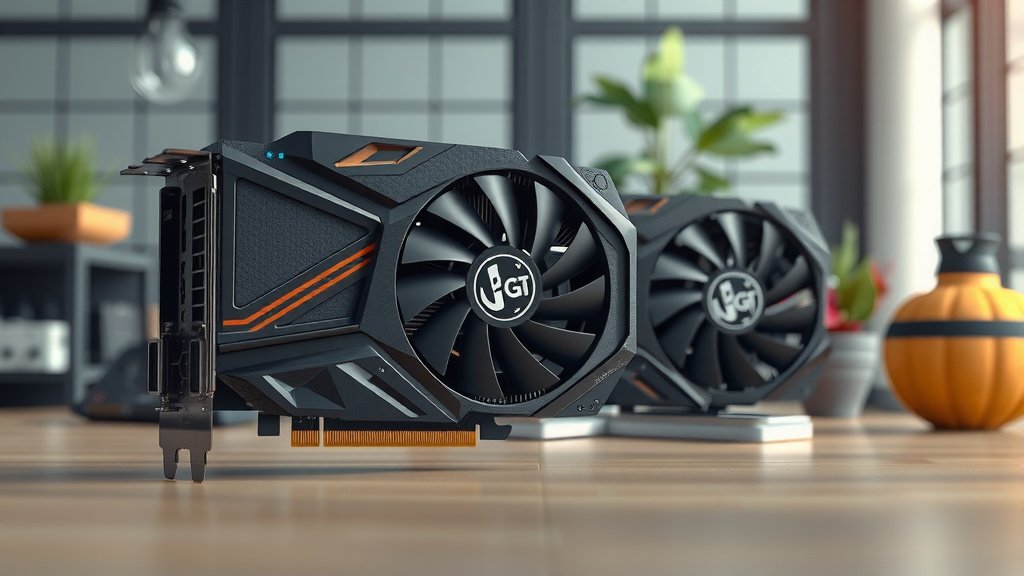
Quick Checklist: Is a Professional Graphics Card Right for You?
Consider these points to help you decide:
- Do you regularly use professional creative or scientific software?
- Does your work involve large datasets or complex 3D models?
- Do you experience crashes or errors with your current graphics card during intensive tasks?
- Is consistent, accurate visual output critical for your projects?
- Do you need certified compatibility with specific professional applications?
- Is uptime and preventing workflow interruptions a high priority for you?
Conclusion
So, you’ve learned that professional graphics cards are more than just powerful GPUs. They’re specialized tools built for accuracy, stability, and reliable performance in demanding workflows. Unlike gaming cards, workstation GPUs offer certified software compatibility and robust hardware designed to prevent crashes and ensure data integrity. If your profession relies on precision and uptime, investing in a professional graphics card can truly transform your productivity. Your next step? Assess your current software needs and consider if a workstation GPU is the right fit to boost your professional output and avoid costly interruptions.
Frequently Asked Questions
Are professional graphics cards really that much better than gaming GPUs?
Yes, for professional work. While high-end gaming cards are fast, workstation GPUs prioritize stability, accuracy, and certified software compatibility. They are built for consistent, error-free performance during long, intensive tasks, which gaming cards often aren’t optimized for.
How much more do professional graphics cards typically cost?
Professional graphics cards can range from moderately more expensive to significantly higher in price compared to consumer gaming cards. The cost reflects the specialized hardware, rigorous testing, certified drivers, and enhanced reliability they offer for mission-critical applications.
Can I use a professional graphics card for gaming?
You certainly can use a professional graphics card for gaming. However, they are generally not optimized for gaming performance in the same way gaming cards are. You might not get the same frame rates or graphical features for the price compared to a dedicated gaming GPU.
What does ECC memory do on a professional graphics card?
ECC (Error-Correcting Code) memory helps detect and correct internal data corruption. For professionals working with highly sensitive data, like in scientific research or financial modeling, ECC memory provides an extra layer of assurance against errors, ensuring data integrity.
How do I know if my professional software will work with a workstation GPU?
Many software developers provide hardware recommendations or certifications for professional graphics cards. We found that checking your specific software’s website for “certified hardware” or “recommended specifications” is the best way to ensure compatibility and optimal performance.

![10 Best Cheap Graphics [2026]](https://spsolutionscare.com/wp-content/uploads/2026/09/10-best-cheap-graphics-2026-featured-768x432.jpg)
![10 Best Gaming Graphics Card Under $150 [2026]](https://spsolutionscare.com/wp-content/uploads/2026/09/10-best-gaming-graphics-card-under-150-2026-featured-768x432.jpg)