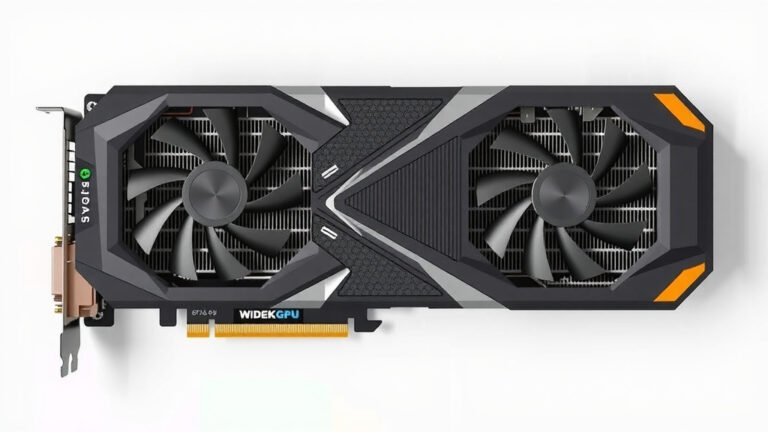
ECC Memory on GPUs: What It Is and Why It Matters
ECC memory on a GPU, which stands for Error-Correcting Code memory, is like a built-in protector for your graphics card’s data. It automatically detects and fixes common memory errors, preventing crashes and data corruption. This means your games and creative applications run more smoothly and reliably.
You might wonder if your GPU actually uses this special memory. Many high-end professional GPUs and some gaming cards include ECC memory. It’s especially important for tasks where data integrity is critical, like scientific simulations or complex video rendering. Think of it as a superhero shield for your GPU’s memory.
- ECC memory corrects data errors automatically.
- It prevents crashes and protects your work.
- Found in professional and some high-end gaming GPUs.
- Improves reliability for demanding tasks.
- Helps maintain data accuracy during intense workloads.
Ready to understand how this memory protection works and if your graphics card benefits from it? Let’s dive into the details of ECC memory on your GPU.
So, your graphics card has this special kind of memory called ECC. But what does that really mean for you and your PC? Think of it as a vigilant guardian for the data flowing in and out of your GPU. It’s designed to catch and fix errors before they can cause problems. This can make a big difference, especially when you’re pushing your graphics card to its limits.
Understanding GPU ECC Memory Protection
ECC stands for Error-Correcting Code. It’s a clever technology that can detect and correct common types of data corruption. This is super important because graphics cards handle an enormous amount of data very quickly. Even a tiny mistake can lead to visual glitches, application crashes, or even data loss. ECC memory acts like a silent fixer, ensuring the data is accurate.
How Does ECC Memory Work?
ECC memory uses extra bits of data to check and repair information. When data is written to memory, ECC adds a small code. When the data is read back, this code is checked. If the code doesn’t match, ECC knows there’s an error. It can then often fix the error on the spot. This process happens automatically and without you even noticing.
The “Parity Bit” Analogy
Imagine you’re sending a simple message: “YES.” With a basic parity system, you might add an extra bit to indicate if there’s an odd or even number of ‘1’s in the binary code for “YES.” If the message gets garbled in transit and the parity check fails, you know something went wrong. ECC is much more advanced, like being able to not only detect the error but also figure out what the original message was supposed to be.
Beyond Simple Error Detection
Unlike simpler parity memory, ECC can fix many single-bit errors. It can also detect most multi-bit errors. This means it’s far more robust at keeping your data clean. For tasks where every pixel matters, this accuracy is a **huge benefit**.
Why is ECC Memory Important for GPUs?
Your GPU is like the engine of your computer for anything visual. It runs incredibly complex calculations to render games, edit videos, or perform scientific simulations. These tasks involve millions, if not billions, of data operations every second. Without ECC, even a rare error could cause a major issue.
Impact on Gaming
In gaming, ECC memory can prevent visual artifacts like flickering textures or weird color distortions. It also helps avoid sudden game crashes. While most gamers might not notice the difference on a day-to-day basis, it contributes to a more **stable and reliable experience**, especially in long gaming sessions. Many experts agree that memory stability is key for uninterrupted gameplay (NVIDIA Developer Resources).
Impact on Professional Workloads
For professionals working with 3D rendering, scientific visualization, or deep learning, data integrity is **non-negotiable**. A single error in a complex render could ruin hours of work. ECC memory helps ensure that your simulations run correctly and your final output is accurate. This is why professional-grade GPUs almost always feature ECC memory.
ECC vs. Non-ECC Memory: What’s the Difference for Your GPU?
The core difference lies in that error-checking capability. Standard, non-ECC memory is perfectly fine for most everyday computing tasks. However, when the stakes are high, or the data flow is immense, ECC memory offers that extra layer of protection.
Where is ECC Memory Found?
You’ll typically find ECC memory on higher-end GPUs. This includes most NVIDIA Quadro and AMD Radeon Pro cards, which are designed for professional workstations. Increasingly, some top-tier consumer gaming GPUs also offer ECC capabilities, although it’s less common. The price point for these cards is generally higher, reflecting the advanced technology included.
Target Audience for ECC GPUs
If you’re a professional in fields like CAD, video editing, animation, or scientific research, an ECC GPU is often a **wise investment**. For the average gamer, it’s usually less critical, though still a nice-to-have feature for peak stability. Research suggests that mission-critical applications benefit most from ECC’s reliability (AMD Enterprise Solutions).
Cost and Performance Considerations
Does ECC memory slow down your GPU? In theory, the process of checking and correcting data takes a tiny bit of time. However, modern ECC implementations are incredibly efficient. The performance impact on GPUs is generally **negligible** for most real-world applications. The increased reliability often outweighs any minuscule performance dip.
Is ECC Worth the Extra Cost?
For professional users, the answer is often a clear yes. The cost of data loss or application failure can far exceed the price difference of an ECC-enabled GPU. For consumers, it depends on your budget and your tolerance for potential issues. If you demand the utmost stability, and your budget allows, it’s a feature that offers peace of mind.

Identifying ECC Memory on Your Graphics Card
How can you tell if your graphics card has this helpful feature? It’s not always advertised as prominently as things like VRAM size or clock speed. You usually need to check the official specifications for your specific GPU model.
Checking Your GPU’s Specifications
Go to the manufacturer’s website (like NVIDIA or AMD). Find the product page for your graphics card model. Look for a section detailing memory specifications. You should see if “ECC” is listed.
What if It’s Not Listed?
If ECC memory isn’t mentioned in the specs, it’s safe to assume your card does not have it. Most consumer-grade cards will not explicitly state “non-ECC,” they simply omit mentioning ECC.
Here’s a quick checklist to remember the benefits:
- Error detection and correction built-in.
- Reduces visual glitches and artifacts.
- Prevents unexpected application crashes.
- Enhances data accuracy for critical tasks.
- Boosts overall system stability.
- Essential for professional creative and scientific work.
Understanding ECC memory helps you make informed decisions about your hardware. It’s a feature that quietly works to keep your graphics card running smoothly and your data safe.
Conclusion
You now understand that ECC memory on your GPU is a powerful ally for data integrity. It works silently to correct errors, ensuring your graphics card performs reliably. For professionals, this means saved time and accurate results. For gamers, it offers a smoother, more stable experience. You’ve learned what ECC is, how it works, and where to find it. Your next step is to check your current GPU’s specifications or consider ECC when upgrading for your specific needs.
Frequently Asked Questions
Will ECC memory make my GPU faster?
ECC memory doesn’t directly increase your GPU’s speed. Its primary function is error correction, not performance boosting. While the error-checking process uses a tiny amount of resources, any potential speed difference is generally considered negligible for most users.
Is ECC memory necessary for casual gaming?
For most casual gamers, ECC memory isn’t strictly necessary. Standard non-ECC memory is perfectly adequate for typical gaming experiences. However, if you play long sessions or demand the absolute highest stability, ECC can contribute to a more reliable session.
How do I know if my current GPU has ECC memory?
You’ll need to check your GPU’s official specifications. Visit the manufacturer’s website (like NVIDIA or AMD) and find the product page for your specific model. Look for “ECC” listed under the memory details. If it’s not mentioned, your card likely doesn’t have it.
Can I add ECC memory to a GPU that doesn’t have it?
No, you cannot add ECC memory to a graphics card that wasn’t designed with it. ECC functionality is built into the GPU’s memory chips and circuitry. It’s a feature you need to purchase with the graphics card itself.
Are ECC GPUs much more expensive than non-ECC ones?
Generally, GPUs featuring ECC memory tend to be more expensive than their non-ECC counterparts. This is because the technology adds to the manufacturing cost. The price difference is often more pronounced on professional-grade cards compared to consumer gaming cards.




![1 Best 1440p Gpu Under $500 [2026]](https://spsolutionscare.com/wp-content/uploads/2026/08/1-best-1440p-gpu-under-500-2026-featured-768x432.jpg)