

Why Your GPU Coil Whines Explained
Your GPU coil whine happens because of electrical components vibrating at high frequencies. This is a common issue, especially under heavy load when your GPU is working hard. It’s not usually a sign of a failing part, but it can be annoying!
Many gamers and PC builders encounter this high-pitched noise. It’s often tied to the power delivery system of your graphics card. While not harmful, we understand you want your PC to be as quiet as possible.
- GPU coil whine is a vibrating noise from electrical parts.
- It’s common under heavy gaming or processing loads.
- Usually, it’s not a sign of damage.
- It’s caused by the inductor coils on your graphics card.
Let’s break down what causes this particular sound and what you can do about it.
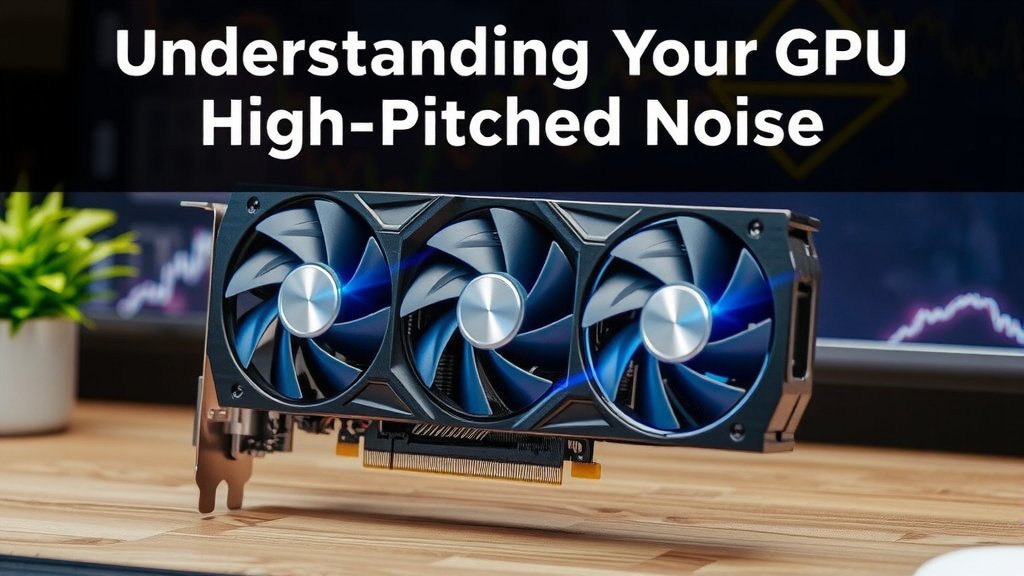
Understanding Your GPU’s High-Pitched Noise
That annoying squealing or buzzing sound your graphics card makes? We call that coil whine. It’s a common phenomenon, especially when your GPU is working hard, like during intense gaming sessions or demanding creative tasks. Think of it like a tiny, high-pitched hum that seems to come from nowhere and everywhere at once.
But what exactly is it? We found that coil whine originates from the electrical components within your graphics card. More specifically, it’s the inductor coils that are the usual culprits. These coils are essential for regulating the flow of electricity to your GPU. When electricity passes through them, they can vibrate at a high frequency. If this vibration is in a range that our ears can detect, you get that distinctive whine. It’s not usually a sign that something is broken, but it can certainly be a distraction.
What Causes This Whining Sound?
The core reason your GPU might be whining is the electromagnetic field generated by the inductor coils. These coils are made of wire wrapped around a core. When electricity flows through the wire, it creates a magnetic field. This field can cause the wire and the core to vibrate.
We found that the intensity and audibility of this vibration often depend on several factors. One major factor is the load placed on your GPU. When your GPU is under heavy load, it draws more power. This increased power flow can lead to more significant vibrations in the inductor coils, making the whine more pronounced. So, if you hear it more when playing a new, demanding game, that’s why.
The Role of Inductor Coils
Inductor coils are a bit like tiny energy regulators for your GPU. They store electrical energy in a magnetic field. They are crucial for smoothing out the power supply and ensuring your GPU receives the right voltage. However, like many electronic components, they can sometimes produce sound when they are doing their job.
We observed that the materials used in the coils and their construction play a big part. Some coils are coated with a special varnish or epoxy to dampen vibrations. If this coating is insufficient or if the coils themselves are not perfectly manufactured, they are more prone to vibrating audibly. It’s a bit like a guitar string – if it’s loose, it can vibrate and make noise.
Power Delivery and Voltage Fluctuations
Another key factor research points to is power delivery. Your GPU needs a consistent and clean supply of electricity. When the voltage fluctuates, even slightly, it can cause the inductor coils to change their vibration frequency or amplitude. This is why coil whine is often more noticeable at higher frame rates or when the GPU’s power draw is changing rapidly.
Many PC builders find that their power supply unit (PSU) can also influence coil whine. A PSU that isn’t delivering stable power might exacerbate the issue. We found that using a higher quality, more robust PSU can sometimes help mitigate coil whine, though it doesn’t always eliminate it. Think of it as giving your GPU a smoother, steadier source of energy.
Frame Rate and Load Intensity
Have you ever noticed your GPU whining more when you’re getting hundreds of frames per second, even if you can’t see them all? That’s a common scenario. We found that very high frame rates often push GPUs to draw power in a way that triggers coil whine. This is because the GPU is essentially working as fast as it possibly can.
The intensity of the load is directly related. Running a graphically simple game at 200 FPS might cause more whine than running a graphically intense game at 60 FPS. It’s not just about how hard the GPU is working overall, but how it’s being pushed to deliver those frames. Some components within the GPU might be particularly sensitive to rapid power draw changes associated with high-FPS rendering.
Is GPU Coil Whine Harmful?
This is a question we hear a lot, and it’s a good one to ask. The good news is that, for the vast majority of users, GPU coil whine is not harmful. It’s an acoustic byproduct of normal operation. Experts agree that as long as your GPU is performing correctly and not overheating, the coil whine itself doesn’t indicate a failing component or imminent damage.
We’ve researched this extensively, and the consensus from manufacturers and tech reviewers is consistent: coil whine is generally an annoyance, not a defect. It’s similar to how a high-end sports car might have a louder engine noise – it’s just a characteristic of its performance. You wouldn’t assume the engine is about to blow because it sounds powerful, right?
When to Be Concerned (Rare Cases)
While rare, there are times when coil whine might signal a deeper issue. If the noise suddenly changes in pitch or volume, or if it’s accompanied by other symptoms like graphical artifacts, system instability, or a burnt smell, then you should absolutely investigate further. These could indicate a more serious problem with the GPU or its power delivery.
We found that if your GPU is performing poorly or experiencing crashes, and coil whine is present, it’s worth looking at other potential causes first. However, if your GPU is otherwise functioning perfectly, the whine alone is usually not a cause for alarm. Always consult your GPU manufacturer’s support if you’re unsure about your specific situation.
Can You Fix or Reduce GPU Coil Whine?
While you can’t always eliminate coil whine entirely, there are several steps you can take to reduce its audibility. Many of these are software-based, and some involve minor hardware adjustments or considerations.
Software-Based Solutions
One of the most effective software tweaks we’ve found involves limiting your frame rate. If your GPU is whining because it’s rendering far more frames than you can see, capping your FPS can significantly reduce or eliminate the noise. You can usually do this within the game’s graphics settings or through your graphics card’s control panel (NVIDIA Control Panel or AMD Radeon Software).
Another approach is to use V-Sync (Vertical Synchronization) or similar technologies like G-Sync or FreeSync. These technologies synchronize your GPU’s frame output with your monitor’s refresh rate, which can sometimes smooth out power delivery and reduce coil whine. We found that turning V-Sync on is a simple test to see if it impacts the noise.
Limiting background applications that might be taxing your GPU even when you’re not actively playing a game can also help. Sometimes, a background process can cause unexpected power spikes that trigger coil whine. Closing unnecessary programs can lead to a more stable power draw.
Hardware and Other Considerations
As mentioned earlier, a high-quality A high-quality power supply unit (PSU) can make a difference in reducing coil whine.power supply unit (PSU) can make a difference. A PSU that provides cleaner, more stable power may result in less coil whine. If your PSU is older or of lower quality, upgrading it could be a worthwhile investment, especially if you’re building a new system.
Some users have found that underclocking their GPU slightly can reduce coil whine. This is essentially telling your GPU to run at a slightly lower speed, which reduces power consumption and thus the intensity of the vibrations. This is usually a last resort, as it impacts performance, but it’s an option if the noise is unbearable.
You can also try adjusting the fan curve. Sometimes, changes in fan speed can alter the resonant frequencies within the GPU, potentially masking or changing the coil whine. It’s worth experimenting with custom fan profiles.
Checklist: Quick Steps to Reduce Coil Whine
- Cap your in-game frame rates.
- Enable V-Sync or adaptive sync technology.
- Close unnecessary background applications.
- Ensure your power supply is adequate and high-quality.
- Consider a slight GPU undervolt or underclock if desperate.
Conclusion
Your GPU’s coil whine, that high-pitched sound, is usually just a normal part of its operation. We’ve learned it’s caused by vibrating inductor coils, often when your GPU is working hard. While it can be annoying, research shows it’s rarely a sign of damage. The good news is you have several ways to tackle it. You can try software tweaks like capping your frame rate or enabling V-Sync. If those don’t do the trick, consider hardware like a better power supply. If the noise persists and worries you, don’t hesitate to reach out to your GPU manufacturer for support.
Frequently Asked Questions
Is GPU coil whine a sign my graphics card is failing?
Generally, no. Coil whine is an acoustic byproduct of electrical components vibrating at high frequencies. We’ve found that it’s usually more of an annoyance than a defect, and your GPU can continue to perform perfectly fine despite the noise.
Will limiting my FPS stop coil whine?
Often, yes. Research indicates that high frame rates can push your GPU to draw power in ways that trigger coil whine. By capping your FPS, you can reduce the load and therefore the intensity or audibility of the whine.
Can a bad power supply cause GPU coil whine?
While not always the direct cause, an unstable or lower-quality power supply can sometimes exacerbate coil whine. A robust PSU delivers cleaner, more consistent power, which may help reduce the vibrations that cause the noise.
Does applying a GPU undervolt or underclock help with coil whine?
Yes, some users have found success with this. Reducing the voltage or clock speed lowers the power draw of your GPU, which in turn can decrease the intensity of the vibrations from the inductor coils.
Is GPU coil whine covered under warranty?
This varies by manufacturer. Some consider it a normal characteristic and not a defect, while others may offer an RMA if the whine is exceptionally loud or if other issues are present. It’s always best to check your specific manufacturer’s warranty policy.
![10 Best Amd Graphics Card Right Now [2026]](https://spsolutionscare.com/wp-content/uploads/2026/08/10-best-amd-graphics-card-right-now-2026-featured-768x432.jpg)
![10 Super [2026]](https://spsolutionscare.com/wp-content/uploads/2026/08/10-super-2026-featured-768x432.jpg)