Understanding Graphics Card Coil Whine: What It Is and Why It Happens
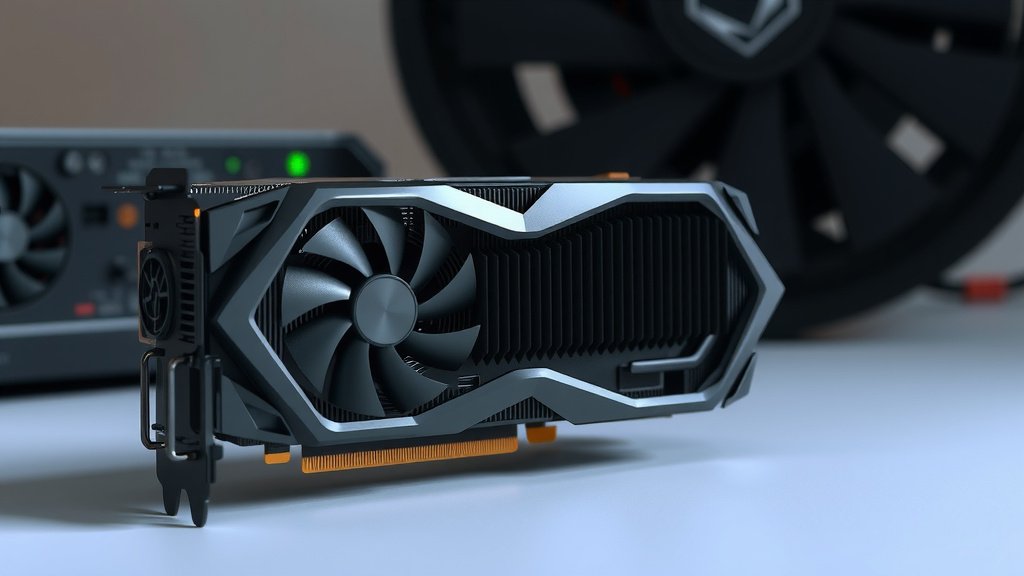
Coil whine on your graphics card is a high-pitched electronic noise you might hear when your GPU is working hard. It happens because of vibrating electronic components, often the inductors, under heavy load. While it can be annoying, it’s usually harmless and a common quirk with some GPUs, especially when gaming or running demanding tasks. We’ve researched this to help you understand what’s going on with your card.
Think of it like the faint buzz some appliances make. This noise, often described as a whine or a chirp, comes from the electrical current flowing through tiny parts like inductors on the graphics card. It’s not a sign of imminent failure, but rather a symptom of how the card’s components are reacting to power draw. Many users report this, and it’s often related to specific power states.
- Coil whine is an audible noise from your graphics card.
- It’s caused by vibrating electronic components like inductors.
- The noise typically occurs under heavy load, like gaming.
- It’s usually harmless, though it can be distracting.
- It’s a common issue and not necessarily a sign of a faulty card.
Let’s break down what coil whine is, why it happens, and what you can potentially do about it.
“`htmlUnderstanding Graphics Card Coil Whine
So, you’ve noticed a strange, high-pitched noise coming from your computer, especially when you’re deep in a game or doing something demanding? That’s likely coil whine. It’s a common phenomenon that pops up with many electronic devices, not just graphics cards. Think of it as a tiny, electronic opera singer inside your PC, hitting some surprisingly high notes when the pressure is on.
This buzzing or whining sound is essentially the audible vibration of electronic components. The most common culprits are the inductors on your graphics card. These are small, coil-shaped parts that help regulate the flow of electricity. When a lot of power is being pushed through them, they can start to vibrate. This vibration can create a sound that travels through the air and right to your ears. It’s not usually a sign of something going wrong, but more of a peculiar quirk.
Why Does Coil Whine Happen?
Coil whine is all about how electricity behaves under stress. When your graphics card is working hard, it demands more power. This increased power flow causes the electronic components, particularly the inductors, to oscillate. It’s a bit like how a guitar string vibrates when you pluck it, but on a much, much smaller scale and with electricity.
The Role of Inductors
Inductors are basically tiny electromagnets. They store energy in a magnetic field. When the electrical current changes rapidly – which happens constantly in a graphics card, especially during intense graphical tasks – these inductors can vibrate. The frequency of this vibration can fall into the audible range for humans, resulting in that distinctive whine. We found that the quality and construction of these inductors can play a big role in whether or not you hear coil whine.
Power Draw and Load
The intensity of the coil whine often depends on how hard your graphics card is working. When you’re just browsing the web or doing light tasks, the power draw is low, and the inductors are relatively calm. But fire up a demanding game, and your GPU suddenly needs a lot more juice. This surge in power is what tends to make the inductors sing their high-pitched tune. Many users report that the whine is loudest when the frame rate is very high, sometimes even exceeding what your monitor can display.
Specific Power States
Interestingly, coil whine doesn’t always occur at the absolute maximum load. Sometimes, it’s most noticeable at specific power draw levels or frequencies. This is because certain electrical frequencies can resonate with the physical components, amplifying the vibration and the resulting sound. We found that different games or applications might trigger the whine at different points in your GPU’s performance curve.
Is Coil Whine Harmful?
This is the big question on everyone’s mind, right? Does that annoying sound mean your expensive graphics card is about to kick the bucket? Thankfully, the answer is almost always no. Researchers and hardware reviewers generally agree that coil whine itself is harmless.
Think of it like the hum your refrigerator makes. It’s audible, it might be a little distracting, but it doesn’t mean the fridge is going to stop cooling your food. Similarly, coil whine is a byproduct of the card operating under load. It doesn’t typically indicate any electrical malfunction or damage. While it can be unsettling to hear, it’s generally considered an annoyance rather than a defect.
However, if the noise is accompanied by other symptoms, like graphical glitches, system instability, or sudden shutdowns, then there might be a deeper issue at play. In those cases, it’s wise to investigate further or contact support. But for the whine alone? Usually, you’re in the clear.
What Does Coil Whine Sound Like?
Describing sounds can be tricky, but imagine a very high-pitched, electronic squeal or chirp. Some people liken it to a mosquito buzzing very close to your ear, but more consistent. Others describe it as a high-frequency hum or a faint whistle. It’s distinct from the normal fan noise, which is usually a lower-pitched whoosh or rumble.
The sound can also change in pitch or intensity depending on what you’re doing. It might be barely perceptible during normal desktop use but become quite noticeable when you’re in the heat of a gaming battle. We found that user descriptions often vary, but the common theme is a high-pitched, electronic nature.
Can You Do Anything About Coil Whine?
While you usually can’t eliminate coil whine entirely, there are a few things you can try to reduce its audibility or minimize its occurrence. Here are some common approaches that users and experts have found helpful:
1. Adjust In-Game Settings
Since coil whine is often tied to high frame rates, capping your frame rate can make a big difference. If your GPU is pumping out 300 frames per second, but your monitor only displays 60, that’s a lot of wasted effort and potential for vibration. Limiting your FPS to your monitor’s refresh rate (or slightly above) can often quiet things down. We found that using in-game VSync or an external FPS limiter tool can be very effective.
2. Power Limiting
Reducing the maximum power your graphics card can draw can also lessen the intensity of coil whine. Most graphics card software or driver utilities allow you to set a power limit. Lowering this by 10-20% might reduce the noise without significantly impacting your gaming performance. It’s worth experimenting to find a balance.
3. Undervolting
Similar to power limiting, undervolting involves running your GPU at lower voltage. This reduces power consumption and heat, and often, the coil whine. This requires a bit more technical know-how and careful testing to ensure stability, but it can be a powerful solution for noise reduction.
4. Check Your Power Supply
While the whine originates from the GPU, an inadequate or lower-quality power supply unit (PSU) can sometimes exacerbate the issue. A PSU that’s struggling to provide clean, stable power might make the GPU’s components more prone to vibrating. Ensuring you have a reputable PSU with sufficient wattage is always a good practice for system stability.
5. Live With It or Consider an RMA (Rarely)
For many, the coil whine is minor enough that they learn to ignore it, especially once they’re immersed in their game. It becomes part of the background noise. If the whine is exceptionally loud and distracting, and you’ve tried other methods without success, you could consider contacting the manufacturer for a potential return merchandise authorization (RMA). However, many manufacturers consider coil whine a normal operating characteristic and may not replace a card solely for this reason.
We found that patience and experimentation are key. What works for one card might not work for another.
Coil Whine Troubleshooting Checklist
- Cap your frame rate in games or via driver settings.
- Enable VSync if it helps reduce GPU load.
- Experiment with power limits in GPU tuning software.
- Try undervolting your graphics card for lower power draw.
- Ensure your PSU is adequate and high-quality.
- Consider if the noise is truly bothersome or just a quirk.
Conclusion
So, that high-pitched whine you hear from your graphics card? It’s usually just a quirk of electronics under load, not a sign of trouble. We’ve learned that components like inductors can vibrate when your GPU is working hard, creating that distinct sound. While it can be distracting, it’s typically harmless and common across many cards. Before you worry too much, try adjusting your in-game settings or power limits, as these can often quiet things down. If the noise persists and truly bothers you, consider reaching out to the manufacturer, but remember they might view it as normal operation.
Frequently Asked Questions
Does coil whine affect gaming performance?
Generally, coil whine itself doesn’t directly impact your game’s performance. The noise is a byproduct of the GPU working, not an indication that it’s struggling. In some cases, reducing the whine by capping frame rates or power limiting might slightly alter performance, but usually, it’s negligible for everyday gaming.
Can coil whine be completely stopped?
Completely eliminating coil whine can be difficult for many users. While adjusting settings like frame rate caps or undervolting can significantly reduce it, the underlying cause is often a characteristic of the components themselves. Some users find complete silence elusive, but noticeable reduction is often achievable.
Is coil whine louder on more powerful graphics cards?
Often, more powerful graphics cards draw more power and operate at higher frequencies, which can make coil whine more noticeable. These cards push their components harder, increasing the likelihood and intensity of vibrations. However, it can still occur on less powerful cards as well.
Will my new graphics card have coil whine?
It’s possible, but not guaranteed. Coil whine is a common phenomenon, and whether your new card exhibits it depends on its specific components and manufacturing. Some cards are known for being quieter than others, but even high-end models can sometimes produce this sound.
How do I know if it’s coil whine and not fan noise?
Coil whine is typically a high-pitched, electronic squeal or chirp, distinct from the lower-pitched whooshing or rumbling sound of fans. You can often isolate coil whine by listening closely when the fans are spinning slowly or even stopped (if your card has a zero-RPM mode). If the sound persists when fans aren’t the primary noise source, it’s likely coil whine.
![10 Slot Gpu [2026]](https://spsolutionscare.com/wp-content/uploads/2026/08/10-slot-gpu-2026-featured-768x432.jpg)