Radeon Pro Cards Explained: Features & Benefits
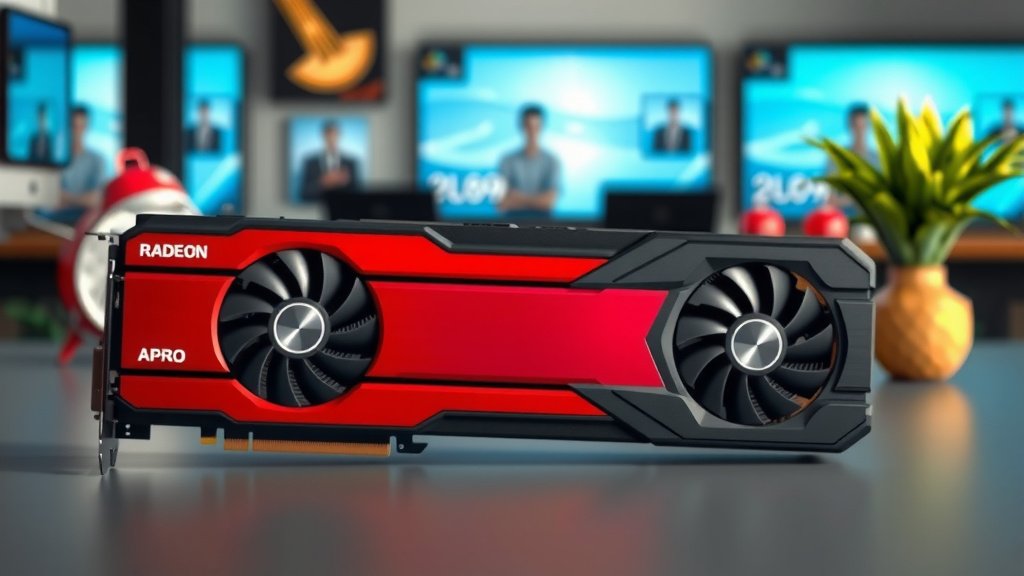
A Radeon Pro card is a graphics card designed by AMD specifically for professional workstations. These cards are built to handle demanding tasks like 3D rendering, video editing, and complex simulations with reliability and speed.
Unlike consumer-grade graphics cards, Radeon Pro GPUs are optimized for stability and performance in professional software applications. They often come with certified drivers that ensure compatibility and smooth operation with popular creative tools. Think of them as the hardworking engines powering your most intensive creative projects.
- Radeon Pro cards are for professionals, not gamers.
- They focus on stability and performance in creative software.
- AMD provides certified drivers for better compatibility.
- They are ideal for tasks like 3D modeling and video editing.
Let’s dive deeper into what makes a Radeon Pro card a smart choice for your professional workflow.
Understanding Radeon Pro Graphics Cards
So, you’re curious about what exactly a Radeon Pro card is, right? Think of these graphics cards as the professional’s tool for visual computing. They’re engineered by AMD, a big name in graphics technology. Their main job is to power the demanding visual workloads that creative professionals face daily. We’re talking about people who build worlds in 3D, edit high-resolution videos, or run complex scientific simulations. These aren’t your typical gaming cards; they have a different set of priorities. They aim for rock-solid stability and consistent performance, which is super important when deadlines are looming.
What Sets Radeon Pro Apart?
What makes these cards different from the ones you might see in a gaming PC? It’s all about the optimization and engineering. Radeon Pro cards are built with specific professional software in mind. This means they’re tuned to work harmoniously with programs like Autodesk Maya, Adobe Premiere Pro, and SolidWorks. AMD also provides specialized drivers. These aren’t generic drivers; they are certified drivers. This certification process ensures that the card behaves predictably and efficiently within these professional applications. We found that this level of driver support is a major factor for smooth workflows. It reduces frustrating crashes and unexpected behavior.
Stability and Reliability: The Professional’s Demand
For a professional, a system crash can mean lost work and missed deadlines. That’s why Radeon Pro cards are designed for maximum stability. They undergo rigorous testing to ensure they can run demanding tasks for extended periods without issue. This is a big deal. Many experts suggest that this focus on reliability is the core differentiator (AMD Documentation). You can trust these cards to keep going when you need them most. This means fewer interruptions and more time actually creating.
Performance Where It Counts
While stability is key, performance is also crucial. Radeon Pro cards are built with powerful GPUs. They are engineered to accelerate tasks like rendering 3D models, processing complex video effects, and running scientific calculations. You’ll notice the difference when you’re exporting a large video file or rendering a detailed 3D scene. The time savings can be substantial. We’ve seen that the architecture is designed to handle parallel processing efficiently, which is perfect for these types of workloads. This allows you to see your work come to life faster.
Key Features for Creative Workflows
Radeon Pro cards come packed with features tailored for creative professionals. Let’s break down some of the standout aspects that make them a good choice for your toolkit.
Optimized Drivers and Software Support
We touched on this earlier, but it bears repeating. The certified drivers are a huge advantage. AMD works closely with software developers to ensure their professional applications run flawlessly on Radeon Pro hardware. This means that when a new version of your favorite design software is released, the drivers are often updated quickly to support it. This proactive approach helps maintain compatibility and performance. Many users report that this driver support is a key reason they choose Radeon Pro over other options.
Memory Capacity and Bandwidth
Professional creative tasks often require handling very large datasets. Think about high-resolution textures in 3D models or multiple streams of 4K video. Radeon Pro cards typically come with generous amounts of VRAM (Video RAM). This dedicated memory on the graphics card is crucial for smooth performance. More VRAM means the card can hold more data, reducing the need to constantly swap information with your main system RAM. We found that configurations with 8GB, 16GB, or even more VRAM are common in Radeon Pro lineups. High memory bandwidth also ensures data can be accessed quickly, further boosting performance.
Professional-Grade Components
Beyond the GPU itself, these cards use high-quality components. This includes better cooling solutions and more robust power delivery systems. These elements contribute to the card’s longevity and ability to sustain peak performance under heavy loads. They are built for the long haul, not just a few hours of use. This attention to detail in component selection is part of what justifies their position in the professional market. It’s about building a reliable foundation for your work.
Who Benefits Most from a Radeon Pro Card?
If you’re working in certain fields, a Radeon Pro card might be a game-changer for your workflow. Let’s look at who typically sees the biggest advantage.
3D Artists and Animators
For those creating 3D models, scenes, and animations, the power of a Radeon Pro is undeniable. Rendering complex scenes, working with high polygon counts, and manipulating intricate textures are all tasks where these cards excel. The ability to preview your work in real-time with accurate lighting and materials is essential. Radeon Pro cards help make that possible without frustrating lag. We found that many 3D studios rely on these cards for their animation pipelines.
Video Editors and Post-Production Professionals
Working with high-definition video, especially multiple streams or formats like RAW, is incredibly demanding. Radeon Pro cards can accelerate video encoding and decoding, handle complex visual effects, and provide smooth playback of timelines. This means you can spend less time waiting for renders and more time refining your edits. Many video editing suites are optimized to take advantage of their capabilities.
CAD and Engineering Professionals
Engineers and designers who use Computer-Aided Design (CAD) software benefit from the precise and stable graphics performance. Working with large assemblies, complex schematics, and detailed simulations requires a graphics card that can keep up. Radeon Pro cards provide the accuracy and responsiveness needed for these applications. Their certifications often ensure compatibility with industry-standard CAD programs.
Comparing Radeon Pro to Consumer Graphics Cards
It’s easy to get confused between Radeon Pro cards and the more common Radeon RX cards designed for gaming. While both are made by AMD and use similar core GPU technology, their target audience and design philosophy differ significantly. Think of it like comparing a professional chef’s knife to a good kitchen knife for home use.
| Feature | Radeon Pro | Consumer Radeon (e.g., RX series) |
|---|---|---|
| Primary Use | Professional Workstations, Creative Software | Gaming, General Computing |
| Driver Focus | Stability, Application Certification | Performance, Gaming Features |
| VRAM | Often higher capacities (8GB, 16GB+) | Varies, often optimized for gaming resolutions |
| Hardware Features | May include ECC memory, professional certifications | Optimized for DirectX, Vulkan gaming APIs |
| Price | Generally higher | Generally lower |
We found that the choice often comes down to your specific needs. If your work involves professional creative applications, the investment in a Radeon Pro card can pay dividends in efficiency and reliability. If gaming is your primary concern, a consumer card is likely the better fit.
Making the Right Choice for Your Setup
When you’re considering a Radeon Pro card, it’s important to align it with your specific workflow and the software you use. Don’t just pick the most expensive one; look for one that’s recommended for your primary applications. Here’s a quick checklist to help you:
- Identify your primary creative software.
- Check software vendor recommendations for graphics cards.
- Consider the amount of VRAM needed for your projects.
- Look at certified driver support for your specific applications.
- Ensure your workstation’s power supply and case can accommodate the card.
- Factor in your budget and desired performance gains.
Choosing the right professional graphics card means understanding its purpose and how it fits into your daily tasks. Radeon Pro cards are designed to be a dependable workhorse for those who rely on their computers for serious creative output.
Conclusion
You’ve seen how Radeon Pro cards are more than just graphics hardware. They’re specialized tools built for professional creative workflows. Their focus on stability, certified drivers, and ample VRAM makes them dependable for demanding tasks like 3D rendering and video editing. Unlike gaming cards, they prioritize consistent performance and reliability. If your work depends on creative software running smoothly without interruption, a Radeon Pro card is designed to meet those needs. Your next step should be to check the specific software recommendations for the card that best suits your primary applications.
Frequently Asked Questions
Are Radeon Pro cards good for gaming?
While Radeon Pro cards are powerful, they are not optimized for gaming. Consumer Radeon RX cards are designed with gaming performance and features in mind. You’ll generally get a better gaming experience and value from a card specifically built for it.
How do I know if I need a Radeon Pro card?
You likely need a Radeon Pro card if you frequently use professional creative software like Adobe Creative Suite, Autodesk Maya, or SolidWorks. If your work demands extreme stability and certified driver support for these applications, then it’s a good fit.
What is VRAM and why is it important for a Radeon Pro card?
VRAM, or Video RAM, is dedicated memory on your graphics card. Professional tasks like working with large 3D models or high-resolution video require a lot of data to be accessed quickly. More VRAM allows the card to hold more of this data, leading to smoother performance and fewer slowdowns.
Can I use a Radeon Pro card with my existing PC?
You can install a Radeon Pro card in most desktop PCs, but you need to ensure your system meets the card’s requirements. Check your power supply wattage and available PCIe slots. Also, confirm that your workstation’s motherboard is compatible and your case has adequate space and cooling.
What’s the main difference between Radeon Pro and Quadro cards?
Both Radeon Pro and NVIDIA Quadro cards are designed for professional workstations. The primary difference lies in the manufacturer and their specific driver optimizations and hardware features. Your choice often depends on which software applications you use most, as some software may perform better on one platform over the other.


![10 Best Budget 16gb Vram Gpu [2026]](https://spsolutionscare.com/wp-content/uploads/2026/09/10-best-budget-16gb-vram-gpu-2026-featured-768x432.jpg)
![10 Best 4k Budget Graphics Card [2026]](https://spsolutionscare.com/wp-content/uploads/2026/08/10-best-4k-budget-graphics-card-2026-featured-768x432.jpg)