Blower vs Open Air GPU Cooler: Which is Best for You
When choosing a graphics card cooler, a blower-style cooler is generally better if your PC case has poor airflow and you need to exhaust heat directly out the back, while an open-air cooler is usually preferred for better cooling performance in cases with good airflow, as it pushes heat out around the GPU itself.
Your PC’s cooling setup plays a big role in keeping your GPU happy. We found that the main difference comes down to how and where the heat is directed. Understanding this can help you pick the right one for your gaming rig or workstation.
- Blower coolers exhaust heat out of your PC.
- Open-air coolers spread heat inside your case.
- Case airflow is key to choosing between them.
- Better airflow generally means better cooling.
- Your specific setup will determine the best choice.
Let’s break down which type of GPU cooler will work best for your setup and why.
Understanding Your GPU Cooler Options: Blower vs. Open Air
Deciding between a blower-style cooler and an open-air cooler for your graphics card is a key step. Your choice depends heavily on your PC’s internal environment and how you want to manage heat. We found that each design has a distinct way of handling warmth.
How Blower Coolers Direct Heat
Think of a blower cooler like a mini-leaf blower for your GPU. It pulls cool air from inside your PC case. Then, it pushes that air through a heatsink to cool the GPU components. The heated air is then expelled directly out of the back of your PC case, usually through a slot on the expansion bracket. This is their main job. A blower cooler uses an impeller-style fan to exhaust heat directly out of the case.
The Mechanics of a Blower Design
A blower cooler uses an impeller-style fan. This fan is housed within a shroud that covers the entire card. The shroud creates a sealed pathway for airflow. This means air is forced to travel across the heatsink and fins. It’s a very direct path.
This direct exhaust is what makes them unique. Many experts say this is their biggest advantage in certain setups. It prevents heat from lingering inside your case.
When a Blower Cooler Shines
We found that blower coolers are exceptionally useful in systems with limited case airflow. If your PC case is tightly packed or has poor fan placement, heat can build up quickly. A blower cooler acts like an exhaust fan just for your GPU. It gets that hot air out of your system efficiently. This can prevent overheating issues.
They are also a good choice for multi-GPU setups, like SLI or CrossFire. When you have two or more graphics cards stacked closely, they generate a lot of heat. A blower cooler on each card can help manage this by exhausting heat individually. This prevents cards from baking each other.
Potential Downsides of Blower Coolers
On the flip side, blower coolers can sometimes be noisier than open-air designs. Because they operate in a more confined space and push air through a denser heatsink, the fan often needs to spin faster. This higher speed can create more audible noise. It’s a trade-off for directed heat removal.
Also, their cooling performance might not be as robust as a well-implemented open-air cooler in a high-airflow case. Because the air is exhausted out the back, it’s not always the most optimal way to cool the GPU core itself. We found this can be a concern for extreme overclockers.
Exploring Open-Air GPU Coolers
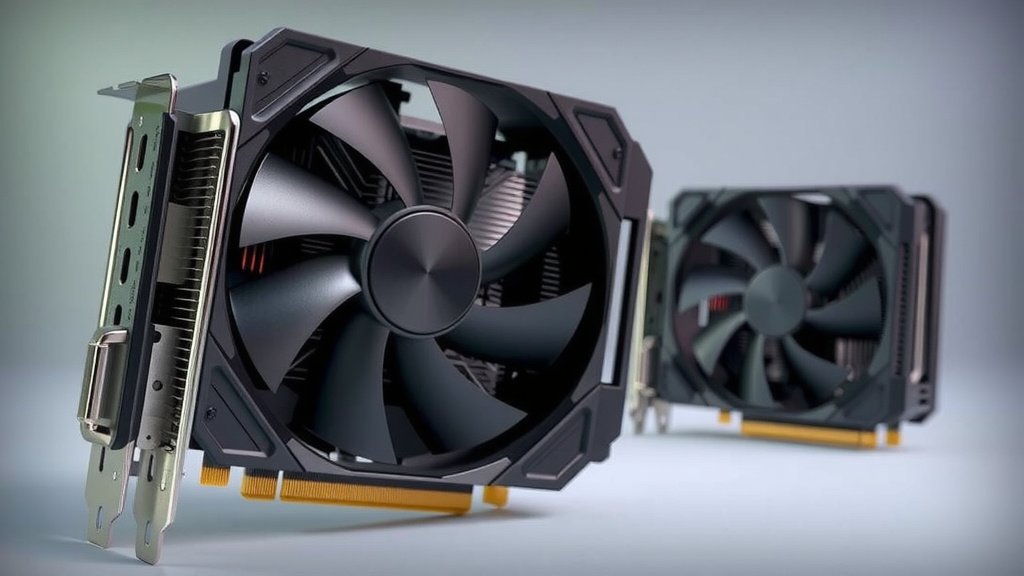
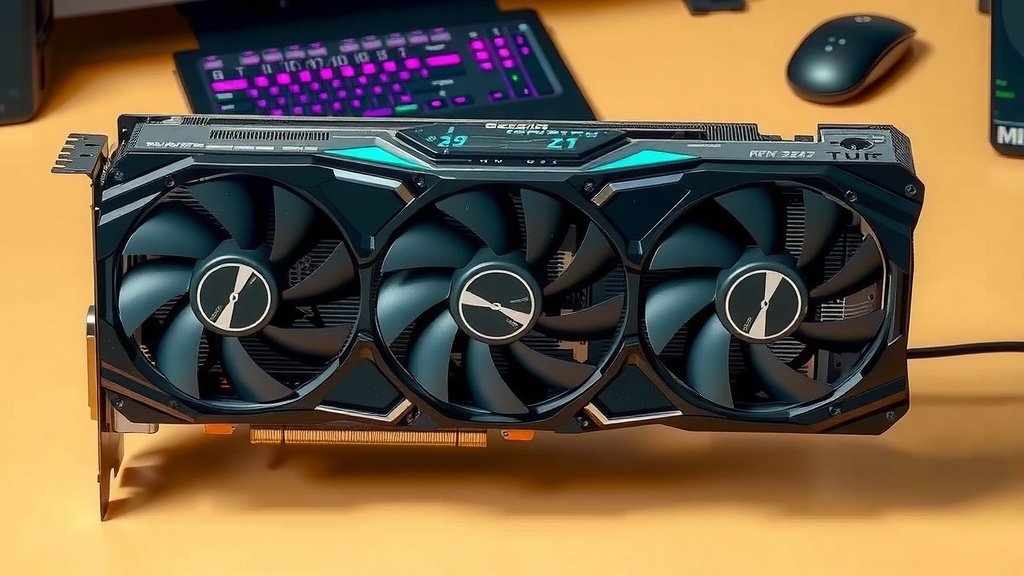
Open-air coolers, on the other hand, are the more common type you’ll see on many high-end graphics cards. They typically feature multiple fans mounted directly onto a large heatsink assembly that covers the GPU. Instead of pushing air out the back, these coolers disperse heat throughout your PC case.
The Open-Air Cooling Approach
These coolers have fans that blow air downwards onto the heatsink and GPU components. This air then radiates outwards, mixing with the general airflow within your PC case. The idea is to keep the GPU components cool by moving a large volume of air directly over them.
We found that open-air coolers often have larger heatsinks and fans. This allows for more surface area to dissipate heat. It also means fans can spin slower while still moving a good amount of air. This can lead to quieter operation.
Where Open-Air Coolers Excel
Open-air coolers generally offer superior cooling performance when you have good case airflow. If your PC case has well-placed intake and exhaust fans, the air moving through the case can effectively carry away the heat dispersed by the open-air cooler. This results in lower GPU temperatures.
For gamers and enthusiasts looking for the absolute best possible temperatures, especially for overclocking, an open-air cooler is often the preferred choice. We found that lower temperatures can lead to more stable performance and potentially longer component life.
Considerations for Open-Air Designs
The biggest drawback of open-air coolers is their reliance on good case airflow. If your case airflow is poor, the heat blown off the GPU by the open-air cooler will simply recirculate. This can actually lead to higher GPU temperatures than you might expect. It’s like trying to cool a room by just blowing air around inside it.
They also don’t typically exhaust heat directly out of the case. This means more heat will be released into your main internal space. This can impact the temperatures of other components like your CPU or motherboard if your case cooling isn’t up to par.
Direct Comparison: Key Differences
Let’s break down the core differences in a simple way. This can help you see which one might be better for your situation.
| Feature | Blower Cooler | Open-Air Cooler |
|---|---|---|
| Heat Exhaust | Directly out of PC case | Dispersed within PC case |
| Noise Level | Can be noisier | Generally quieter (with good airflow) |
| Cooling Performance | Good for confined spaces | Excellent in high-airflow cases |
| Best Use Case | Poor case airflow, multi-GPU | Good case airflow, single-GPU performance |
Which Type is Right for You? A Quick Checklist
To help you decide, consider these points:
- Does your PC case have multiple, good quality fans?
- Is your PC case known for good airflow?
- Are you running just one graphics card?
- Do you prioritize the absolute lowest GPU temperatures?
- Do you plan on aggressive overclocking?
If you answered “yes” to most of these, an open-air cooler is likely your best bet. If you answered “no” or are unsure, especially about case airflow, a blower might be safer.
Your PC Case Airflow is the Deciding Factor
Ultimately, the most important element in choosing between these two cooler types is your PC case’s airflow. We found that a powerful open-air cooler in a poorly ventilated case will struggle. Conversely, a blower cooler can keep things in check even in a more restricted environment.
When building or upgrading, always consider your case’s ventilation. This will significantly impact how well your chosen GPU cooler performs. Many guides suggest looking at fan mounts and overall case design when making this decision (PC Gamer).
Conclusion
So, you’ve learned that the best GPU cooler for you hinges on one major factor: your PC case’s airflow. If your case is a bit cramped or lacks good ventilation, a blower-style cooler is your best bet for pushing heat directly out. For those with a well-ventilated case and a thirst for top-tier performance, an open-air cooler will likely keep your GPU cooler. Your next step? Take a good look inside your current PC or plan your build’s airflow before you buy your next graphics card.
Frequently Asked Questions
Will a blower cooler make my entire PC hotter?
A blower cooler directs most of its heat out of the case. This means it’s less likely to significantly raise the temperature of other components like your CPU. We found it’s generally better for overall system heat management in low-airflow environments.
Can I replace my GPU’s stock cooler with a different type?
Generally, replacing a stock cooler isn’t straightforward. Most graphics cards are designed with a specific cooler type integrated. Aftermarket cooler kits exist but are often complex and may void your warranty.
Which cooler type is better for silent operation?
Open-air coolers are typically quieter, especially in cases with good airflow. Their larger fans can spin slower to move sufficient air. Blower coolers often need to spin faster, which can create more noise.
My case has decent airflow, but I’m worried about noise. What should I choose?
If your case has decent airflow, an open-air cooler is usually the better choice. You’ll likely get cooler GPU temperatures with less fan noise compared to a blower style.
Do blower coolers always perform worse than open-air coolers?
Not necessarily. While open-air coolers often offer superior cooling potential in ideal conditions, a blower cooler can perform better in restrictive case environments. It excels at its specific job of expelling hot air directly.

![10 Card [2026]](https://spsolutionscare.com/wp-content/uploads/2026/08/10-card-2026-featured-768x432.jpg)

![10 Best Amd Graphics Card Right Now [2026]](https://spsolutionscare.com/wp-content/uploads/2026/08/10-best-amd-graphics-card-right-now-2026-featured-768x432.jpg)