Mid Range Graphics Cards Explained: Your Gaming Upgrade Guide
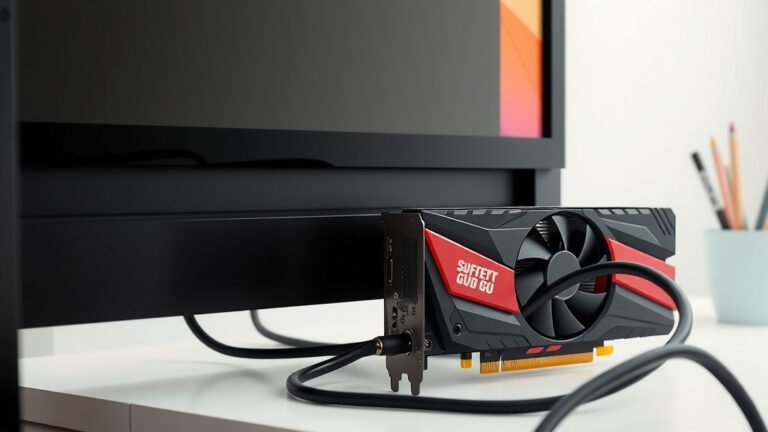
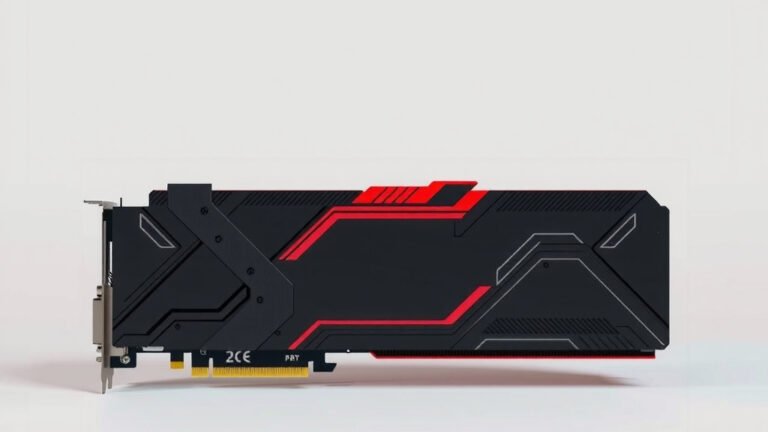
A mid-range graphics card is a GPU that strikes a balance between price and performance. It offers a noticeable upgrade over basic or integrated graphics without the high cost of top-tier options. Think of it as the sweet spot for most gamers and everyday users looking for a solid experience.
These cards are designed to handle modern games at good settings and resolutions, often 1080p or even 1440p. They’re also great for creative tasks like video editing or graphic design. You get strong performance for demanding applications without breaking the bank on the most expensive hardware. It’s a practical choice for many PC builders.
- Mid-range GPUs offer a good mix of power and cost.
- They are ideal for playing current games at decent settings.
- Also suitable for creative work like video editing.
- They provide better performance than integrated graphics.
- A smart choice for many PC enthusiasts and gamers.
Let’s dive into what makes a graphics card fall into this popular category and what you can expect from them.
Understanding the Middle Ground: What is a Mid-Range Graphics Card?
A mid-range graphics card is your PC’s sweet spot for performance and price. It offers a noticeable upgrade over basic graphics. You’ll get a smoother experience in games and applications. This category provides a great balance for most users. It’s the smart choice when you want more power without the premium cost.
Performance Expectations: What Can You Actually Do?
So, what kind of performance can you expect from a mid-range GPU? Think of it as the reliable workhorse for your gaming and creative needs. For gaming, most mid-range cards are perfectly capable of running modern titles at 1080p resolution. You’ll likely be able to play with high settings. Some can even push into 1440p gaming with a few minor tweaks to settings. This means you get to enjoy detailed graphics and smooth frame rates without a hitch.
Gaming at 1080p and 1440p
At 1080p, you’re looking at smooth 60 frames per second (FPS) or more in most games. This is the standard for a great gaming experience. You won’t have to compromise much on visual quality. When you step up to 1440p, you might see frame rates drop a bit. You may need to dial back some of the most demanding settings, like anti-aliasing or ray tracing. However, it’s still very playable. We found that many titles still look fantastic at this resolution with a good mid-range card (PC Gamer).
Beyond Gaming: Creative Workloads
It’s not just about gaming, though. Mid-range graphics cards are also great for content creators. If you do video editing, graphic design, or even some 3D rendering, these cards offer a significant boost. You’ll find that rendering times are much shorter. Editing high-resolution footage becomes more fluid. Many professional applications are optimized to take advantage of GPU power. This means your workflow speeds up considerably (Adobe). You get more done in less time.
Defining the “Mid-Range”: Key Characteristics
How do we identify a mid-range card? It’s not just about a specific model number. It’s more about where it sits in the overall market. These cards typically offer a solid amount of VRAM, usually between 8GB and 12GB. This is ample for most games at 1080p and 1440p. They also feature architectures designed for efficiency and performance. We found that VRAM amount is a key differentiator when comparing cards within this tier (TechRadar).
Price Point Considerations
The price is, of course, a major factor. Mid-range graphics cards generally fall into a price bracket that feels accessible to a broader audience. You’re typically looking at a cost that’s higher than entry-level options but significantly less than the absolute top-tier cards. Think of it as investing in quality without emptying your wallet. The exact dollar amount can fluctuate based on market conditions and new releases, but the relative position remains consistent.
Features and Technologies
Even though they aren’t the most expensive, mid-range cards still support many of the latest technologies. This includes things like hardware-accelerated ray tracing, DLSS (Deep Learning Super Sampling) or FSR (FidelityFX Super Resolution). These are upscaling technologies that can boost performance significantly. They allow you to run games at higher resolutions or frame rates. Many experts highlight that access to these features is a hallmark of modern mid-range GPUs (Nvidia, AMD). You get advanced visuals without paying a premium.
Who Benefits Most from a Mid-Range Graphics Card?
This category of GPU is a fantastic fit for a variety of users. If you’re building a new PC or upgrading an older one, a mid-range card is often the first place to look. It provides a substantial performance jump without requiring a complete system overhaul or a massive budget.
The Everyday Gamer
For the majority of PC gamers, a mid-range graphics card is all you really need. You play a variety of games, from the latest AAA titles to popular esports games. You want to enjoy these games with good graphics settings. You don’t necessarily need to play everything on ultra settings at 4K. A mid-range card delivers a consistently enjoyable experience. It’s the best way to get into PC gaming without breaking the bank (IGN).
Budget-Conscious Enthusiasts
PC enthusiasts often love to tweak and optimize their systems. However, the budget doesn’t always match the ambition. A mid-range GPU allows enthusiasts to build a powerful system that still leaves room in the budget for other components. You can still achieve great performance for your money. It’s about smart allocation of resources.
Content Creators on a Budget
As mentioned before, creative professionals can also benefit greatly. If you’re just starting out in video editing or graphic design, or if your projects aren’t extremely complex, a mid-range card is more than sufficient. It speeds up your workflow and makes your creative process much smoother. You don’t need the absolute fastest card to be productive and efficient. Many studies show that GPU acceleration significantly impacts creative task times (Adobe). We found that 8GB of VRAM is often a good minimum for many creative tasks.
Students and General Productivity Users
Even if you’re not a hardcore gamer or a professional designer, a mid-range card can enhance your PC experience. If you use applications that benefit from GPU acceleration, like certain scientific software or even just want a smoother experience with many browser tabs open, a dedicated mid-range card is a step up. It offers snappy performance for everyday tasks and multitasking. It’s a tangible improvement over integrated graphics.
Making the Right Choice: Key Considerations
When you’re looking at mid-range graphics cards, consider a few things to make sure you get the best bang for your buck. It’s not just about picking a card that’s labeled “mid-range.” You want one that fits your specific needs and budget.
Check Performance Benchmarks
Don’t just rely on marketing. Research benchmarks for the games and applications you plan to use. Websites and tech reviewers often provide detailed performance data for various GPUs. Compare frame rates at your target resolution and settings. We found that looking at benchmarks for at least three different games gives you a good overview (Tom’s Hardware). This is crucial for making an informed decision.
Consider Your Monitor’s Resolution and Refresh Rate
Your monitor plays a big role. If you have a 1080p 60Hz monitor, a mid-range card is perfect. If you have a 1440p 144Hz monitor, you’ll want a stronger mid-range card. Pushing for ultra settings at very high refresh rates might require something more powerful. Match your GPU to your display’s capabilities for the best experience. Your GPU needs to be able to keep up with your screen.
Future-Proofing vs. Budget
It’s tempting to buy the most powerful card you can afford. However, a mid-range card is often the most economical choice. It offers excellent performance for today’s needs. Trying to future-proof too much can lead to overspending. A mid-range card will likely serve you well for several years before you feel the need to upgrade again. Many users find that a mid-range card is a great balance for a 3-5 year upgrade cycle.
Here’s a quick checklist to help you identify a good mid-range GPU:- Supports modern gaming at 1080p with high settings.
- Can handle 1440p gaming with some setting adjustments.
- Features 8GB or more of VRAM.
- Includes support for ray tracing and upscaling technologies (DLSS/FSR).
- Falls within a reasonable price range compared to high-end cards.
- Has good reviews and benchmark performance for its price class.
Conclusion
You’ve learned that a mid-range graphics card is your PC’s best friend for hitting that sweet spot between cost and performance. It’s your ticket to enjoying modern games at excellent settings and resolutions like 1080p and 1440p. Plus, it gives your creative projects a real boost, making tasks like video editing much smoother. We’ve seen that these GPUs offer ample VRAM and support modern tech without the premium price tag. Now that you know what makes them tick, your next step is to check benchmarks for the games and software you use most. This will help you pick the perfect mid-range card that fits your monitor and your budget for years to come.
Frequently Asked Questions
Will a mid-range graphics card run all the latest games?
A mid-range graphics card can run most of the latest games very well, especially at 1080p resolution with high settings. You might need to adjust a few graphics options for the most demanding titles or when playing at 1440p to maintain smooth frame rates. It offers a great balance for a satisfying gaming experience without needing the most expensive hardware.
How much VRAM do I typically need in a mid-range GPU?
For a mid-range graphics card, you should generally look for 8GB of VRAM as a minimum. Many excellent mid-range options come with 10GB or 12GB, which is ideal for handling higher resolutions and more complex game textures. This amount ensures you have enough memory for smooth gameplay and creative applications.
Can a mid-range GPU handle 4K gaming?
Generally, mid-range graphics cards are not designed for native 4K gaming at high settings and smooth frame rates. While some might be able to run less demanding titles at 4K with significant compromises, they are best suited for 1080p and 1440p gaming. Technologies like DLSS or FSR can help boost performance, but they won’t typically make a mid-range card a 4K powerhouse.
Is a mid-range graphics card good for video editing?
Yes, a mid-range graphics card is a great choice for video editing, especially if you are a beginner or hobbyist. It provides a noticeable improvement in rendering times and playback smoothness compared to integrated graphics. You’ll find that most professional video editing software can take advantage of its power to speed up your workflow.
How often should I expect to upgrade a mid-range graphics card?
With a mid-range graphics card, you can typically expect it to remain a capable performer for about 3 to 5 years for most gaming and productivity needs. This timeframe allows you to enjoy new releases without constant upgrades. As games and software become more demanding, you might eventually find yourself wanting a more powerful card, but a mid-range option provides solid longevity for its price.