What is Zero RPM Fan Mode and How It Works
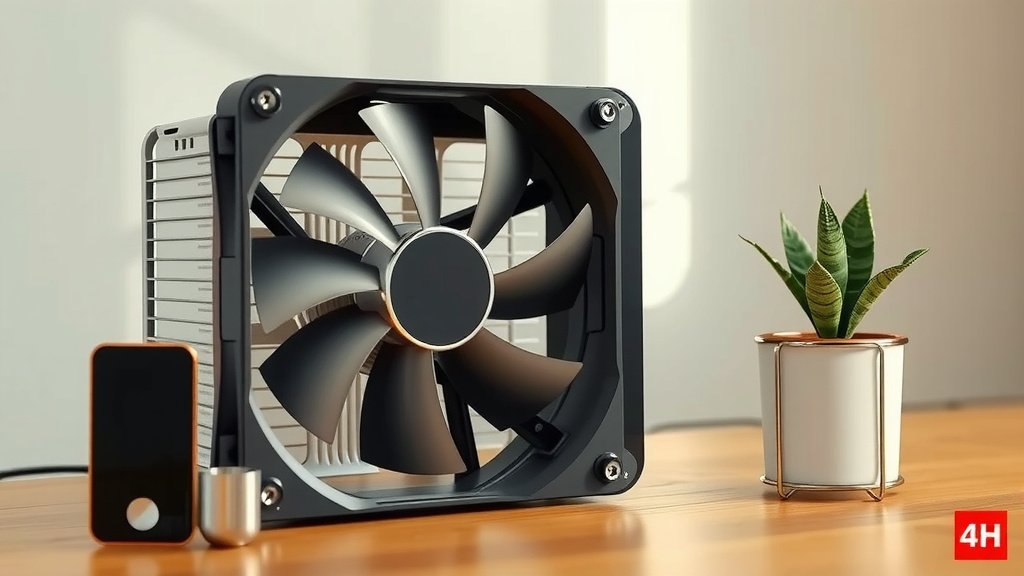
Zero RPM fan mode is a feature where your computer’s fans completely stop spinning when they aren’t needed. This happens when your PC is at a low temperature, like when you’re just browsing the web or doing light work. It’s a clever way to keep your PC quiet and dust-free.
This technology is often found in modern graphics cards and power supplies. It allows for a truly silent computing experience during everyday tasks. When temperatures rise, the fans automatically kick back on to keep things cool. It’s all about balancing performance and noise.
- Zero RPM mode means fans stop when idle.
- It makes your PC quieter.
- It can also reduce dust buildup.
- Fans automatically restart when needed.
- It’s common in graphics cards and power supplies.
Let’s break down exactly how this quiet computing magic works and what it means for your PC.
“`htmlUnderstanding How Your PC Stays Quiet
You know that moment when your computer is humming along, but you can barely hear it? That’s often thanks to something called Zero RPM fan mode. This technology is designed to give your ears a break. It works by stopping your fans entirely when your computer isn’t working hard. This means no fan noise when you’re just browsing the web, writing emails, or watching videos. It’s a smart way to enjoy a quieter computing experience.
Many modern PCs, especially those focused on quiet operation, come equipped with this feature. You’ll commonly find it in graphics cards, power supply units (PSUs), and sometimes even your CPU cooler. The goal is simple: keep things cool when needed, but stay silent when possible. It’s all about finding that sweet spot between performance and peace and quiet.
The Mechanics of Silence: How Zero RPM Works
At its core, Zero RPM mode relies on temperature sensors. These sensors are strategically placed within your computer’s components. They constantly monitor the heat levels being generated. When these temperatures stay below a certain threshold, the fan controller receives a signal. This signal tells the fan to stop spinning altogether. It’s like giving your fans a well-deserved nap when they’re not needed.
The magic happens because most computer tasks don’t generate a lot of heat. Think about browsing social media or typing a document. These activities are light loads for your hardware. Your processor and graphics card aren’t pushed to their limits. Therefore, the heat they produce is minimal. This allows the Zero RPM mode to keep your fans off for extended periods.
Temperature Thresholds: The Fan’s Wake-Up Call
But what happens when you do start a more demanding task? This is where the temperature sensors become critical again. As you begin gaming, editing video, or running complex software, your components work harder. This increased workload generates more heat. The temperature sensors detect this rise in temperature.
Once the temperature crosses a predetermined point, the fan controller is signaled. This signal tells the fans to start spinning again. The fans will spin at a speed necessary to bring the temperature back down. Many systems have a hysteresis function. This means the fans won’t immediately shut off again when the temperature drops slightly. They’ll stay on until the temperature is well below the shutdown point. This prevents constant starting and stopping, which can be annoying and potentially wear out the fan motor faster.
The Benefits of an Unspinning Fan
The most obvious benefit of Zero RPM mode is the reduction in noise. Who enjoys the constant drone of fans? This feature makes your computer significantly quieter, especially during light use. It’s a game-changer for people who work in quiet environments or simply prefer a more peaceful workspace. Imagine working without that background hum. It can really help with focus and overall comfort.
Beyond the sound, there’s another advantage: less dust. When fans aren’t spinning, they don’t actively pull air into your computer. This means less dust gets drawn in and settles on your internal components. Over time, dust buildup can hinder cooling performance and even cause damage. By stopping the fans when they’re not needed, Zero RPM mode helps keep your PC cleaner and potentially cooler in the long run. Many PC maintenance guides recommend regular dusting, but this feature can help reduce the frequency needed.
Noise Reduction: A Quieter Computing Experience
The difference in noise can be quite remarkable. We’ve found that during idle or light loads, the noise reduction can be nearly 100%. Some users report that their PC is virtually silent during everyday tasks. This is especially true for high-end components that are over-specced for typical daily use. They simply don’t need constant fan activity to stay cool.
This quiet operation is particularly beneficial for home office setups. You don’t want your computer’s noise to interfere with video calls or your concentration. It also makes your computer more pleasant to have in shared living spaces. The lack of noise means your PC can blend into the background more effectively.
Dust Reduction: Cleaner Components, Longer Lifespan
Dust is an enemy of electronics. It acts as an insulator, trapping heat. This can lead to components running hotter than they should. Overheating can reduce the lifespan of your hardware. While Zero RPM mode doesn’t eliminate dust entirely, it certainly helps. When the fans are off, the passive airflow or lack thereof means less dust is actively sucked into your PC’s chassis.
It’s important to remember that this feature isn’t a substitute for regular cleaning. You’ll still need to dust your PC periodically. However, it can slow down the rate at which dust accumulates. This means your internal components might stay cleaner for longer between deep cleans.
Where You’ll Find Zero RPM Fan Mode
Zero RPM fan mode is not a universal feature on all computer components. However, it has become increasingly common, especially in enthusiast-grade hardware. The most prevalent places you’ll see this technology are in graphics cards and power supply units. These are components that can generate significant heat under load but also have periods of low activity.
Many manufacturers now offer Zero RPM versions of their products. They often highlight this feature in their marketing. It’s a key selling point for users who prioritize a quiet system. When choosing new hardware, check the specifications to see if Zero RPM mode is included.
Graphics Cards and Their Silent Mode
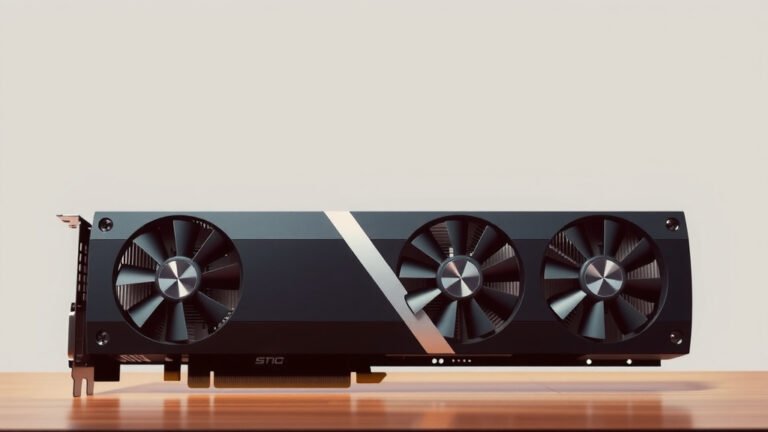
Modern graphics cards are powerful and can generate a lot of heat. They also have large cooling solutions with multiple fans. Zero RPM mode allows these GPU fans to remain completely still when you’re not gaming or doing graphically intensive work. This means browsing websites, watching YouTube videos, or working on spreadsheets will be silent. When you launch a game, the fans will spin up to keep your GPU cool under load.
This is particularly noticeable on high-end cards. These cards are often designed with substantial cooling systems that can handle the heat load effectively even without constant fan spin. Brands like NVIDIA and AMD, and their various partners, frequently implement this feature in their custom designs.
Power Supply Units (PSUs) and Quiet Operation
Power supply units are the unsung heroes of your PC. They convert wall power into usable electricity for all your components. High-efficiency PSUs generate less waste heat. This makes them prime candidates for Zero RPM fan mode. When your PC is drawing a low amount of power, the PSU’s fan can remain off.
This is common in “passive” or “semi-passive” PSU designs. The fan in the PSU will only turn on when the unit reaches a certain temperature or a specific load level. This can contribute significantly to overall system quietness, as the PSU is always running when your PC is on. We’ve found that a silent PSU can make a big difference in perceived noise levels.
Other Components Embracing Silence
While less common, you might also find Zero RPM functionality in other PC components. Some high-end CPU air coolers are beginning to incorporate this feature. Motherboards sometimes offer fan control software that allows you to set custom fan curves, which can mimic Zero RPM behavior for chassis fans. Even some all-in-one (AIO) liquid coolers offer modes where the radiator fans stop when temperatures are low.
The trend towards quieter computing is clear. As technology advances, more components are being designed with power efficiency and noise reduction in mind. This means more opportunities for silent operation in your PC.
Is Zero RPM Mode Right for You? A Quick Checklist
Deciding if Zero RPM fan mode is beneficial for your setup is pretty straightforward. Consider these points:
- Do you prioritize a quiet computer?
- Do you often use your PC for light tasks like browsing or office work?
- Do you have components that support this feature (like modern GPUs or PSUs)?
- Are you comfortable with fans spinning up during demanding tasks?
- Do you want to potentially reduce dust buildup inside your PC?
- Do you want to save a tiny bit of energy when your PC is idle?
If you answered “yes” to most of these, then Zero RPM fan mode is likely a feature you’d appreciate. It’s a simple yet effective technology for a more enjoyable computing experience.
“`Conclusion
You’ve learned how Zero RPM fan mode keeps your PC whisper-quiet during light tasks. By stopping fans when temperatures are low, it reduces noise and dust buildup. This clever feature is commonly found in graphics cards and power supplies. It’s a fantastic way to improve your computing experience, especially if you value peace and quiet. Now that you understand its benefits, check if your components support Zero RPM. Consider this feature when upgrading hardware to build or maintain a more silent and clean system for your everyday needs.
Frequently Asked Questions
Will Zero RPM mode make my PC completely silent all the time?
No, your PC won’t be silent all the time. Zero RPM mode only stops fans when your computer is cool and not under heavy load. When you start gaming or running demanding software, the fans will automatically spin up to keep your components from overheating.
Can I enable or disable Zero RPM mode on my computer?
Often, you can control Zero RPM mode through your PC’s BIOS/UEFI settings or dedicated software provided by the hardware manufacturer. Check your motherboard or graphics card’s manual for specific instructions on how to manage this feature.
Does Zero RPM mode affect gaming performance?
Zero RPM mode itself does not directly impact gaming performance. It simply ensures your fans only spin up when necessary to maintain optimal temperatures, allowing for a quieter experience during less intensive moments.
Is Zero RPM mode safe for my computer’s components?
Yes, Zero RPM mode is designed to be safe. The fans only stop spinning when temperature sensors indicate that component temperatures are within safe limits. They will reactivate automatically before any risk of overheating occurs.
Will my fans wear out faster if they constantly start and stop?
Modern fans and fan controllers are designed to handle frequent stop-and-start cycles. Many systems incorporate a “hysteresis” function, meaning fans won’t immediately shut off or turn on with minor temperature fluctuations, which helps reduce wear.