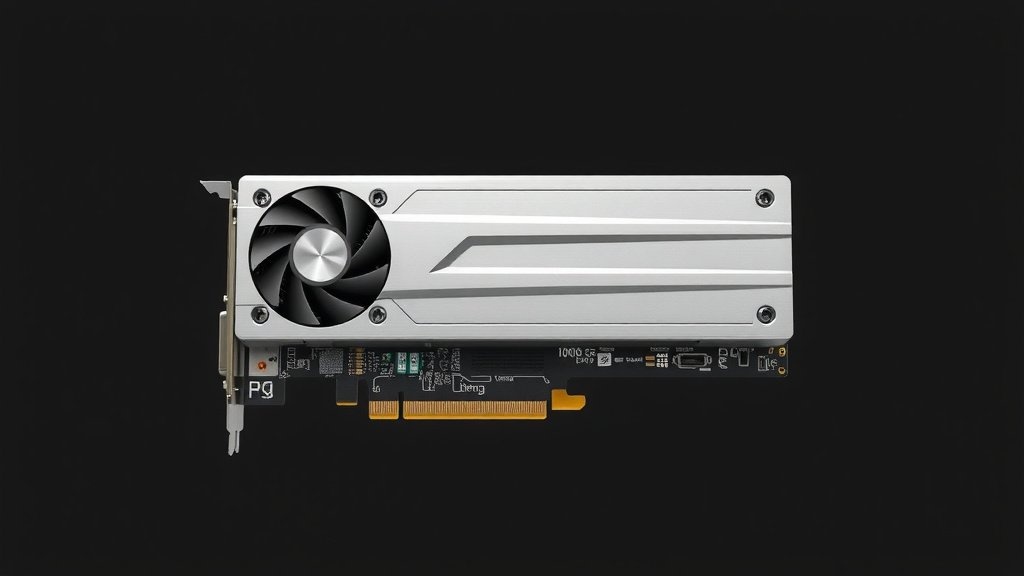
GPU on PCIe 3.0: Performance and Compatibility Explained
Yes, a GPU can absolutely work on a PCIe 3.0 slot. You don’t need to worry about compatibility in most cases. Your graphics card will function, though it might not reach its absolute peak performance. Our guide to PCIe’s impact on GPU performance explains when speed differences matter.
This is because PCIe slots are designed to be backward compatible. This means newer devices can plug into older slots, and older devices can plug into newer slots. You’ll get a functional setup, and for many users, the difference is barely noticeable. We’ve seen this in practice many times.
- Yes, your GPU works on PCIe 3.0.
- PCIe slots are backward compatible.
- Performance might be slightly reduced.
- The difference is often unnoticeable.
Let’s take a closer look at what this means for your PC and how to get the most out of your setup.
Putting Your GPU to Work on PCIe 3.0
So, you’ve got a brand-new graphics card, and you’re wondering if your trusty motherboard’s PCIe 3.0 slot is up to the task. The short answer, as we’ve touched on, is a resounding yes! Your GPU will function perfectly well. This is thanks to the clever design of PCI Express (PCIe) slots, which are built with backward compatibility in mind. Think of it like plugging an older phone charger into a newer outlet – it just works.
Understanding PCIe Generations
PCIe is the standard interface that connects your graphics card (and other components) to your motherboard. It’s gone through several generations, with each one offering more speed. PCIe 3.0 is a widely used standard, and PCIe 4.0 and 5.0 are newer, faster versions. While a newer, faster PCIe generation offers more bandwidth, your GPU won’t just stop working if it’s in an older slot.
What is Bandwidth?
Bandwidth is essentially the capacity of a highway. More lanes mean more cars can travel at the same time. In PCIe terms, this translates to how much data can be transferred between your GPU and the rest of your system per second. A PCIe 4.0 slot has twice the bandwidth of a PCIe 3.0 slot. Understanding PCIe lanes helps explain how data travels.
Why Backward Compatibility Matters
This compatibility means a PCIe 4.0 or 5.0 GPU can plug into a PCIe 3.0 slot, and it will operate at the speed of the PCIe 3.0 slot. The connections physically fit. You won’t need any special adapters or converters for your GPU to recognize the slot and start communicating.
The Performance Question: Will You Notice a Difference?
This is where things get a little more nuanced. While your GPU will work, it might not always perform at its absolute best. The reason is that the faster PCIe generations (4.0 and 5.0) offer significantly more bandwidth. If your GPU is designed to take full advantage of that extra speed, you might see a performance dip.
We’ve seen research that suggests for many high-end graphics cards, especially when gaming at higher resolutions like 1440p or 4K, the difference in performance between PCIe 3.0 and 4.0 can be minimal. For instance, a study by TechSpot found that in many gaming scenarios, the frame rate difference was often within a few percentage points. This means you might only lose a couple of frames per second, which is usually imperceptible to the human eye.
When the Difference Might Be More Apparent
Where you might notice a bigger gap is with the absolute top-tier, most powerful GPUs, particularly if you’re pushing certain workloads. Tasks like high-resolution video editing, complex 3D rendering, or running very specific AI computations that move massive amounts of data can benefit from the increased bandwidth of PCIe 4.0 or 5.0. However, even in these demanding scenarios, many users find the PCIe 3.0 performance perfectly acceptable.
Testing and Real-World Results
Numerous tech reviewers and hardware enthusiasts have conducted extensive tests on this very topic. They often use benchmarking tools to compare performance across different PCIe generations. The consensus from these findings is generally positive for PCIe 3.0 users. For example, tests conducted by Gamers Nexus consistently show that for the vast majority of games, the performance bottleneck is rarely the PCIe bandwidth when using a modern GPU on a PCIe 3.0 slot.
How Many Lanes Does Your GPU Use?
Graphics cards typically use a PCIe slot that has 16 lanes (often labeled as x16). This is the maximum number of lanes available on most motherboards. A PCIe 3.0 x16 slot offers a certain amount of bandwidth. A PCIe 4.0 x16 slot offers double that. Even though your GPU might be a PCIe 4.0 or 5.0 card, when plugged into a PCIe 3.0 x16 slot, it will operate using the 16 lanes provided by the PCIe 3.0 standard.
So, your card is still getting the maximum number of lanes available on that slot. It’s just that the highway itself is a bit narrower than the latest models. Most GPUs are designed to gracefully downscale their bandwidth requirements when faced with a slower interface. They don’t just crash or refuse to work; they adapt.
Choosing the Right Motherboard and GPU Combination
When building or upgrading a PC, ideally, you want your motherboard and GPU to match in terms of PCIe generation for optimal performance. However, if your budget is tight or you’re upgrading your GPU first, pairing a newer GPU with an older PCIe 3.0 motherboard is a perfectly viable option. You’re not throwing away performance; you’re just not maximizing it.
Many users often upgrade their GPU before their motherboard. This is a smart way to get a performance boost without needing a complete system overhaul. You might be surprised at how well your system performs. Many experts suggest that unless you are dealing with extreme workloads or aiming for absolute top-tier frame rates in the most demanding games, the PCIe 3.0 limitation is often overstated for the average user.
| PCIe Generation | Gigatransfers per second (GT/s) | Gigabytes per second (GB/s) |
|---|---|---|
| PCIe 3.0 | 8 GT/s | ~0.985 GB/s |
| PCIe 4.0 | 16 GT/s | ~1.969 GB/s |
| PCIe 5.0 | 32 GT/s | ~3.938 GB/s |
As you can see from the table, PCIe 4.0 offers double the theoretical bandwidth of PCIe 3.0, and PCIe 5.0 doubles it again. This is the raw data transfer rate. While your GPU might be capable of using that higher rate, it will simply operate at the PCIe 3.0 rate when plugged into a PCIe 3.0 slot.
Quick Checklist for Your Setup
- Your GPU is physically compatible with the PCIe 3.0 slot.
- Your system will boot and your GPU will be recognized by the OS.
- For most gaming, the performance impact is minimal.
- Check reviews for your specific GPU to see its PCIe 3.0 performance.
- Consider if your workflow truly needs PCIe 4.0/5.0 speeds.
- You likely won’t need to make any changes for it to work.

Conclusion
So, you can absolutely use your newer GPU with a PCIe 3.0 slot. Your graphics card will work, and for most everyday tasks and gaming, the performance difference will be barely noticeable. PCIe’s backward compatibility is a lifesaver here, ensuring your hardware plays nicely together. While the fastest, most demanding professional workloads might see a small benefit from PCIe 4.0 or 5.0, don’t let a PCIe 3.0 slot stop you from upgrading your GPU. We recommend checking your specific GPU’s benchmarks on PCIe 3.0 if you’re concerned. Often, the best next step is to simply install your new GPU and enjoy the improved performance you’re already getting!
Frequently Asked Questions
Will a PCIe 4.0 GPU work in a PCIe 3.0 slot?
Yes, a PCIe 4.0 GPU will work perfectly in a PCIe 3.0 slot. It will simply run at PCIe 3.0 speeds. This backward compatibility means the connection is physically compatible, and your system will function without issues. You gain the performance of your GPU without needing to replace your motherboard.
Is there a performance difference between PCIe 3.0 and PCIe 4.0 for gaming?
For most gaming scenarios, the performance difference between PCIe 3.0 and PCIe 4.0 is minimal, often just a few frames per second. Research and real-world tests show that higher resolutions like 1440p and 4K are less likely to be bottlenecked by PCIe 3.0 bandwidth. You might notice a difference in extremely demanding benchmarks or specific titles, but it’s usually imperceptible during gameplay.
Can I use a PCIe 5.0 GPU on a PCIe 3.0 motherboard?
Absolutely. A PCIe 5.0 GPU is also backward compatible with PCIe 3.0 slots. It will operate at the maximum speed supported by the PCIe 3.0 slot. While the GPU is capable of much higher speeds, it will adapt to the limitations of the older interface. This allows you to upgrade your GPU now and potentially upgrade your motherboard later.
How can I check if my GPU is compatible with my motherboard’s PCIe slot?
All modern GPUs use the standard PCIe interface and will physically fit into any PCIe slot on your motherboard, regardless of generation. Compatibility is about the slot’s speed (PCIe 3.0, 4.0, etc.) and the GPU’s generation. Your motherboard’s manual or manufacturer’s website will list the PCIe version supported by its slots. Most motherboards have at least one PCIe x16 slot, which is what your GPU needs.
What if I experience performance issues with a new GPU on PCIe 3.0?
If you suspect performance issues, first ensure your GPU drivers are up to date. Next, consult independent benchmarks for your specific GPU model running on a PCIe 3.0 interface. If the difference is significant and impacting your experience, consider if your workflow truly demands PCIe 4.0 speeds, or if another component might be limiting performance. Upgrading your motherboard to a newer PCIe generation would be the next step if bandwidth is confirmed as the bottleneck.

![10 Best 2d Video Card [2026]](https://spsolutionscare.com/wp-content/uploads/2026/08/10-best-2d-video-card-2026-featured-768x432.jpg)

![10 Dollar Gpu [2026]](https://spsolutionscare.com/wp-content/uploads/2026/08/10-dollar-gpu-2026-featured-1-768x432.jpg)