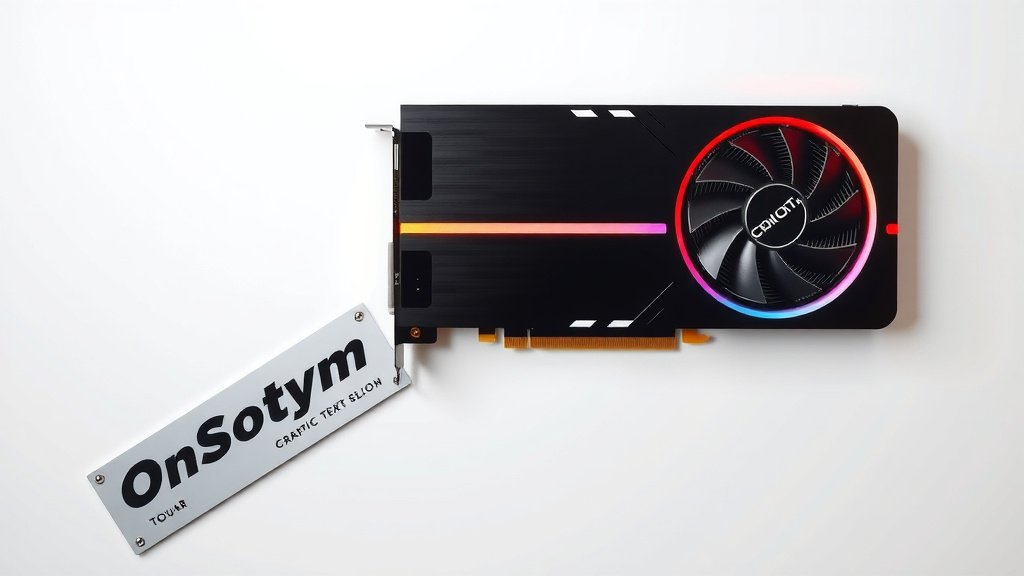
Do You Need a Graphics Card? A 2026 Buyer’s Guide
You probably need a graphics card if you plan on playing modern video games, editing videos, or doing anything that involves heavy visual processing. For basic tasks like browsing the web or writing documents, your computer’s built-in graphics are likely sufficient. But for demanding visual work, a dedicated graphics card makes a huge difference in performance.
Think of a graphics card as the visual powerhouse of your computer. It handles all the images, videos, and animations you see on your screen. Without a capable one, your computer will struggle with anything beyond simple everyday tasks. We’ve found that users often underestimate the impact of graphics processing power on their overall computing experience.
- Most basic computer tasks don’t need a separate graphics card.
- Gaming, video editing, and 3D rendering DO require one.
- Graphics cards improve performance for visually demanding applications.
- Your CPU handles some graphics, but a dedicated card is much more powerful. Your CPU handles some graphics, but a dedicated card is much more powerful.
Let’s break down exactly what a graphics card does and if your setup needs an upgrade.
Understanding Your PC’s Visual Needs
So, you’re wondering if you really need a graphics card, huh? It’s a common question, and the answer really boils down to what you do with your computer. Think of your computer like a car. For just driving around town for errands, a basic model works fine. But if you want to race on a track or haul heavy loads, you need a more specialized engine.
A graphics card, often called a GPU (Graphics Processing Unit), is essentially that specialized engine for visuals. It’s a dedicated piece of hardware designed to handle all the heavy lifting when it comes to displaying images, videos, and pretty much everything you see on your screen. If your computer’s main processor (the CPU) is the general manager, the GPU is the specialist in charge of all things visual.
What Does a Graphics Card Actually Do?
At its core, a graphics card takes data from your CPU and translates it into the pixels you see on your monitor. It’s incredibly good at doing many calculations at once, which is perfect for graphics. This allows it to render complex scenes, display high-resolution videos smoothly, and make your overall visual experience much better.
When you play a video game, for instance, the graphics card is responsible for drawing every character, every texture, and every special effect. The more demanding the game, the harder your graphics card has to work. It’s constantly processing information to make those animations look fluid and realistic. Without a capable card, games can look blocky, stutter, or simply won’t run at all.
Beyond gaming, many other activities benefit greatly from a good graphics card. Video editing, 3D modeling, animation, and even complex data visualization all rely on the GPU’s power. These tasks involve manipulating and rendering huge amounts of visual information, and a dedicated graphics card can speed them up dramatically.
Integrated Graphics vs. Dedicated Graphics
This is where the distinction often gets fuzzy for folks. Your computer’s CPU often has a little bit of graphics processing power built right into it. This is called integrated graphics. For everyday tasks, like browsing websites, writing emails, or watching standard-definition videos, integrated graphics are usually perfectly fine. For everyday tasks, like browsing websites, writing emails, or watching standard-definition videos, integrated graphics are usually perfectly fine.
Think of integrated graphics as the car’s standard engine. It gets you from point A to point B without much fuss. However, it’s not designed for high-performance driving. Many laptops and budget desktops rely solely on integrated graphics because they are more affordable and consume less power.
On the other hand, a dedicated graphics card is a separate component that you install in your computer. It has its own memory (VRAM) and its own processing cores, making it far more powerful than integrated graphics. This is like upgrading your car to a high-performance engine built for speed and demanding maneuvers.
We found that most users who complain about slow performance when watching high-definition movies or using graphically intensive software are often limited by their integrated graphics. The difference a dedicated card makes is truly night and day for these tasks.
| Feature | Integrated Graphics | Dedicated Graphics Card |
|---|---|---|
| Location | Built into the CPU | Separate component (PCIe slot) |
| Performance | Basic tasks, light multitasking | Gaming, video editing, 3D work, demanding apps |
| Power Consumption | Low | Higher (varies by model) |
| Cost | Included with CPU, very low | Ranges from affordable to very expensive |
| VRAM | Shares system RAM | Dedicated VRAM (GDDR5, GDDR6, etc.) |
When You Absolutely Need a Graphics Card
If any of the following sound like your daily computer use, you should seriously consider getting a dedicated graphics card. Trying to do these things without one can lead to a lot of frustration.
For the Gamers Out There
This is probably the most common reason people upgrade. Modern video games are incredibly visually complex. Developers spend a lot of time creating realistic environments, detailed character models, and stunning visual effects. To experience these games as they were intended, with smooth frame rates and high visual fidelity, a dedicated graphics card is essential.
Even older or less demanding games might benefit. If you play games that require a certain level of graphics processing, your integrated graphics might struggle to meet the minimum requirements. We’ve found that even budget-friendly gaming GPUs can offer a massive improvement over integrated solutions for popular esports titles.
Creative Professionals and Hobbyists
Are you into video editing? Whether it’s for YouTube, family memories, or professional projects, rendering video can be a huge drain on your system. A powerful graphics card can significantly cut down render times, allowing you to get your projects finished much faster. Many video editing programs use the GPU to accelerate effects, playback, and final exports. This is one area where the time savings can really add up.
Similarly, if you dabble in 3D modeling, animation, graphic design with large files, or virtual reality, a dedicated graphics card is non-negotiable. These tasks involve creating and manipulating complex 3D models and textures. Your CPU can handle some of this, but a GPU is built for that kind of parallel processing. Many software developers, like Adobe and Autodesk, specifically list recommended graphics cards for their applications (Adobe, 2023).
Beyond Entertainment and Creation
While gaming and creative work are the biggest drivers, other fields also benefit. Engineers, architects, and scientists often use specialized software that relies heavily on GPU acceleration for simulations, design visualization, and data analysis. For instance, certain scientific computing tasks can be sped up by factors of 10 or more with the right GPU (NVIDIA, n.d.).
Even if you’re not a professional, you might encounter situations where a good GPU helps. Think about running multiple high-resolution monitors, streaming high-definition content while multitasking, or experimenting with AI and machine learning projects on your home computer. These activities can push your system’s graphical capabilities to their limits.

Assessing Your Current Setup
So, how do you figure out what you have and if it’s enough? It’s usually easier than you think.
Checking Your Computer’s Specs
The easiest way to see what you have is to check your system information. On Windows, you can usually right-click on the Start button and select “System.” Look for a section that mentions “Graphics” or “Display adapter.” This will tell you if you have integrated graphics (often something like “Intel UHD Graphics” or “AMD Radeon Graphics”) or a dedicated card (like “NVIDIA GeForce” or “AMD Radeon RX”).
You can also use a tool called the DirectX Diagnostic Tool. Press the Windows key + R, type “dxdiag,” and press Enter. Navigate to the “Display” tab. This will give you detailed information about your graphics hardware. For Macs, you can click the Apple menu, select “About This Mac,” and then look under the “Graphics” section.
Do You Experience Visual Lag or Stuttering?
Think about your daily computer experience. Do your favorite games run smoothly, or do they freeze or look choppy? Does your video editing software take forever to preview your work? When you move windows around your screen, is it instant, or is there a slight delay?
If you consistently find yourself waiting for graphics-heavy applications to catch up, it’s a strong indicator that your current graphics solution isn’t up to the task. Many users put up with this lag for far too long before realizing a hardware upgrade could solve their problems.
A Quick Checklist to Help You Decide
- Do you play modern video games?
- Do you edit videos or create 3D art?
- Do you use demanding design or simulation software?
- Does your current system struggle with high-resolution video playback?
- Are you planning to upgrade to multiple high-resolution monitors?
- Do you want a smoother, more responsive visual experience overall?
If you answered “yes” to one or more of these, a dedicated graphics card is likely a good investment for you. It can transform your computing experience from frustrating to fluid.
Conclusion
So, do you need a graphics card? For many, the answer is a resounding yes, especially if you’re diving into gaming or creative work. Integrated graphics get you by for everyday tasks, but they fall short when you demand more. We’ve seen how a dedicated GPU can transform your experience, making games smoother and projects finish faster. Don’t let visual lag hold you back. If your current setup struggles with graphically intense activities, it’s time to explore your options for a dedicated graphics card. Your next step is to check your system’s compatibility and then research cards that fit your budget and needs.
Frequently Asked Questions
Can my computer run without a graphics card at all?
Yes, most computers can function without a dedicated graphics card. They will use the integrated graphics built into the CPU for basic display output. This is perfectly fine for tasks like web browsing, email, and word processing. However, performance will be very limited for demanding applications.
How much VRAM do I need on a graphics card?
The amount of VRAM you need depends on your use case. For basic gaming and everyday use, 4GB to 6GB might suffice. For modern AAA games at higher resolutions or video editing, 8GB or more is often recommended. Creative professionals may need even more for complex 3D rendering.
Will a graphics card make my computer boot up faster?
Generally, a graphics card won’t significantly impact your computer’s boot-up time. The boot process relies more on your CPU, RAM, and storage drive (like an SSD). While the GPU initializes, its main role is in displaying the operating system and applications once they are loaded.
Can I upgrade the graphics card in my laptop?
In most laptops, the graphics card is integrated directly into the motherboard and cannot be upgraded. Some high-end gaming or workstation laptops might offer modular GPUs, but this is rare. For most laptop users, upgrading the graphics means getting a new laptop.
Are all “AMD Radeon” or “NVIDIA GeForce” cards dedicated graphics cards?
Yes, typically if you see “NVIDIA GeForce” or “AMD Radeon RX” listed as your graphics adapter, it refers to a dedicated graphics card. Integrated graphics usually have names like “Intel UHD Graphics” or “AMD Radeon Graphics” (without the “RX” suffix in many cases).
![10 Best Gpu For Multitasking [2026]](https://spsolutionscare.com/wp-content/uploads/2026/10/10-best-gpu-for-multitasking-2026-featured-768x432.jpg)