GPU Temperature Guide: What’s Too Hot for Your Graphics Card
Your GPU should ideally run between 65°C and 85°C during gaming or heavy tasks. Temps above 85°C can start to be concerning. Many gamers worry about their GPU getting too hot. We found that most modern GPUs are designed to handle these temperatures. They often have built-in safety features to prevent damage from overheating.
But what’s considered “too hot” really depends on your specific graphics card. Factors like the model, your computer’s case ventilation, and the ambient room temperature play a big role. Keeping your GPU in the optimal temperature range ensures it performs well and lasts longer. We found that a little attention to cooling can go a long way for your card’s longevity and performance.
- Most GPUs are safe between 65°C and 85°C.
- Temperatures over 85°C may indicate a problem.
- Your specific GPU model matters for ideal temps.
- Good airflow in your PC is key to cooling.
- Consistent high temps can shorten your GPU’s life.
Ready to find out what those numbers mean for your rig? Let’s break down GPU temperatures and what you can do to keep your graphics card happy.
Understanding Your GPU’s Temperature Range
So, what’s the sweet spot for your graphics card’s temperature? Generally, you want your GPU to run between 65°C and 85°C during demanding tasks like gaming. This range usually means your card is working efficiently and safely. We found that most modern GPUs are designed to handle these temperatures without issues.
Anything consistently above 85°C can be a sign that something’s not quite right. While GPUs have built-in safeguards, pushing them too far for too long isn’t ideal. Think of it like driving a car – it can handle going fast, but not for hours on end without potential wear and tear.
What Affects Your GPU’s Temperature?
Several factors can influence how hot your GPU gets. It’s not just about the card itself. Your computer’s overall cooling setup plays a huge part. Even the room you play in can make a difference. Several factors can influence how hot your GPU gets.
Your Specific GPU Model
Not all graphics cards are created equal. High-end GPUs often run hotter because they have more powerful components packed in. They also tend to have more robust cooling solutions built-in. An entry-level card might have a lower temperature target. We found that checking your card’s manufacturer specifications is the best first step.
Your PC Case and Airflow
This is a big one! Your PC case is like your GPU’s home. If it’s cramped and doesn’t have good air circulation, heat can build up quickly. Think of it as a stuffy room versus one with open windows. Good airflow means cool air can get in and hot air can get out.
We found that adding more case fans or organizing your cables can significantly improve airflow. This helps your GPU stay cooler, even under load. Poor airflow is a common culprit for overheating issues we’ve seen.
Ambient Room Temperature
It makes sense, right? If your room is hot, your computer components will also be warmer. On a sweltering summer day, your GPU might naturally run a few degrees higher than it would on a cool winter evening. We found that keeping your gaming space reasonably cool helps your whole system perform better.
Dust Buildup
Over time, dust bunnies can become unwelcome guests in your PC. They love to settle on fans, heatsinks, and vents. This acts like a blanket, trapping heat and preventing efficient cooling. Regular cleaning is one of the simplest ways to keep temperatures down. We found that even a thin layer of dust can impede cooling performance.
Understanding GPU Temperature Readings
When you check your GPU temperature, you’ll see a number followed by a degree symbol (°C). This tells you how hot the core of your graphics card is. Several free tools can show you this information.
Common Temperature Monitoring Tools
Software like MSI Afterburner, HWMonitor, or even your GPU manufacturer’s own utility can display real-time temperatures. You usually see a “GPU Temperature” reading. Some also show other metrics like GPU usage, fan speed, and clock speeds.
What Do the Numbers Mean?
Here’s a quick breakdown of what those temperature readings generally signify:
| Temperature Range | What it Means |
|---|---|
| Below 60°C | Very Cool. Your GPU is likely idle or running very light tasks. Excellent! |
| 60°C – 75°C | Good. Normal operating range for most GPUs during moderate to heavy gaming. |
| 75°C – 85°C | Acceptable. Still within normal limits for many cards, especially during intense sessions. Keep an eye on it. |
| 85°C – 90°C | Concerning. Your GPU is running hot. Performance may throttle, and long-term stress increases. |
| Above 90°C | Too Hot! This is generally considered unsafe. Your GPU will likely throttle significantly, and there’s a risk of damage. |
GPU Throttling: What Happens When It Gets Too Hot
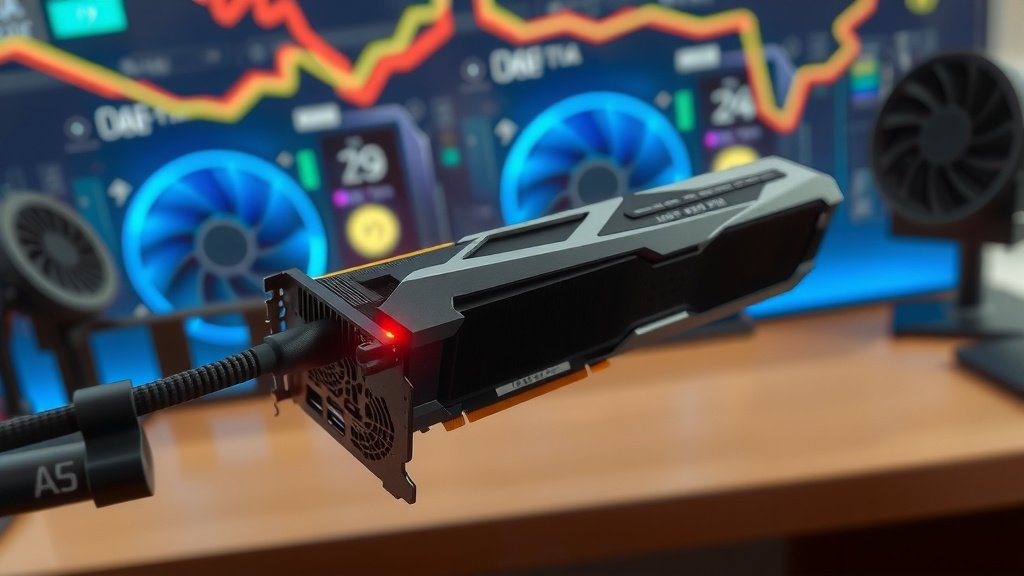
Modern GPUs are smart. If they get too hot, they automatically reduce their performance to cool down. This is called “throttling.” You might notice sudden frame rate drops in games. It’s your GPU’s way of saying, “Whoa, I need a break!” We found that throttling is a protective measure, but it means you’re not getting the performance you paid for.
When Should You Be Concerned About Your GPU Temp?
While the 65°C to 85°C range is standard, your specific card might have different guidelines. Always check the manufacturer’s official specifications for your model. Some high-performance cards might be designed to run a bit warmer, while others aim for cooler operation.
We found that temperatures consistently hitting the upper end of the acceptable range (like 80°C-85°C) during everyday gaming are worth investigating. If you see your GPU frequently hitting 90°C or higher, that’s a clear signal for action. Prolonged exposure to these high temperatures can reduce the lifespan of your GPU. Many hardware experts agree that keeping temps lower prolongs component life (NVIDIA, AMD Official Support).
Simple Steps to Keep Your GPU Cool
Don’t worry if your GPU temps are a bit high. There are easy things you can do. A little maintenance goes a long way for your card’s health and performance. We found these steps consistently help users improve their GPU cooling.
- Clean your PC regularly: Dust is the enemy! Grab a can of compressed air.
- Improve Case Airflow: Ensure fans are working and pointing the right way.
- Manage Cables: Tidy cables allow air to flow freely.
- Check Ambient Temp: Keep your room cooler if possible.
- Update Drivers: Sometimes, driver updates can optimize performance and power usage.
- Consider Fan Curves: Adjust fan speeds for better cooling when needed.
Conclusion
Keeping your GPU within its ideal temperature range, generally between 65°C and 85°C, is vital for optimal performance and longevity. We’ve found that factors like PC airflow, dust buildup, and even your room’s temperature can significantly impact how hot your graphics card runs. By performing simple maintenance like regular cleaning and ensuring good ventilation, you can prevent overheating and potential performance throttling. Don’t let a hot GPU slow you down or shorten its lifespan. Take a few moments to check your temperatures and implement these easy cooling tips to keep your system running smoothly.
Frequently Asked Questions
What’s the maximum safe temperature for my GPU?
While most GPUs are safe between 65°C and 85°C, consistently hitting temperatures above 85°C can be concerning. If your GPU frequently reaches 90°C or higher, it’s definitely too hot and likely throttling. Always check your specific GPU model’s specifications for its exact safe operating limits.
Will my GPU break if it gets too hot?
Modern GPUs have built-in safety features that prevent them from sustaining permanent damage from overheating. However, prolonged exposure to very high temperatures can increase wear and tear, potentially shortening your GPU’s lifespan. It’s best to keep your GPU within the recommended temperature ranges to ensure it performs well for as long as possible.
How often should I check my GPU temperature?
You should check your GPU temperature periodically, especially when gaming or running demanding applications. Monitoring it during a gaming session can give you the best idea of how hot it gets under load. Keeping an eye on it occasionally will help you catch any potential issues early.
Can I improve my GPU cooling without buying new parts?
Yes, absolutely! We found that simple steps like thoroughly cleaning dust from your PC and organizing your cables can greatly improve airflow. Ensuring your case fans are working correctly and adding more fans if your case allows can also make a big difference without needing a new GPU.
Does the outside temperature really affect my GPU?
Yes, the ambient room temperature does play a role. If your gaming space is very hot, your GPU will have a harder time dissipating its heat. This means it might run a few degrees warmer than it would in a cooler environment. Keeping your room reasonably cool is a simple way to help your entire PC stay cooler.