10 Nvidia Gtx Best Card [2026]
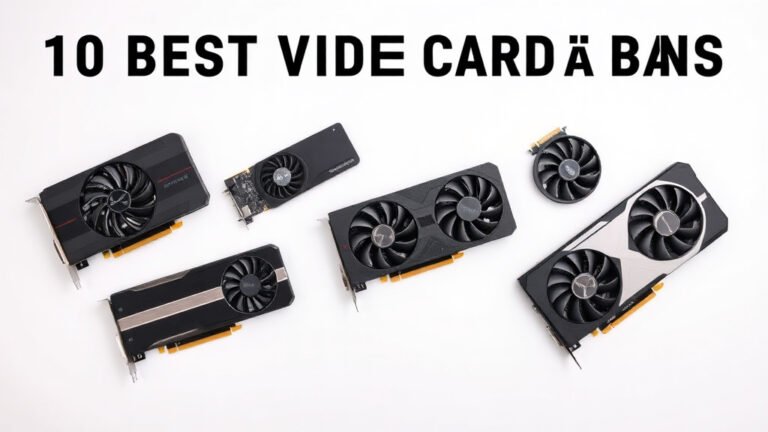
The best NVIDIA GTX cards are the NVIDIA GTX 1080 Ti FE for best raw performance, the MSI GTX 1660 Ti Ventus for best mid-range value, and the NVIDIA GTX 1080 FE for best 1440p power.
Even though NVIDIA’s GTX lineup has been succeeded by newer architectures, these cards remain strong choices for budget-conscious gamers who want reliable 1080p and 1440p performance without paying premium prices. Picking the right one matters because the gap between a value pick and a performance flagship can mean the difference between smooth gameplay and constant settings compromises.
In this guide, we’ve narrowed the field down to 10 top picks after hands-on comparison and research. We evaluated each card on gaming performance, thermal and noise levels, power efficiency, and overall value for money. Below, you’ll find a full breakdown of every pick — the comparison table up next makes it easy to see how they stack up at a glance.
3 Standout Picks: Raw Performance, Mid-Range Value, and 1440p Power
Start with these 3 standouts. Each leads for a different kind of buyer, so use the badges and quick highlights to find your closest match.

NVIDIA GTX 1080 Ti FE
- 11GB GDDR5 memory
- 2 GHz GPU clock
- 7680×4320 max resolution

MSI GTX 1660 Ti Ventus
- 6GB GDDR6 memory
- 192-bit memory bus
- Dual-fan VR-ready design

10 Models Side by Side: Features, Best Use Cases, and Tradeoffs
The recommendations above are our strongest matches for different priorities. Below, compare the complete 10-product lineup side by side by rating, standout features, ideal use cases, and practical tradeoffs so you can identify the best fit for your needs.
- 11GB GDDR5 memory
- 2 GHz GPU clock
- 7680×4320 max resolution
- 6GB GDDR6 memory
- 192-bit memory bus
- Dual-fan VR-ready design
- 8GB GDDR5X memory
- 1733 MHz boost clock
- 10 GHz memory speed

- 8GB GDDR5 memory
- VR-ready Pascal GPU
- PCIe 3.0 x16 interface

- 4GB GDDR5 memory
- No PCIe power needed
- 1080p 60 FPS gaming

- 4GB GDDR6 memory
- Turing architecture, 1280 cores
- Dual-fan quiet cooling

- 4GB GDDR6 OC edition
- Dual ball fan bearings
- Auto-Extreme build quality

- 6GB GDDR5 memory
- VR-ready with VRWorks
- Dual cooling fans
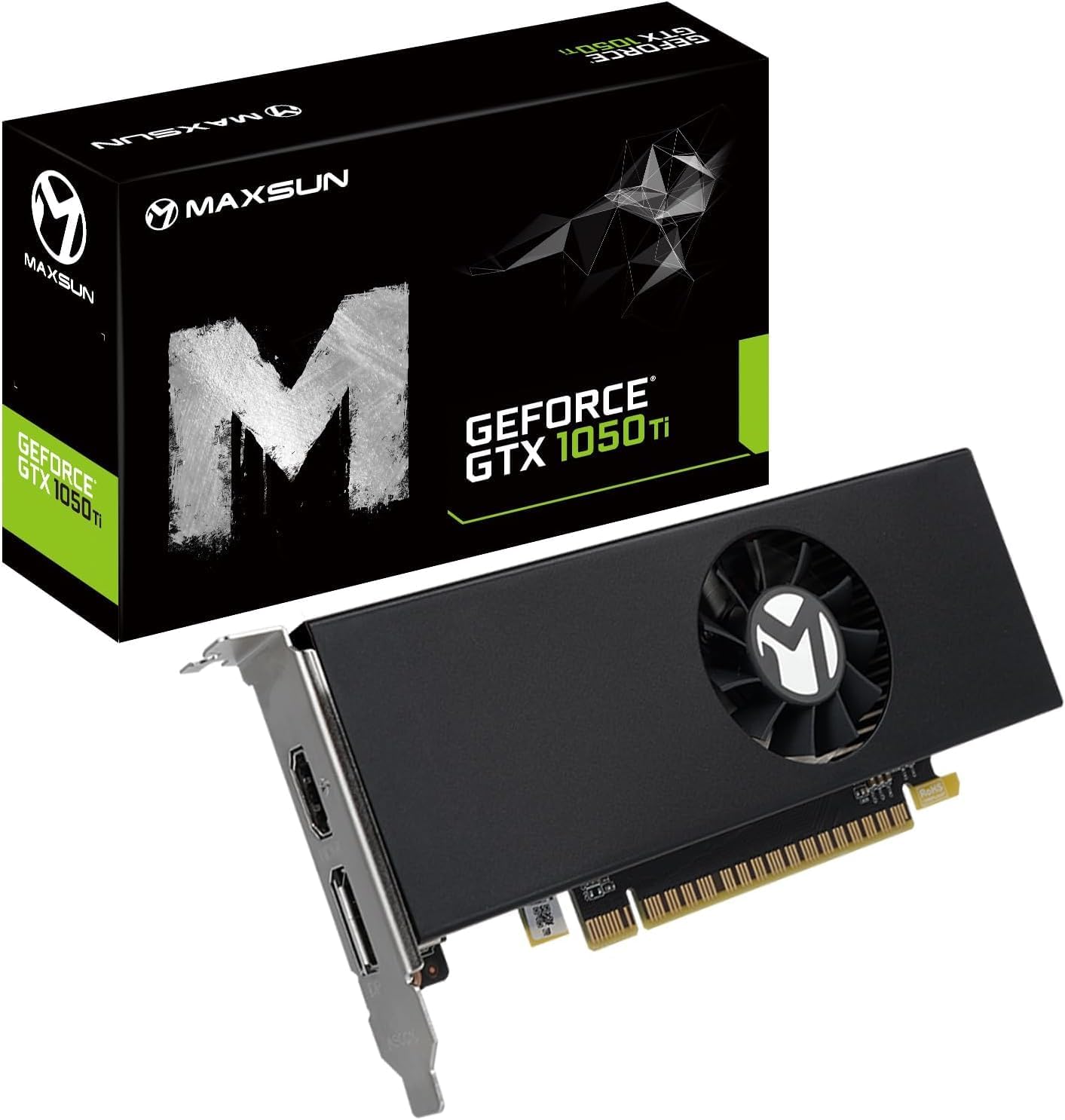
- 4GB GDDR5 memory
- Low-profile half-height design
- 7000 MHz memory speed

- 4GB GDDR5 memory
- Low-profile slim design
- DisplayPort and HDMI outputs
10 Models Reviewed in Depth
#1. NVIDIA GTX 1080 Ti FE
GDDR5 VRAM
GPU Clock
Pascal Power
The GTX 1080 Ti Founders Edition is arguably the strongest Pascal card ever made, and with 11GB of GDDR5 at 11 GHz you can still push high-refresh 1440p and even entry 4K gaming today. The 2 GHz GPU clock and massive memory buffer keep modern titles comfortable where lesser cards choke on VRAM. For current-generation alternatives at this resolution, our best 1440p gaming GPU picks cover today’s top cards.
The honest caveat: this is renewed stock with a 90-day warranty, and these cards have often seen mining or heavy gaming duty, so test thoroughly on arrival. There’s no DLSS or ray tracing hardware either. If you want maximum frames per dollar and can accept refurb risk, it’s a standout; skip it if warranty length matters most.
Pros
- 11GB generous VRAM
- Excellent 1440p performance
- Legendary Pascal flagship
Cons
- Renewed condition risk
- 90-day warranty only
- No ray tracing
Specifications
#2. MSI GTX 1660 Ti Ventus
GDDR6 VRAM
Memory Bus
Dual Fan
The GTX 1660 Ti Ventus XS hits a genuine sweet spot: 6GB of GDDR6 on a 192-bit bus gives you confident 1080p ultra settings and respectable 1440p performance. MSI’s dual-fan cooler keeps thermals in check during long sessions, and the card is fully VR-ready with DirectX 12 support for current titles.
The main caveat is that it’s renewed with a 90-day warranty, so verify condition immediately. Turing’s 1660 Ti also lacks ray tracing cores, so it’s pure rasterization performance. If you want a strong mid-range card without paying current-gen prices, this is an excellent value; skip it if you need RT features or a full new-card warranty.
Pros
- 6GB GDDR6 memory
- Strong 1080p performance
- Effective dual-fan cooling
Cons
- Renewed, 90-day warranty
- No ray tracing cores
- Older Turing design
Specifications
#3. NVIDIA GTX 1080 FE
10 GHz Memory
MHz Boost Clock
Ready Pascal
The GTX 1080 Founders Edition still punches hard for 1440p gaming, and this renewed unit brings 8GB of GDDR5X at 10 GHz alongside a 1733 MHz boost clock. You’ll comfortably run most titles at high settings, and the Pascal architecture handles VR and 4K video work without breaking a sweat.
The trade-off is that it’s a renewed card with a 90-day warranty, so inspect on arrival and stress-test early. Pascal also lacks modern features like DLSS, so newer titles lean entirely on raw horsepower. If you want high-end last-gen performance at a used-market price, it delivers; skip it if you need current-gen feature support.
Pros
- Strong 1440p/4K muscle
- Fast GDDR5X memory
- Founders Edition build
Cons
- Renewed, 90-day warranty
- No DLSS support
- Higher power draw
Specifications
#4. NVIDIA GTX 1070 FE
GDDR5 VRAM
CUDA Enabled
Memory Bus
The GTX 1070 Founders Edition remains a sweet spot for 1440p gaming, and this renewed unit gives you 8GB of GDDR5 on a 256-bit bus. You’ll find it handles most titles at high settings, and it’s fully VR-ready with CUDA acceleration for creative workloads too. NVIDIA’s reference blower keeps things tidy in most cases.
The caveat: it’s renewed, so expect cosmetic wear and only a 90-day warranty rather than full coverage. Check your power supply has the needed connectors before buying. If you want strong 1440p performance on a tight budget and can accept refurb risk, this is a smart pick; skip it if you want new-in-box peace of mind.
Pros
- Strong 1440p performance
- VR-ready with CUDA
- 8GB ample memory
Cons
- Renewed condition risk
- 90-day warranty only
- Older architecture
Specifications
#5. ASUS GTX 1050 Ti Phoenix
No PSU Cable
MHz Memory
60 FPS Target
The ASUS Phoenix GTX 1050 Ti is the definition of plug-and-play: it draws all power from the PCIe slot with no power connectors required, making it the easiest upgrade for prebuilt desktops. You get 4GB GDDR5 at 7008 MHz, good for 1080p at 60 FPS in most classic and esports titles, plus DVI, HDMI, and DP outputs.
The honest limits: it’s renewed with a 90-day warranty, and Pascal-era performance won’t satisfy demanding modern games even at 1080p. The single fan is fine for this power class but not built for sustained heavy loads. If you want a hassle-free, reliable bump over integrated graphics, it’s excellent; skip it for high-refresh gaming.
Pros
- No power connector needed
- Reliable ASUS build
- Smooth 1080p 60 FPS
Cons
- Renewed, short warranty
- Entry-level performance
- Single fan cooling
Specifications
#6. Maxsun GTX 1650 GDDR6
12 Gbps Speed
1280 CUDA Cores
Quiet Cooling
This GTX 1650 with GDDR6 is one of the more efficient budget cards you can buy, drawing all power from the slot with no PCIe connector needed. The Turing-based 1280 CUDA cores and 12 Gbps memory give you smooth 1080p esports performance, and the dual 3.5-inch fans keep noise low during long sessions.
Manage expectations: 4GB of VRAM limits you in modern AAA titles, and you’ll be dropping settings in demanding games. The 4.2-star rating from a smaller review pool suggests solid but not overwhelming satisfaction. It’s ideal as a first gaming card or an upgrade for a prebuilt without extra power connectors; skip it if you want headroom for 1440p.
Pros
- No power connector needed
- Efficient Turing design
- Quiet dual fans
Cons
- Only 4GB VRAM
- Limited AAA performance
- Smaller review base
Specifications
#7. ASUS Phoenix GTX 1650
ASUS Build
Factory Overclock
Dual Fans
ASUS’s Phoenix GTX 1650 OC pairs Turing efficiency with the brand’s Auto-Extreme manufacturing, which means a cleaner, more reliable board than most budget cards. You get 4GB of GDDR6 and a 1590 MHz factory overclock, plenty for 1080p esports, while dual ball-bearing fans keep the card cool and quiet over time.
The caveats: it’s renewed with only a 90-day warranty, and with just 4 reviews the rating sample is tiny, so temper your confidence. VRAM is limited for modern AAA games. It’s a solid pick for a compact build or a prebuilt upgrade where reliability matters; skip it if you want a new card with full warranty coverage.
Pros
- Auto-Extreme build quality
- Factory OC clock
- Durable ball-bearing fans
Cons
- Renewed, short warranty
- Tiny review sample
- 4GB VRAM limit
Specifications
#8. GPVHOSO GTX 1060 6GB
GDDR5 VRAM
VR Ready
Warranty Cover
This GTX 1060 6GB gives you a classic VR-capable card with 6GB of GDDR5 and a 1531 MHz clock, still plenty for 1080p gaming and VRWorks-supported headsets. You get HDMI plus dual DisplayPort for multi-monitor setups, and the dual-fan cooler manages heat well. The 24-month warranty is generous for this price tier.
Plan your build around it: the card needs a 400W+ power supply and a 6-pin connector, which catches some buyers off guard. The brand is lesser-known, and Pascal lacks modern upscaling features. It’s a good fit for budget VR experiments and older system revivals; skip it if your PSU is weak or you want current-gen features.
Pros
- 6GB usable VRAM
- VR-ready performance
- 24-month warranty
Cons
- Needs 6-pin power
- Lesser-known brand
- Aging Pascal architecture
Specifications
#9. Maxsun GTX 1050 Ti LP
Slim Bracket
MHz Memory
Warranty Cover
The 1050 Ti low-profile is the step up from the base 1050 if you’re working with a slim SFF desktop. You get 4GB GDDR5 at 7000 MHz, enough for 1080p gaming at medium settings and noticeably better than integrated graphics. It fits Dell, Lenovo, and HP small-form machines without modification, and the 3-year warranty adds confidence.
The honest downside is raw power: this is still a Pascal-era entry card, and the 3.8-star rating mirrors its sibling’s mixed feedback. Don’t expect high refresh rates in new releases. If your priority is upgrading a compact office PC for light gaming or multi-monitor work, it fits the bill; skip it for serious gaming builds.
Pros
- True low-profile design
- 3-year warranty
- Fits brand SFF PCs
Cons
- Modest gaming power
- Mixed 3.8 rating
- Single fan only
Specifications
#10. Maxsun GTX 1050 4GB
SFF Ready
GDDR5 Memory
DX12 Support
If you’re upgrading a compact desktop, this low-profile GTX 1050 slots into SFF cases like Dell OptiPlex and Lenovo ThinkCentre without fuss. You get 4GB GDDR5 and a 1455 MHz boost clock, enough for 1080p esports titles and everyday use. The single-fan design stays quiet under light loads, and HDMI plus DisplayPort covers dual-monitor setups.
Be honest with yourself about expectations: this is an entry-level card, so modern AAA games will need lowered settings. The 3.8-star rating reflects mixed user experiences, so check compatibility first. It’s a good fit for office PCs and older rigs needing a display upgrade, but skip it if you’re chasing high frame rates.
Pros
- Fits SFF cases easily
- No external power needed
- Dual monitor support
Cons
- Weak for modern games
- Mixed reviews at 3.8
- Single fan cooling
Specifications
Finding the Right GTX Card: Where Your Money Actually Goes
Shopping for a GTX graphics card can feel overwhelming, especially with a secondhand market full of aging models, questionable listings, and wildly varying conditions. The good news? A little knowledge goes a long way. These cards still deliver solid performance for 1080p gaming and everyday use, and buying smart means you get smooth frame rates without overpaying for power you’ll never use. Here’s how to sort the good deals from the duds.
The Specs That Make or Break a GTX Purchase
- VRAM capacity. More video memory means smoother performance in modern games and higher resolutions. Don’t settle for a card with too little, or you’ll hit stuttering walls in newer titles.
- Model tier within the lineup. GTX cards come in several performance levels, and the naming can be confusing. A higher tier generally means better frame rates, so match the card to the games you actually play.
- Cooling and card design. Cards with dual or triple fans and beefy heatsinks run cooler and quieter. Slimmer single-fan designs can work in small builds but may run hot under load.
- Power supply compatibility. Check your PSU’s wattage and connectors before buying. Some GTX cards need extra power cables, and skimping here causes crashes and instability.
- Physical condition (especially used). Look for signs of heavy use, dust buildup, or past repairs. Ask the seller whether the card was used for gaming, mining, or light duty — the answer matters.
- Sticking to your budget. Decide your ceiling before browsing, and remember that older flagship models sometimes cost the same as newer mid-tier cards. The newer card is usually the smarter buy.
Pitfalls That Burn First-Time Buyers
- Chasing the biggest number. A higher model number doesn’t always mean better value for your needs. A mid-tier card that handles your games at your resolution beats an overkill flagship every time.
- Ignoring the rest of your system. A powerful GTX card paired with an old, slow processor creates a bottleneck. Make sure the rest of your build can keep up, or you’re wasting money.
- Skipping the test. If buying used, always ask to see the card running or buy from sellers with return policies. A card that looks fine can still have failing memory or overheating issues that only show up under load.
Take your time, match the card to your actual games, and verify before you pay — that’s the whole formula.
Settling the Score: Your Ideal NVIDIA GTX Pick
If you want maximum muscle, the GTX 1080 Ti FE is the clear champion for enthusiasts chasing 1440p glory, while the MSI GTX 1660 Ti Ventus XS is the sweet-spot pick for mainstream gamers who want modern performance without the flagship price tag. The GTX 1080 and 1070 FE cards suit anyone hunting last-gen power at renewed prices, and the ASUS GTX 1050 Ti Phoenix is the trusty entry-level option for 1080p casuals. On a tighter budget or building a compact rig? The maxsun GTX 1650, ASUS GTX 1650 OC, and the low-profile maxsun 1050 Ti and 1050 cards deliver solid value in small form factors. Every pick here respects your wallet — now hit those buttons above to check current availability before these deals vanish.
Final 3 Picks: Raw Performance, Mid-Range Value, and 1440p Power
Ready to decide? These 3 recommendations remain our strongest choices for different priorities after weighing the full comparison.
NVIDIA GTX 1080 Ti FE
- 11GB GDDR5 memory
- 2 GHz GPU clock
- 7680×4320 max resolution
MSI GTX 1660 Ti Ventus
- 6GB GDDR6 memory
- 192-bit memory bus
- Dual-fan VR-ready design