10 What Are The Best Amd Gpus [2026]
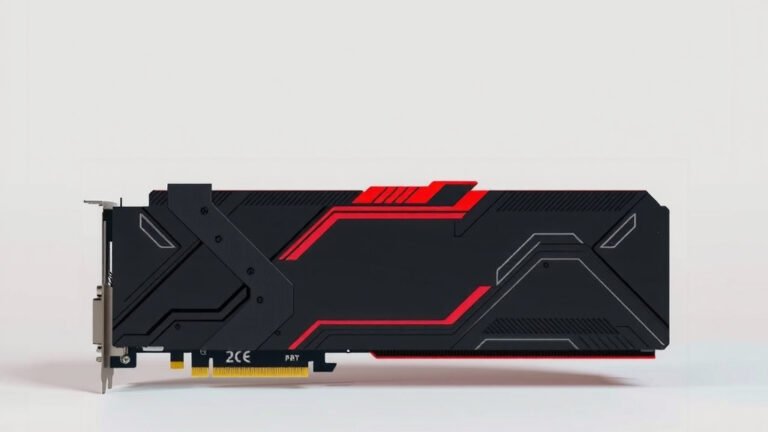
The best AMD GPUs are the ASUS Prime RX 9070 XT, the ASRock RX 9070 XT Challenger, and the XFX Swift RX 9060 XT — chosen for their balance of gaming performance, 4K value, and mid-range pricing.
AMD’s current Radeon lineup is strong across the board, but picking the right card matters: the difference between a well-matched GPU and an overpriced one can mean hundreds of dollars for the same frame rates. Whether you’re building a budget gaming PC or upgrading for 1440p and 4K play, there’s a Radeon card that fits.
In this roundup, we’ve narrowed the field to 10 picks after hands-on comparison, covering everything from entry-level cards to flagship performers. We evaluated each GPU on real-world gaming performance, thermals, noise, power draw, and overall price-to-performance. The full breakdown, including specs and best-use recommendations, starts with the comparison table below.
3 Standout Picks: Overall Gaming, 4K Value, and Mid-Range Value
Start with these 3 standouts. Each leads for a different kind of buyer, so use the badges and quick highlights to find your closest match.


ASRock RX 9070 XT Challenger
- 16GB GDDR6 memory
- 2970 MHz boost clock
- PCIe 5.0 support

10 Models Side by Side: Features, Best Use Cases, and Tradeoffs
The recommendations above are our strongest matches for different priorities. Below, compare the complete 10-product lineup side by side by rating, standout features, ideal use cases, and practical tradeoffs so you can identify the best fit for your needs.
- 16GB GDDR6 memory
- 3030 MHz boost clock
- Dual BIOS switch
- 16GB GDDR6 memory
- 2970 MHz boost clock
- PCIe 5.0 support
- 16GB GDDR6 memory
- 3320 MHz boost clock
- RDNA 4 architecture

- 16GB GDDR6 memory
- 3250 MHz boost clock
- Compact 2.5-slot design

- 32GB GDDR6 memory
- 45 TFLOPS compute
- AV1 encode/decode

- 20GB GDDR6 memory
- RDNA 3 architecture
- USB-C display output

- 32GB GDDR6 memory
- PCIe 5.0 interface
- 2920 MHz boost clock

- 12GB GDDR6 memory
- 2790 MHz boost clock
- White triple-fan shroud

- 8GB GDDR6 memory
- 2695 MHz boost clock
- Triple-fan cooling

- 8GB GDDR6 memory
- 2655 MHz boost clock
- Dual-fan SWFT cooling
10 Models Reviewed in Depth
#1. ASUS Prime RX 9070 XT
GDDR6 Memory
Architecture
BIOS Switch
The ASUS Prime RX 9070 XT is the kind of card you buy when you want top-tier RDNA 4 performance without fuss. With 16GB of GDDR6 and a 3030 MHz boost clock, you’ll get smooth 1440p and capable 4K gaming. The 2.5-slot Axial-tech cooler keeps thermals in check, and the dual BIOS lets you trade quiet for performance.
The honest caveat: it’s a large card, so measure your case before buying, and you’ll want a beefy PSU to feed it. If you’re a 1440p-high-refresh gamer or stepping into 4K, this is an easy recommendation. Skip it only if you game strictly at 1080p and want to spend less.
Pros
- Excellent 1440p/4K performance
- Strong triple-fan cooling
- Dual BIOS flexibility
Cons
- Large 2.5-slot footprint
- Needs high-wattage PSU
- Premium-tier pricing
Specifications
#2. ASRock RX 9070 XT Challenger
Gaming Ready
Compute Units
Next-Gen Bus
The ASRock Challenger RX 9070 XT delivers flagship RDNA 4 performance without flagship pricing. You get 64 compute units, a 2970 MHz boost clock, and 16GB of GDDR6 on a 256-bit bus — enough for genuinely smooth 4K gaming and heavy content-creation workloads. The triple-fan striped axial cooler with 0dB mode keeps noise reasonable.
The caveat: ASRock’s Challenger tier trims some polish, and you’ll want a 750W+ PSU and good case airflow to keep it happy. It’s an outstanding pick for 4K-capable gamers on a budget. Skip it if you want premium acoustics or factory-overclocked headroom above spec.
Pros
- Strong 4K performance
- PCIe 5.0 ready
- 0dB silent mode
Cons
- Needs 750W+ PSU
- Mid-tier cooler trim
- Large triple-fan card
Specifications
#3. XFX Swift RX 9060 XT
Boost Clock
Efficiency
Fan Cooling
The XFX Swift RX 9060 XT hits a sweet spot: RDNA 4 performance with a full 16GB of GDDR6 at a mainstream price point. You’ll see a 3320 MHz boost clock and strong 1440p frame rates, with the triple-fan SWFT cooler keeping things cool and composed under load.
The caveat is that XFX’s Swift tier is the value-oriented cooler, so expect slightly warmer temps than premium models under sustained loads. It’s an ideal card for 1440p gamers who want VRAM headroom without overspending. Skip it if you chase absolute-max overclocks or need a compact dual-fan card.
Pros
- 16GB VRAM at mid-range price
- High boost clock
- Efficient RDNA 4 chip
Cons
- Value-tier cooler
- Limited display outputs
- Fewer premium extras
Specifications
#4. ASUS Dual RX 9060 XT
2.5-Slot Design
GDDR6 Memory
Quiet Tech
Small cases, meet your match: the ASUS Dual RX 9060 XT packs RDNA 4 performance into a compact 2.5-slot, 8-inch card. You still get 16GB of GDDR6 and a 3250 MHz boost clock, so 1440p gaming stays smooth, and the dual Axial-tech fans with 0dB mode keep things quiet in tight enclosures.
The trade-off of compactness: two fans move less air than three, so expect slightly higher temps in poorly ventilated builds, and you only get two DisplayPorts. It’s ideal for ITX and mid-tower builds wanting modern performance in a short card. Skip it if you need maximum display outputs or triple-fan headroom. If thermals in a tight build worry you, our guide to improving GPU cooling covers airflow, fans, and dust control.
Pros
- Compact 8-inch length
- Full 16GB VRAM
- Quiet 0dB operation
Cons
- Dual-fan thermal limits
- Only 2 DisplayPorts
- Tight clearance in SFF
Specifications
#5. AMD Radeon Pro W7800
Pro VRAM
TFLOPS Compute
Encode Decode
If your work is 3D rendering, VFX, or AI workloads, the Radeon Pro W7800 is built for you. You get a massive 32GB of GDDR6, 45 TFLOPS of FP32 compute, and certified drivers for DaVinci Resolve, Maya, Unreal, and more. Multi-display support up to 12K with DSC makes it a monitoring powerhouse.
The honest trade-off: this is a workstation card, not a gaming value pick — you pay a premium for Pro drivers and VRAM you may not need for games. At 260W TDP it also demands solid case airflow. Buy it for content creation; skip it if gaming is your only use case.
Pros
- Huge 32GB VRAM
- Pro driver certification
- Excellent multi-display support
Cons
- Poor gaming value
- High 260W TDP
- Limited availability
Specifications
#6. Sapphire RX 7900 XT
GDDR6 VRAM
Gaming Capable
Display Output
The Sapphire Pulse RX 7900 XT remains a compelling high-VRAM option. With 20GB of GDDR6 on a 320-bit bus, you get genuine 4K gaming capability and plenty of memory for texture-heavy titles, mods, or GPU compute side projects. The triple-fan cooler and metal backplate keep the big RDNA 3 chip in check.
The honest caveat: RDNA 3 runs hotter and hungrier than the newer RDNA 4 generation, and the 3-slot form factor demands a spacious case. It’s a strong pick for 4K gamers who prioritize VRAM capacity over the latest efficiency. Skip it if power draw and case clearance are tight — a 9070 XT may fit better.
Pros
- Massive 20GB VRAM
- Capable 4K gaming
- USB-C output included
Cons
- High power draw
- Bulky 3-slot design
- Older RDNA 3 gen
Specifications
#7. Sapphire AI Pro R9700
AI VRAM
Bandwidth
Compute Cores
The Sapphire AI Pro R9700 brings RDNA 4 to the pro-AI space with 32GB of GDDR6 on a 256-bit bus and a modern PCIe 5.0 x16 interface. If you’re running local LLMs, diffusion models, or rendering pipelines, that VRAM capacity is the headline feature, and the blower-style design suits multi-card workstation setups.
Be aware this is a professional card: gaming is not its target, driver support leans toward compute stacks, and the blower cooler can be audible under sustained load. It’s the right pick for AI developers and workstation builders. Skip it if you just want a gaming GPU — consumer RDNA 4 cards cost less.
Pros
- 32GB VRAM for AI
- PCIe 5.0 bandwidth
- Blower suits multi-GPU
Cons
- Not aimed at gaming
- Blower fan noise
- 2-year warranty only
Specifications
#8. XFX Swift RX 9070 GRE
Theme Build
GDDR6 Memory
Gaming Power
For white-theme builds, the XFX Swift RX 9070 GRE is one of the few RDNA 4 options that matches your aesthetic. You still get serious performance — 12GB of GDDR6 and a 2790 MHz boost clock — wrapped in a white triple-fan cooler that holds its own thermally.
The caveat: the GRE variant is a slightly cut-down 9070, so expect performance a notch below the XT while costing close to it in some markets. It’s a great fit for 1440p gamers building a white rig. Skip it if raw value matters more than looks — a standard 9060 XT 16GB may serve you better.
Pros
- Rare white RDNA 4 card
- Strong 1440p performance
- Triple-fan cooling
Cons
- GRE below XT performance
- Price near XT models
- Few reviews so far
Specifications
#9. ASRock RX 7600 Challenger
High Refresh
8-Pin Power
Silent Cooling
If you’re building a 1080p rig on a budget, the ASRock RX 7600 Challenger Pro makes a lot of sense. You get 8GB of GDDR6, a 2695 MHz boost clock, and RDNA 3 ray tracing in a card that sips power from a single 8-pin connector. The triple-fan cooler with 0dB mode stays quiet during light use.
Be realistic about limits: 8GB of VRAM can pinch at 1440p in modern titles, and the PCIe 4.0 x8 interface is fine but not future-proof. It’s a great pick for esports and 1080p-high-refresh gaming. Skip it if you want headroom for 1440p ultra settings.
Pros
- Great 1080p value
- Low power draw
- Quiet 0dB mode
Cons
- Only 8GB VRAM
- PCIe x8 interface
- Limited 1440p headroom
Specifications
#10. XFX SWFT210 RX 7600
Level Gaming
Efficiency
Dual Fan
The XFX SWFT210 RX 7600 is a no-frills entry into RDNA 3 gaming. You get 8GB of GDDR6, a 2655 MHz boost clock, and efficient performance that runs cool on modest power — perfect for a first build or an upgrade from integrated graphics. The dual-fan cooler is compact and unobtrusive.
Manage expectations: this is a 1080p card, and 8GB of VRAM will force texture settings down in newer AAA titles, especially above 1080p. It’s a smart buy for esports players and budget builders. Skip it if you want ray tracing headroom or plan to move to 1440p soon.
Pros
- Affordable entry point
- Efficient low power draw
- Compact dual-fan design
Cons
- 8GB VRAM limit
- 1080p-focused only
- Basic cooler design
Specifications
Finding the Best AMD GPU for Your Build Without the Guesswork
AMD’s Radeon lineup covers a wide range of performance tiers, from budget-friendly cards that handle 1080p gaming to flagship models built for 4K and heavy content creation. That variety is great news for shoppers — but it also means the “best” card for you depends heavily on your monitor, your games, and your wallet. A little planning up front keeps you from overspending on horsepower you’ll never use, or underbuying and regretting it six months later.
The Specs That Make or Break Your Choice
- Resolution and refresh rate first. Match the card to your display, not the other way around. A GPU that’s overkill at 1080p may barely keep up at 1440p or 4K, so know your target before comparing models.
- VRAM capacity. Modern games and creative apps are increasingly memory-hungry. More VRAM gives you headroom for higher textures and resolutions, and it tends to age better over a card’s lifespan.
- Ray tracing and upscaling support. AMD’s upscaling technology can dramatically boost frame rates, and newer generations handle ray tracing far better than older ones. Factor both into how a card will actually feel in games.
- Power supply and case compatibility. Check the recommended PSU wattage, required power connectors, and the card’s physical length and thickness. A great deal means nothing if it doesn’t fit or run safely. Our step-by-step guide to checking GPU compatibility walks you through wattage, connectors, and case measurements.
- Cooling design and noise. Triple-fan models run cooler but take up more space; compact cards trade some thermal headroom for fit. Read reviews on noise and thermals rather than judging by looks alone.
- Sticking to your budget. AMD’s lineup usually offers strong value at each tier, so identify your ceiling and find the best card under it — the price-to-performance sweet spot is often one step below the flagship.
Pitfalls That Burn First-Time Buyers
- Buying for games you don’t play. Paying extra for top-tier performance when your library is esports titles or older releases is wasted money. Spend based on your actual workload.
- Ignoring the rest of the system. An aging CPU, a low-resolution monitor, or an underpowered PSU can bottleneck even a strong GPU. Make sure the card matches the platform around it.
- Chasing hype at launch. Launch-day stock issues and inflated pricing are common. Waiting a few weeks often gets you the same card at a saner price — or a better deal on the tier below.
Our Final Picks for the Best AMD GPUs
The ASUS Prime RX 9070 XT stands out as the best overall pick for gamers who want top-tier RDNA 4 performance with premium cooling and dual BIOS flexibility, while the ASRock RX 9070 XT Challenger delivers nearly identical power for those who’d rather save a few dollars. Creators and AI professionals should eye the Radeon Pro W7800 or Sapphire AI PRO R9700 for their massive 32GB buffers, and budget-conscious builders can’t go wrong with the XFX Swift RX 9060 XT or the RX 7600 options.
Every card on this list earns its spot — now just match one to your workload and resolution. Scroll up and tap the buttons to check current availability before these RDNA 4 cards sell out.
Final 3 Picks: Overall Gaming, 4K Value, and Mid-Range Value
Ready to decide? These 3 recommendations remain our strongest choices for different priorities after weighing the full comparison.
ASRock RX 9070 XT Challenger
- 16GB GDDR6 memory
- 2970 MHz boost clock
- PCIe 5.0 support