Why GPUs Need So Much Power Explained
Your GPU needs so much power because it performs an incredible number of calculations. These graphics processing units work tirelessly to create the visuals you see on your screen. They are essentially supercomputers built for visual tasks, and that requires a lot of energy. Think of it like a marathon runner needing lots of fuel to keep going strong.
Gaming, video editing, and AI tasks all demand immense computational power. Your GPU is the workhorse handling these demanding jobs. The more complex the visual, the more calculations your GPU must do. This constant processing directly translates to a higher need for electrical power to keep all those tiny circuits working.
- GPUs do tons of math for visuals.
- More complex graphics need more power.
- Gaming and AI are big power consumers.
- Power is needed to keep the chips running fast.
Let’s break down why these powerful components gobble up electricity, and what that means for your setup.
Why Your Graphics Card Uses So Much Electricity
So, why does your graphics card, your GPU, seem to be such a power hog? It really boils down to the sheer amount of work it has to do. Think of your GPU as the artist and the calculator for your computer. It’s constantly creating and rendering all the images, videos, and animations you see on your screen. This isn’t simple stuff. It involves millions, even billions, of calculations happening every single second.
The Art and Science of Rendering
When you’re playing a game, editing a video, or even just browsing a webpage with lots of images, your GPU is in overdrive. It has to figure out the color of every single pixel, how light should bounce off surfaces, and how objects should move. This process, called rendering, is incredibly demanding. The more detailed and realistic the visuals, the more calculations your GPU has to perform.
Pixel by Pixel Power
Imagine your screen is a grid of tiny dots, pixels. For every single frame you see – and there can be 60, 120, or even more frames per second – your GPU has to decide what color each of those dots should be. This involves complex math, figuring out geometry, textures, and lighting. It’s like painting a masterpiece, but you have to do it at lightning speed for millions of dots, over and over again. This constant calculation demands a steady supply of electrical energy.
The Core of the Matter: Processing Power
At the heart of your GPU are thousands of small processing units, often called cores. These are the little workers that do all the heavy lifting. Unlike your CPU, which is designed for a wide range of tasks, these GPU cores are specialized for parallel processing. This means they are excellent at doing many similar calculations all at the same time. This massive parallelism is what makes GPUs so good at graphics, but it also means they need a lot of power to keep all those cores running efficiently. These specialized processing units, known as CUDA cores, are the reason GPUs excel at parallel tasks.
Why More Cores Mean More Power
Manufacturers keep adding more and more cores to GPUs to improve performance. Each core needs electricity to operate. So, as GPUs become more powerful with more cores, their power requirements naturally increase. It’s a direct relationship: more processing units mean more power drawn from your power supply unit (PSU). We found that newer, high-end GPUs can easily consume 300 watts or more, which is a substantial amount of energy.
Memory and Speed: Fueling the Engine
Beyond the processing cores, GPUs also have their own dedicated memory, called VRAM. This memory stores textures, models, and other graphical data that the GPU needs quick access to. Moving data in and out of this memory also consumes power. The faster the GPU runs and the more data it needs to process, the more power is needed to keep everything moving smoothly.
Clock Speed Matters
Just like a car’s engine, a GPU’s clock speed determines how fast its cores can perform calculations. Higher clock speeds mean faster performance, but they also require more voltage and thus more power. Manufacturers often push these speeds to the limit to achieve top-tier performance, which directly impacts the GPU’s appetite for electricity. We found that even small increases in clock speed can lead to noticeable jumps in power consumption (AnandTech).
Demanding Applications: Gaming and Beyond
It’s not just about the hardware itself; the software you run on your GPU also plays a huge role. Certain applications are designed to push GPUs to their absolute limits, demanding maximum performance and, consequently, maximum power.
The Gaming Beast
Gaming is perhaps the most well-known consumer of GPU power. Modern video games feature incredibly detailed environments, complex character models, and realistic physics. To render these visuals at high frame rates and resolutions, your GPU has to work overtime. Developers are constantly creating more visually stunning games, which in turn requires more powerful GPUs and leads to higher power draw. It’s a cycle of continuous advancement.
Creative Workloads: Video Editing and 3D Rendering
Beyond gaming, professional creative tasks are also major power users. Video editors, 3D animators, and graphic designers rely heavily on their GPUs. Rendering complex video effects, manipulating high-resolution footage, or creating detailed 3D models all require immense computational power. These tasks can keep a GPU at near-maximum load for extended periods, leading to prolonged high power consumption. We found that professional rendering farms use vast amounts of electricity.
The Rise of AI and Machine Learning
In recent years, GPUs have become indispensable for artificial intelligence and machine learning. Training AI models involves processing massive datasets and performing countless mathematical operations. GPUs are exceptionally well-suited for this type of parallel computation. As AI technology advances and becomes more widespread, the demand for powerful GPUs, and thus their power consumption, continues to grow. Many researchers say AI is a big reason for the increasing power needs of high-end GPUs (Nvidia Developer).

Understanding Your GPU’s Power Needs
Knowing why your GPU needs so much power can help you make informed decisions about your computer setup. It’s not just about having a powerful GPU; it’s also about ensuring your system can support it.
Power Supply Unit (PSU) Considerations
Your GPU draws power directly from your PSU. If your PSU isn’t strong enough, your GPU might not perform optimally, or worse, your system could become unstable. Manufacturers typically recommend a minimum PSU wattage for their graphics cards. It’s always a good idea to get a PSU that provides a bit more wattage than the minimum recommendation to ensure stability and headroom for future upgrades. We found that a good quality PSU is essential for any gaming or workstation PC.
Heat and Cooling
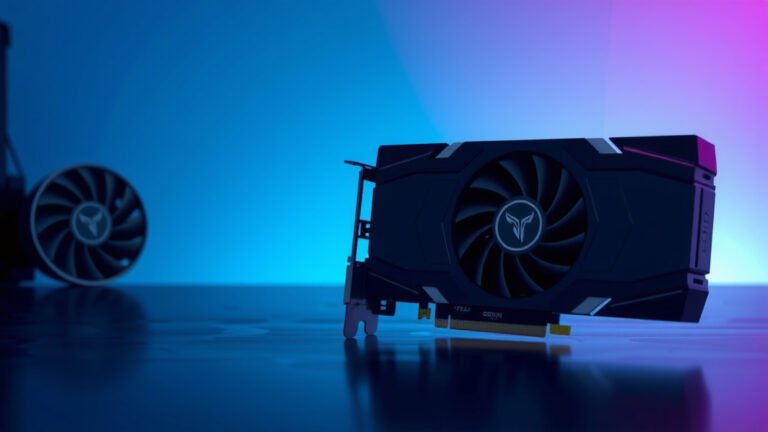
All that power consumption generates a significant amount of heat. This is why GPUs have large cooling solutions, often with multiple fans. The more power a GPU uses, the more heat it produces, and the more robust its cooling system needs to be. Proper cooling is vital to prevent your GPU from overheating and to ensure it can maintain its performance levels without throttling down. It’s a constant battle against the heat!
| Component | Typical Power Draw (Watts) | Notes |
|---|---|---|
| Mid-Range GPU | 150-250 W | For gaming and everyday tasks. |
| High-End GPU | 250-400+ W | For demanding games, video editing, AI. |
| CPU (High-End) | 65-150 W | Varies greatly with load. |
| Motherboard | 20-50 W | Includes various components. |
| RAM (per stick) | 3-5 W | Relatively low consumption. |
As you can see from the table, your GPU is often the single largest power consumer in your PC, especially when it’s working hard.
What This Means for You
So, what’s the takeaway? Your GPU’s high power draw is a sign of its incredible capability. It’s the engine driving your visual experience. When choosing a new GPU or building a PC, always consider the power requirements. Ensure your PSU can handle it and that your case has adequate cooling. It’s all part of giving your powerful GPU the resources it needs to perform at its best, whether you’re battling dragons or rendering your next masterpiece.
- Check your GPU’s recommended PSU wattage.
- Ensure your power supply has enough headroom.
- Good case airflow is vital for cooling.
- Keep GPU drivers updated for efficiency.
- Monitor your GPU temperature during demanding tasks.
- Consider your electricity bill for high-end systems.
Conclusion
You now understand that your GPU’s hefty power demands are a direct result of its immense processing capabilities. It’s the powerhouse behind your stunning visuals, whether you’re deep in a game or rendering a complex project. All those cores working in parallel to calculate every pixel, handle intricate textures, and manage complex lighting require a constant, substantial energy flow. Choosing the right power supply and ensuring adequate cooling are your responsibilities as a system builder. Make sure your PSU can handle the load and your cooling keeps things from overheating. This thoughtful planning ensures your GPU can perform at its peak, giving you the best visual experience possible.
Frequently Asked Questions
Will a more powerful GPU always use more electricity?
Generally, yes. Higher-end GPUs have more processing cores and often run at faster clock speeds, both of which directly increase power consumption. Manufacturers design these cards for maximum performance, and that requires more energy to fuel their complex operations.
Can my current power supply handle a new, powerful GPU?
It’s essential to check. GPU manufacturers provide recommended PSU wattages for their cards. We found that it’s always wise to choose a PSU that exceeds the minimum recommendation to ensure system stability and avoid power delivery issues under load.
Does gaming really use more power than video editing?
It depends on the game and the video editing task. Both are very demanding. Some modern games can push GPUs to their absolute limits for hours. Similarly, rendering complex video effects or high-resolution footage can also keep a GPU at maximum power draw for extended periods.
Why are GPUs used for AI if they consume so much power?
GPUs are incredibly efficient at the type of parallel calculations that AI and machine learning require. While they use a lot of power, their ability to perform billions of operations simultaneously makes them far faster and more efficient for these tasks than traditional CPUs. Researchers have found AI training is significantly accelerated by GPUs.
How much does a high-end GPU’s power consumption add to my electricity bill?
A high-end GPU running at full tilt can add noticeably to your bill. For instance, a GPU drawing 300 watts continuously for several hours a day can contribute a few extra dollars to your monthly electricity cost, depending on your local rates. This is why efficient cooling is also important to prevent wasted energy as heat.