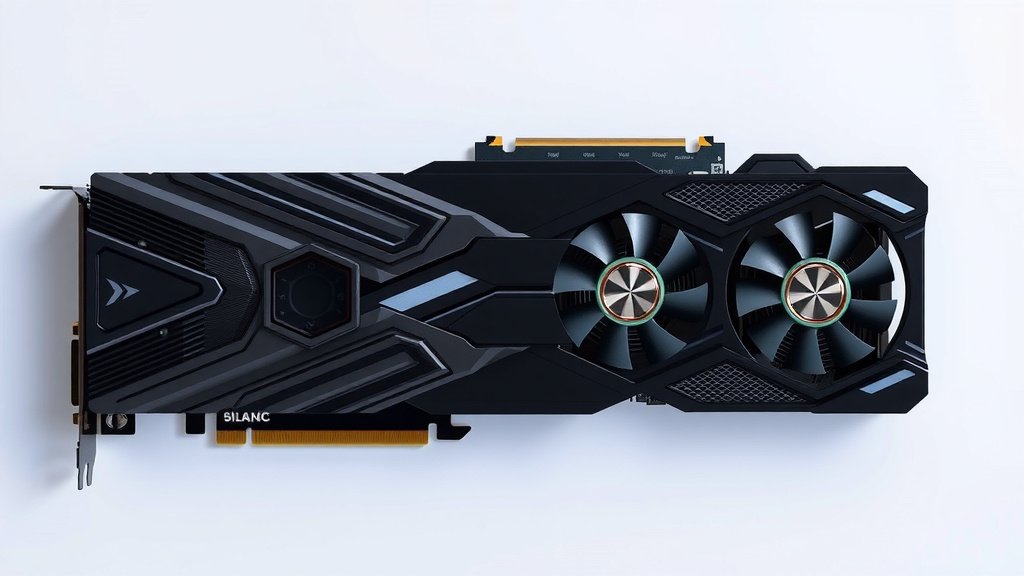
What Is a Triple Slot Graphics Card? Your Guide
A triple slot graphics card is a high-performance GPU that occupies three expansion slots on your computer’s motherboard. This extra space allows for a larger cooling system. That means it can handle more heat generated by powerful components.
If you’re building a gaming rig or a workstation, understanding your GPU’s size is important. A triple slot card offers superior cooling, which can lead to better sustained performance. It ensures your graphics card doesn’t overheat during intense tasks.
- A triple slot GPU takes up 3 motherboard slots.
- It has a bigger cooler for better heat management.
- This helps keep your graphics card running at peak performance.
- It’s ideal for demanding gaming and professional work.
Now, let’s dive into what makes these cards stand out and if one is right for your setup.
Understanding Triple Slot Graphics Cards
So, what exactly is a triple slot graphics card? Simply put, it’s a graphics processing unit (GPU) that’s a bit bulkier than your average. It takes up the space of three expansion slots on your computer’s motherboard, rather than the typical one or two. This extra real estate isn’t just for show; it’s primarily to accommodate a much larger and more robust cooling system. Think of it like giving a powerful engine a bigger radiator – it needs more space to stay cool and perform its best.
Why the Extra Size Matters: Cooling Powerhouse
The main reason these cards are designed to be triple slot is for cooling. High-performance GPUs generate a considerable amount of heat, especially when you’re pushing them hard with demanding games or professional applications. To prevent overheating and ensure stable performance, manufacturers equip these cards with beefier coolers. These coolers often feature more, larger fans and more extensive heatsinks. More fans mean more airflow, and a bigger heatsink means more surface area to dissipate heat effectively. This superior cooling is key to maintaining peak performance over extended periods.
Heat and Performance: A Close Relationship
You might be wondering why heat is such a big deal. Well, when a graphics card gets too hot, it starts to throttle. This means it intentionally slows itself down to try and cool off. While this protects the hardware, it also leads to performance drops. You’ll notice stuttering in games or slower rendering times in creative software. A triple slot cooler is designed to minimize or even prevent this throttling, allowing your GPU to run at its maximum potential for longer.
The Benefits of Enhanced Cooling
With a better cooling solution, you can expect a few key benefits:
- Quieter Operation: Sometimes, bigger fans can spin slower while moving the same amount of air. This can result in a quieter user experience compared to smaller cards that need to ramp up their fans to high speeds.
- Overclocking Potential: If you like to push your hardware beyond its factory settings, a cooler card provides more headroom. Better thermal management means you’re less likely to hit temperature limits when overclocking.
- Longevity: Keeping components within their optimal temperature ranges is generally good for their lifespan. Running cooler could potentially lead to your graphics card lasting longer. Many hardware guides suggest keeping GPUs below 80 degrees Celsius for optimal longevity (NVIDIA & AMD Official Support Documents).
Who Needs a Triple Slot Graphics Card?
So, is a triple slot card something you should consider? It really depends on your needs and your computer’s setup. These cards are generally aimed at users who demand the absolute best performance from their graphics.
For the Hardcore Gamer
If you’re a gamer who wants to play the latest titles at the highest settings, resolutions (like 1440p or 4K), and with high refresh rates, a triple slot card is often the way to go. These cards are built to handle the immense processing power required for modern, graphically intensive games. They ensure that your gaming experience remains smooth and immersive, without frustrating drops in frame rates due to heat.
For the Creative Professional
Beyond gaming, these powerful GPUs are workhorses for creative professionals. If you work with 3D rendering, video editing, complex simulations, or machine learning, you’ll likely benefit from the raw power and sustained performance a triple slot card offers. Tasks like rendering a complex scene or exporting a high-resolution video can take hours. Having a card that can handle these workloads efficiently and without overheating is absolutely essential.
When a Dual or Single Slot Might Suffice
However, if your primary use is for everyday tasks like web browsing, office work, or even light gaming at lower settings, a triple slot card is probably overkill. You might also find that a dual or single slot card is a better fit if your case has limited space or if you’re not planning on pushing your GPU to its absolute limits. It’s about finding the right balance for your specific usage.
Physical Considerations: Does It Fit?
Before you buy, one of the most critical things to check is your computer case. A triple slot card is, well, physically larger. It’s not just about the width (how many slots it takes) but also the length and height.
Case Clearance and Airflow
You need to ensure your computer case has enough internal clearance for the card’s length. Some high-end cards can be quite long, potentially interfering with drive bays or other components. Additionally, think about airflow within your case. A larger cooler on a triple slot card can sometimes extend further into the case, potentially impacting how air flows around other components like your motherboard or CPU cooler. Good case airflow is vital for keeping all your components cool, not just the GPU.
Motherboard Compatibility and PCIe Slots
While most modern motherboards have enough spacing between PCIe slots to accommodate a triple slot card, it’s always wise to double-check your motherboard manual or specifications. You’ll need a full-size ATX, Micro-ATX, or sometimes even a Mini-ITX board with at least three free expansion slots in a row. Ensure there’s enough room between the primary PCIe slot (where the GPU goes) and the adjacent slots. You wouldn’t want the cooler to block other crucial ports or connectors.
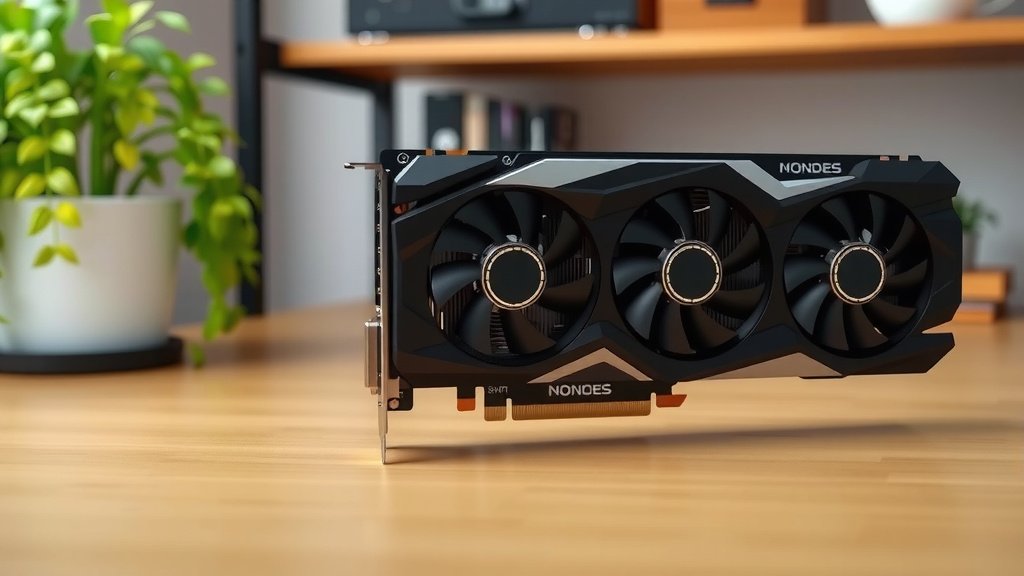
Powering Your Triple Slot Beast
These powerful graphics cards demand a significant amount of power. You can’t just plug one into any old power supply unit (PSU).
PSU Wattage and Connectors
Manufacturers will list a recommended PSU wattage for each graphics card. For triple slot cards, this is often 750 watts or higher. It’s always a good idea to have some headroom beyond the minimum recommendation to ensure your system runs stably, especially under load. You’ll also need to make sure your PSU has the correct PCIe power connectors. Most triple slot cards require one or two 8-pin (or sometimes 6+2-pin) PCIe power connectors, which might not be present on older or lower-wattage PSUs.
Checking Your Current PSU
Do you know what PSU you have? You can usually find this information by opening your computer case and looking at the label on the power supply itself. If you’re unsure, consulting your computer’s original documentation or performing a quick online search for your specific computer model can help. Upgrading your PSU might be a necessary step if you plan on installing a triple slot graphics card.
Making the Right Choice: A Quick Checklist
Deciding if a triple slot GPU is right for you involves a few key checks. Here’s a quick rundown to help you decide:
- Confirm Your Gaming/Workload Needs: Are you playing demanding AAA titles or doing professional creative work?
- Check Case Dimensions: Measure your case for GPU length and overall width clearance.
- Verify Motherboard Slot Spacing: Ensure your motherboard has enough room for a 3-slot card.
- Assess Your Power Supply: Do you have enough wattage and the correct PCIe power connectors?
- Consider Future Upgrades: Do you plan on overclocking or running at very high resolutions?
- Budget Realistically: Triple slot cards are often at the higher end of the price spectrum.
Conclusion
So, you’re considering a triple slot graphics card. You now understand these cards are designed for serious performance. Their larger size means superior cooling, which is vital for gaming and professional workloads. Remember to check your PC case, motherboard, and power supply before buying. A triple slot GPU can be a fantastic upgrade if your system can support it. Make sure it fits your needs and your rig’s specifications for a smooth experience. Your next step is to measure your PC case and check your power supply’s wattage.
Frequently Asked Questions
Will a triple slot graphics card fit in any PC case?
No, not all PC cases can accommodate a triple slot graphics card. You need to ensure your case has enough physical space, not just for the three slots it occupies, but also for its length and height. Always check your case’s specifications for maximum GPU length support before purchasing.
Do I need a more powerful power supply for a triple slot GPU?
Yes, generally you will need a more powerful power supply. Triple slot graphics cards are high-performance components that draw a lot of power. Check the graphics card manufacturer’s recommendation for the minimum required PSU wattage, and aim for a bit of headroom for stability.
Can I use a triple slot card if my motherboard only has two free slots next to each other?
No, your motherboard needs three *consecutive* expansion slots available for a triple slot graphics card. These cards are designed to fill that entire space. If the slots are not directly adjacent, the card won’t be able to install properly.
Are triple slot cards always louder than smaller GPUs?
Not necessarily. While they have larger coolers, these can often support more or larger fans. These fans can spin slower while still providing excellent airflow, which can sometimes lead to quieter operation compared to smaller cards that need to work harder to stay cool.
Is a triple slot card overkill for casual gaming?
For casual gaming, web browsing, and standard office tasks, a triple slot card is usually more than you need. These cards are designed for demanding applications like playing the latest AAA games at high settings or professional tasks. A smaller, dual or single slot card would likely be more than sufficient and a better fit for your needs.



![10 Dollar Graphics Card [2026]](https://spsolutionscare.com/wp-content/uploads/2026/08/10-dollar-graphics-card-2026-featured-1-768x432.jpg)