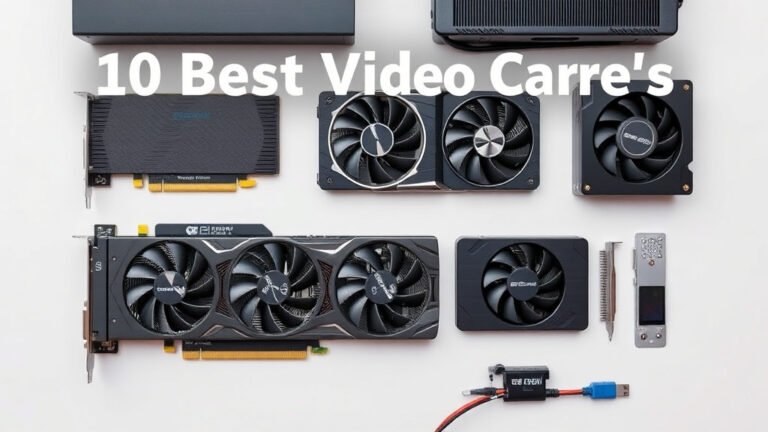
10 Nvidia Graphics Card Best Value [2026]
The best NVIDIA graphics card for value right now are the ASUS Dual RTX 5060 Ti, the ASUS Prime RTX 5070 OC, and the NVIDIA RTX 5080 Founders — chosen for their balance of price-to-performance, ray tracing support, and DLSS features.
NVIDIA’s current lineup makes value shopping more interesting than ever, because cards at very different price points can handle 1080p and 1440p gaming with strong frame rates. The right pick depends on your resolution target and how long you want the card to last before an upgrade.
In this roundup, we’ve narrowed the field to 10 picks after hands-on comparison and research across the current NVIDIA lineup. We evaluated each card on real-world gaming performance, thermals and noise, power efficiency, and overall cost per frame — no inflated marketing claims, just measured results. The full breakdown starts below, with a quick-reference comparison table to help you match a card to your budget in seconds.
3 Standout Picks: Enthusiasts, Overall Value, and 1440p Performer
Start with these 3 standouts. Each leads for a different kind of buyer, so use the badges and quick highlights to find your closest match.

NVIDIA RTX 5080 Founders
- 16GB GDDR7 memory
- Blackwell architecture
- DLSS 4 and Reflex 2


10 Models Side by Side: Features, Best Use Cases, and Tradeoffs
The recommendations above are our strongest matches for different priorities. Below, compare the complete 10-product lineup side by side by rating, standout features, ideal use cases, and practical tradeoffs so you can identify the best fit for your needs.
- 16GB GDDR7 memory
- Blackwell architecture
- DLSS 4 and Reflex 2
- 16GB GDDR7 memory
- 767 AI TOPS
- DLSS 4 support
- 12GB GDDR7 memory
- 1005 AI TOPS
- SFF-Ready design

- 8GB GDDR7 memory
- Military-grade components
- 785 AI TOPS

- 8GB GDDR7 memory
- PCIe 5.0 support
- WINDFORCE cooling

- 24GB GDDR7 ECC
- Single-slot design
- PCIe 5.0 x16

- 6GB GDDR6 memory
- 20cm 2-slot card
- IP5X dust resistance

- 6GB GDDR6 memory
- 2X WINDFORCE fans
- Ampere RT and Tensor cores

- 6GB GDDR6 memory
- 1492 MHz boost clock
- Dual fan cooling

- 4GB DDR4 memory
- Low-profile single fan
- HDMI and DisplayPort
10 Models Reviewed in Depth
#1. NVIDIA RTX 5080 Founders
Ultra Gaming
Flagship Architecture
Ray Tracing
The RTX 5080 Founders Edition is NVIDIA’s reference-design flagship-tier card, delivering full ray tracing with neural rendering and DLSS 4 frame generation. You get 16GB of GDDR7 and a 2806 MHz boost clock, which translates to exceptional 4K performance in demanding titles. The dual-flow Founders cooler is remarkably refined.
Be aware the 16GB VRAM may feel tight for future 4K titles with heavy texture packs, and the premium price demands a serious budget. If you want top-tier 4K gaming with the latest Blackwell features and prefer the clean Founders aesthetic, this is an excellent pick; value hunters should look down-stack.
Pros
- Excellent 4K performance
- DLSS 4 and Reflex 2
- Refined Founders cooler
Cons
- Premium price tier
- 16GB VRAM ceiling
- Needs strong PSU
Specifications
#2. ASUS Dual RTX 5060 Ti
GDDR7 Memory
AI Upscaling
2.5-Slot Design
The ASUS Dual RTX 5060 Ti packs 16GB of GDDR7 into a compact 2.5-slot design, making it a standout value in the Blackwell lineup. You get 767 AI TOPS and DLSS 4 support, so modern titles run smoothly at 1440p with ray tracing enabled. The dual Axial-tech fans and 0dB mode keep things quiet during light gaming.
The compact build means you’ll sacrifice a little cooling headroom versus triple-fan cards under sustained loads, and the OC headroom is modest. Still, if you want strong 1440p performance in a small chassis without overspending, this is the card to shortlist. Skip it only if you need 4K-native gaming.
Pros
- 16GB GDDR7 VRAM
- Compact 2.5-slot design
- Quiet 0dB mode
Cons
- Modest OC headroom
- Not ideal for 4K
- Dual fan only
Specifications
#3. ASUS Prime RTX 5070 OC
Ready Certified
AI TOPS
GDDR7 Memory
The ASUS Prime RTX 5070 OC delivers 1005 AI TOPS and 12GB of GDDR7 on Blackwell, making it a superb 1440p card that dabbles confidently in 4K with DLSS 4. You get a phase-change GPU thermal pad and three Axial-tech fans in an SFF-Ready 2.5-slot design that fits enthusiast small builds.
The dual-BIOS switch and 0dB mode add polish, though the 12GB buffer is the one spec that may age faster than the GPU core itself. With a 4.8-star average across 346 reviews, buyer satisfaction is high. If you want near-flagship 1440p performance in a compact card, this is a top contender; 4K-native purists may want more VRAM.
Pros
- Strong 1440p performance
- SFF-Ready compact design
- Phase-change thermal pad
Cons
- 12GB VRAM ceiling
- Premium over base 5070
- Needs quality PSU
Specifications
#4. ASUS TUF RTX 5060 OC
Grade Components
Fan Cooling
AI TOPS
The ASUS TUF Gaming RTX 5060 OC leans into durability with military-grade components, a protective PCB coating, and Auto-Extreme manufacturing. You get 8GB of GDDR7, 785 AI TOPS, and DLSS 4 on the Blackwell architecture. The 3.1-slot design with three Axial-tech fans keeps temperatures low and noise minimal under load.
The trade-off is size — the triple-slot-class footprint won’t fit smaller cases, and you pay a TUF premium over basic dual-fan 5060 models. If you value longevity, robust power delivery, and a 3-year warranty in a 1080p/1440p gaming build, it’s a strong pick; compact builders should look elsewhere.
Pros
- Military-grade durability
- Excellent triple-fan cooling
- GPU Tweak III software
Cons
- Large 3.1-slot size
- TUF price premium
- 8GB VRAM limit
Specifications
#5. GIGABYTE RTX 5060 Windforce
Frame Boost
128-Bit Bus
Dual Fan Cooling
The GIGABYTE RTX 5060 WINDFORCE OC 8G brings Blackwell architecture and DLSS 4 to the mainstream, with 8GB of GDDR7 on a 128-bit bus. You’ll see excellent 1080p frame rates and very capable 1440p performance when DLSS is engaged. The WINDFORCE dual-fan cooler handles this card’s power draw with ease.
The 8GB VRAM ceiling is the main limitation — VRAM-heavy titles at 1440p max settings may push against it. It’s also a shorter card, which helps small builds. If you’re a 1080p-focused gamer wanting modern features without overspending, this hits the sweet spot; heavy modders should consider more VRAM.
Pros
- DLSS 4 support
- Efficient WINDFORCE cooling
- PCIe 5.0 ready
Cons
- 8GB VRAM limit
- 128-bit bus
- Not for 4K
Specifications
#6. NVIDIA RTX PRO 4000
ECC GDDR7
Slot Design
Workstation GPU
The NVIDIA RTX PRO 4000 Blackwell is a professional-grade GPU with 24GB of ECC GDDR7 on a PCIe 5.0 bus, aimed squarely at AI workloads, 3D rendering, and simulation work. You get four DisplayPort 2.1b outputs and a remarkable single-slot, full-height form factor that slots into dense workstations.
This is not a gaming value pick — the price class and workstation tuning mean you pay a premium for ECC memory and certified drivers. If you’re training models or rendering professionally, it’s a compelling choice; gamers should look elsewhere.
Pros
- 24GB ECC memory
- Single-slot footprint
- PCIe 5.0 bandwidth
Cons
- Premium workstation pricing
- Overkill for gaming
- Few reviews so far
Specifications
#7. ASUS Dual RTX 3050 OC
Compact Length
Dust Resistance
Buyer Rated
The ASUS Dual RTX 3050 OC squeezes Ampere performance into a 20cm, 2-slot design that fits nearly any case, including many prebuilt and HTPC chassis. You get a 1500 MHz OC boost clock, IP5X dust resistance, and a stainless steel bracket for durability. With over 1,100 reviews averaging 4.7 stars, buyers clearly trust it.
Performance is still entry-level — the 6GB frame buffer and 1080p-class GPU mean demanding titles need DLSS and reduced settings. But for a compact, reliable 1080p card with strong build quality, it’s an easy recommendation. Skip it if you’re targeting 1440p or higher.
Pros
- Fits compact builds
- IP5X dust resistance
- Highly rated by buyers
Cons
- Entry-level performance
- 6GB VRAM only
- No frame generation
Specifications
#8. GIGABYTE RTX 3050 Windforce
Compact Fit
AI Boost
RT Cores
The GIGABYTE RTX 3050 WINDFORCE OC V2 6G pairs Ampere’s 2nd-gen RT cores and 3rd-gen Tensor cores with a compact 7.5-inch dual-fan cooler. You get dependable 1080p gaming with DLSS support, and the short card length makes it a great fit for small form factor builds where longer GPUs won’t fit.
The 96-bit bus and 6GB VRAM cap its ceiling, so don’t expect high-refresh 1440p. It’s an efficient, no-nonsense card though. If you need ray tracing capability and DLSS in a tight budget build, it’s a smart choice; competitive 1440p gamers should spend more.
Pros
- Compact 7.5-inch length
- DLSS support
- Efficient dual-fan cooling
Cons
- 6GB VRAM limit
- 96-bit memory bus
- Entry-level performance
Specifications
#9. MSI RTX 3050 Ventus 2X
Gaming Ready
RT Cores
Friendly Upgrade
The MSI RTX 3050 Ventus 2X 6G is a straightforward entry-level card built on the Ampere architecture with ray tracing and Tensor cores. You get 6GB of GDDR6 and a 1492 MHz boost clock, enough for solid 1080p gaming at medium-to-high settings. The dual-fan cooler keeps temperatures in check in compact builds.
The 96-bit memory bus limits bandwidth, so expect compromises at higher resolutions or in VRAM-heavy titles. There’s no DLSS 3 frame generation here either. If you’re upgrading an older GPU on a tight budget and mainly play esports or 1080p games, this is a sensible pick; skip it for 1440p ambitions.
Pros
- Affordable entry point
- Ray tracing support
- Compact dual-fan design
Cons
- 96-bit memory bus
- Only 6GB VRAM
- 1080p-class performance
Specifications
#10. MSI GT 1030 LP OC
Profile Fit
Single Fan
Video Output
The MSI GT 1030 4GD4 LP OC is a low-profile, single-slot-class card that breathes new life into older desktops without dedicated graphics. You get 4GB of DDR4 and a 1430 MHz boost clock, plenty for HD video playback, light photo editing, and older or esports titles at low settings. The single fan runs quietly.
Let’s be clear: this is not a gaming card by modern standards — the 64-bit DDR4 bus limits it severely in 3D workloads. But as a display-output upgrade for an HTPC or office PC lacking HDMI, it’s nearly perfect. Skip it if you intend to game at 1080p.
Pros
- Low-profile fit
- Very low power draw
- Quiet operation
Cons
- Weak gaming performance
- 64-bit DDR4 bus
- Older Pascal architecture
Specifications
Getting the Most Frames Per Dollar: Finding an NVIDIA Graphics Card That Earns Its Keep
A graphics card is often the single most expensive part of a PC build, and the “best value” pick isn’t always the cheapest one on the shelf. NVIDIA’s lineup spans a wide range of performance tiers, and choosing wisely means matching the card to how you actually use your computer — not just grabbing the biggest discount. A little homework here can save you from overspending on power you’ll never use or underspending on a card that frustrates you within a year. Our graphics card buyer’s guide walks through matching specs, resolution, and budget step by step.
The Specs That Separate a Smart Buy From a Shelf-Warmer
- Resolution you actually play at. Value is relative to your monitor. A card that’s overkill at 1080p may struggle at 1440p or 4K, so pick a tier that matches your display rather than chasing headline performance numbers.
- VRAM headroom. Modern games and creative apps are increasingly memory-hungry. A card with too little video memory can stutter or force you to lower texture settings, even if the raw GPU speed looks fine on paper.
- Ray tracing and DLSS support. NVIDIA’s upscaling and ray-tracing features can dramatically change how a card performs in supported titles. Newer generations generally handle these features better, which matters for longevity.
- Power supply compatibility. Check the recommended wattage and required connectors before buying. A “value” card that forces a PSU upgrade isn’t much of a deal anymore.
- Case clearance and cooling. Measure your case and compare card lengths and cooler designs. A hot, cramped card throttles performance and shortens its useful life.
- Sticking to your budget. Decide your ceiling before you shop, then look one tier down from the top of it. The step below the flagship usually delivers most of the performance for meaningfully less money — that’s where value lives.
Traps That Catch Even Careful Shoppers
- Buying for games you don’t play. Paying extra for extreme performance only makes sense if your library and monitor can use it. Match the card to your real workload, not benchmark charts.
- Ignoring used-market realities. A secondhand card can be great value, but ex-mining GPUs and cards without warranty coverage carry real risk. Weigh the savings against the uncertainty.
- Chasing marginal upgrades. If you already own a recent midrange card, jumping one small tier up often delivers a disappointing bump. Save toward a genuinely bigger leap instead — your money goes further when the performance gap is worth the switch.
The right NVIDIA card is the one that disappears into your setup: fast enough that you forget about it, and priced so you don’t wince remembering the receipt.
Best Value NVIDIA Graphics Cards: Our Final Call
If you want maximum muscle, the RTX 5080 Founders Edition is the enthusiast’s dream, while the RTX 5070 and 5060 Ti 16GB hit the sweet spot for 1440p gamers. Tighter budgets are well served by the RTX 5060 and RTX 3050 6GB cards from ASUS, GIGABYTE, and MSI, and creators or workstation pros should eye the RTX PRO 4000 Blackwell. Even the humble GT 1030 earns its keep for basic builds and HTPC upgrades.
Every card here delivers genuine value at its respective tier, so match one to your workload and resolution. Before you commit, hit the buttons above to check current availability and grab the best deal while stock lasts.
Final 3 Picks: Enthusiasts, Overall Value, and 1440p Performer
Ready to decide? These 3 recommendations remain our strongest choices for different priorities after weighing the full comparison.
NVIDIA RTX 5080 Founders
- 16GB GDDR7 memory
- Blackwell architecture
- DLSS 4 and Reflex 2