What is a Low Profile Graphics Card and Its Uses
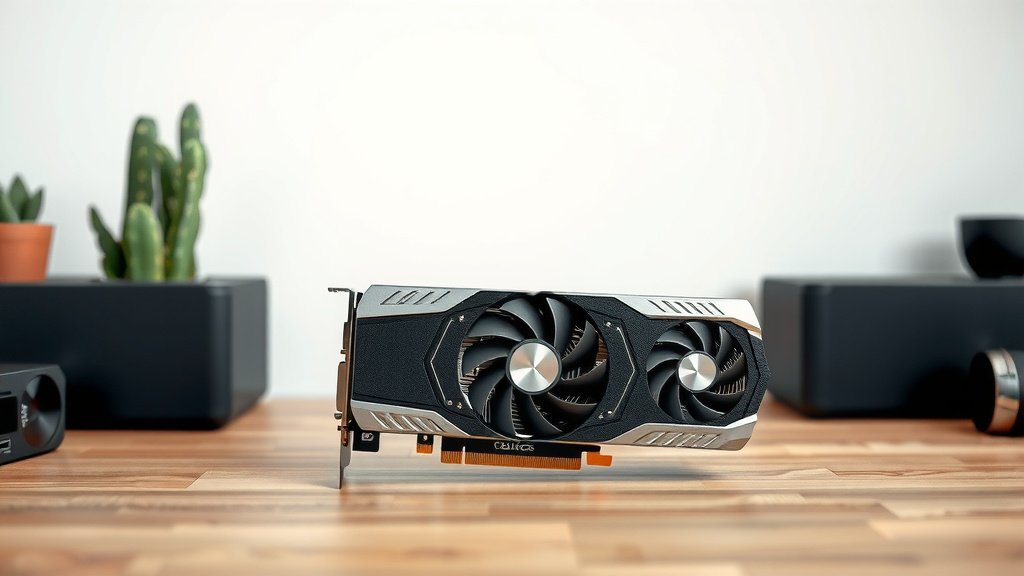
A low profile graphics card is a slimmer version of a standard GPU. It’s designed to fit into smaller computer cases. Think of it as a compact powerhouse for your PC’s graphics. This makes it ideal for builds where space is a premium.
Many users wonder if these smaller cards can still deliver good performance. The good news is that low profile GPUs offer a wide range of capabilities. They are a fantastic solution for upgrading pre-built systems or creating mini PCs. You might be surprised by their power!
- Low profile GPUs are shorter than regular graphics cards.
- They fit into slim or small PC cases.
- Great for upgrading pre-built computers.
- They come in various power levels.
- A good choice for budget gaming and media PCs.
So, what exactly makes a low profile graphics card different and who might benefit from one? Let’s break down the details you need to know.
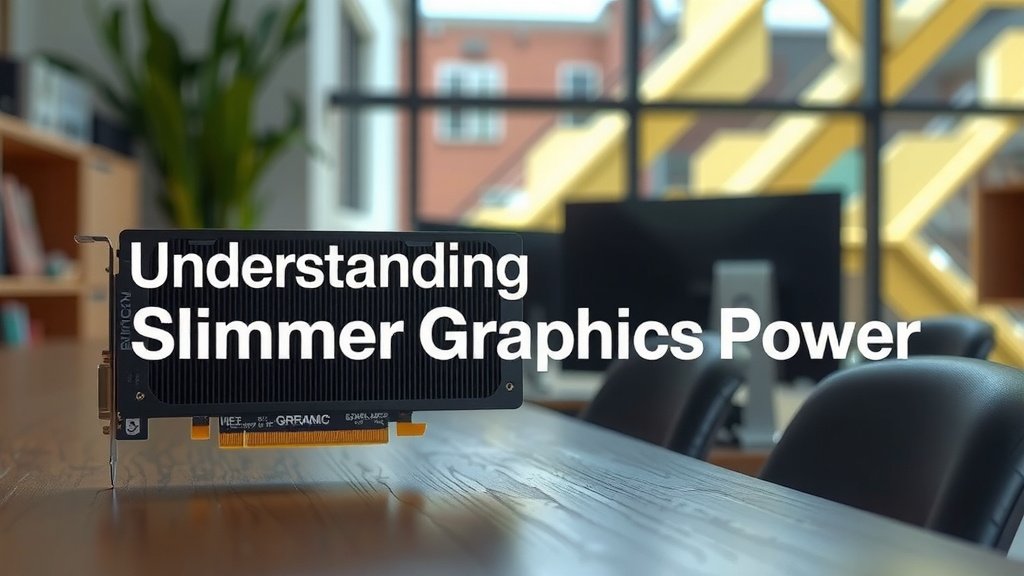
Understanding Slimmer Graphics Power
So, you’re curious about low profile graphics cards. Think of them as the sleek cousins of the hulking graphics cards you might see in a gaming PC. Their main superpower is their reduced height. This design trick allows them to slide into computer cases that are much thinner than average. You’ll often find them in pre-built desktop computers from major brands or in compact home theater PCs. They are a clever solution when space is your biggest constraint.
Why Choose a Low Profile GPU?
The most common reason people look for a low profile graphics card is simple: their computer case is too small for a standard-sized card. Many mainstream desktop PCs are built with slim profiles. Trying to fit a big, fat graphics card into one of these is like trying to stuff a watermelon into a shoebox. You just can’t do it! Low profile cards are designed to solve this exact problem. They offer a way to boost your PC’s graphics capabilities without needing a new, larger case.
Upgrading Pre-Built Systems
Many pre-built computers come with very basic graphics capabilities, sometimes just integrated graphics from the CPU. This is fine for everyday tasks like web browsing and email. But what if you want to do a bit more? Maybe play some less demanding games or edit photos? A low profile GPU is often the perfect upgrade path. You can swap out the old, weak graphics solution for a modest but capable low profile card. It’s a fantastic way to breathe new life into an existing machine.
Building a Compact PC
Are you dreaming of a tiny PC that can sit neatly on your desk or tuck away behind your TV? Low profile cards are essential for these mini-PC builds. They allow you to pack serious graphical punch into a shoebox-sized computer. This is great for media centers, small office workstations, or even discreet gaming rigs. You get more power without the bulk. It’s a win-win for anyone prioritizing space and aesthetics.
What to Expect in Terms of Performance
Now, let’s talk performance. It’s a common question: “Can these smaller cards actually perform well?” The answer is a resounding yes, within their limits. Low profile cards come in a range of performance levels. You can find very basic models suitable for improving display output or handling multiple monitors. You can also find more powerful ones capable of playing many popular games at reasonable settings. It’s all about matching the card to your specific needs.
Lower Power Consumption
One of the benefits of many low profile cards is their lower power draw. Because they are designed for smaller systems, they often don’t require the hefty power supplies that larger cards do. Many don’t even need extra power connectors from your power supply. They run directly off the PCIe slot. This makes them ideal for upgrading older or lower-end PCs that might not have a robust power supply unit (PSU). It’s a simpler and safer upgrade.
Understanding the Trade-offs
However, there are some trade-offs to consider. Due to size and thermal constraints, low profile cards generally won’t match the raw power of their full-height counterparts. You typically won’t find top-tier, enthusiast-level GPUs in a low profile form factor. The cooling solutions are also more compact. This means they might run a bit warmer under heavy load. But for many users, the performance offered is more than sufficient for their tasks.
Key Features of Low Profile Graphics Cards
When you’re shopping for a low profile card, you’ll notice a few things that set them apart. Their physical dimensions are the most obvious. They have a shorter PCB (the circuit board) and a single-slot bracket. Some come with two bracket options in the box: a standard height one and a low profile one. This allows for flexibility depending on your case.
Form Factor Explained
The “low profile” designation refers to the height of the card. A standard GPU might be around 4.5 inches tall. A low profile card is typically closer to 2.5 inches tall. They also usually only take up one expansion slot in your motherboard. This is a critical design element that lets them fit where others can’t. It’s this compact design that makes them so useful.
Connectivity Options
You’ll find various display outputs on low profile cards, just like regular ones. Common ports include DisplayPort and HDMI. Some might have older DVI ports. The number and type of ports can vary significantly between models. Always check the specifications to ensure the card has the ports you need for your monitors. You don’t want to buy a card only to find out you can’t connect your display!
| Feature | Low Profile GPU | Standard GPU |
|---|---|---|
| Height | Short (approx. 2.5 inches) | Tall (approx. 4.5+ inches) |
| Case Compatibility | Slim cases, small form factor PCs | Standard ATX, Micro-ATX towers |
| Power Consumption | Generally lower | Can be very high |
| Performance Ceiling | Good for budget/mainstream tasks | Can reach extreme performance levels |
| Cooling | Compact solutions | Larger, more robust coolers |
Who Benefits Most from a Low Profile GPU?
If you’re nodding along to any of these scenarios, a low profile card might be your perfect fit. They are excellent for:
- Users with slim or small form factor PCs.
- Anyone looking to upgrade a pre-built desktop.
- People building a compact media center PC.
- Gamers on a budget who play less demanding titles.
- Those needing more display outputs for a workstation.
- Anyone prioritizing a quiet and cool small build.
Conclusion
You’ve learned that a low profile graphics card is your go-to solution for boosting graphics power in tight spaces. Whether you’re upgrading a pre-built PC or building a tiny media center, these slim cards offer a smart way to improve performance without needing a bigger case. They provide a good balance for tasks like casual gaming and media playback. Consider your needs carefully and check your case’s dimensions. Then, you’ll be ready to find the perfect low profile GPU to fit your setup and get more out of your computer.
Frequently Asked Questions
Will a low profile graphics card fit in my computer?
You’ll need to measure the available height inside your PC case. Low profile cards are typically around 2.5 inches tall, much shorter than standard cards. Check your case’s specifications or measure carefully to ensure there’s enough clearance for the card’s height and any attached cables.
Can a low profile GPU play modern games?
Some higher-end low profile cards can handle many modern games at lower settings or resolutions. However, they generally won’t match the performance of full-sized, top-tier GPUs. For graphically demanding AAA titles, you might need to adjust settings significantly or look at more powerful, larger cards if your case allows.
Do low profile graphics cards require extra power cables?
Many low profile cards are designed to draw all their power directly from the PCIe slot on your motherboard. This means they often don’t need separate power connectors from your power supply. Always check the specific card’s requirements, but this lack of external power is a common benefit for upgrading older systems.
What’s the difference between low profile and single-slot cards?
Low profile refers to the card’s height, making it shorter. Single-slot refers to the card’s width, meaning it only occupies one expansion slot on your motherboard. While many low profile cards are also single-slot, a card can be single-slot but still be full height, or low profile but take up two slots if it has a larger cooler. It’s important to check both dimensions.
Can I use a low profile card for multiple monitors?
Yes, absolutely! Many low profile graphics cards are excellent for improving your multi-monitor setup. They often come with multiple display outputs like DisplayPort and HDMI. This allows you to connect several monitors for increased productivity or a more immersive desktop experience, even in a compact PC.
![10 Dollar Graphics Card [2026]](https://spsolutionscare.com/wp-content/uploads/2026/08/10-dollar-graphics-card-2026-featured-768x432.jpg)
![10 Models [2026]](https://spsolutionscare.com/wp-content/uploads/2026/08/10-models-2026-featured-768x432.jpg)